Walmart Marketplace Integration & WooCommerce: Listing Products – Nexcess

Boost your business with Walmart Marketplace Integration. Reach 140 million Americans with ease and expand your online presence.
Get fast, reliable hosting for WordPress
Power your site with the industry’s fastest, most optimized WordPress hosting
Walmart Marketplace Integration & WooCommerce
What are the Top Reasons for Receiving a Walmart Marketplace Application Approval?
- You are an experienced and successful online seller.
- You have a track record of providing excellent customer service and satisfaction, with great reviews.
- Your products are priced competitively.
- You can fulfill orders as quickly as required with fast shipping options.
- Your business has comprehensive and accurate business/tax documentation.
- Your company is registered in the United States and your business and warehouses have US addresses.
- You have a quality product set to offer Walmart customers.
- Your inventory contains sought-after legal products.
What are the Top Reasons for Receiving a Walmart Marketplace Application Denial?
- You are an inexperienced and novice online seller.
- You fail to meet customer service requirements and get poor reviews.
- Your products are overpriced.
- You cannot fulfill orders as quickly as required and lack fast shipping options.
- Your business lacks comprehensive and accurate business/tax documentation.
- Your company is not registered in the United States, or your business and warehouses have non-US addresses.
- You do not have a quality product set to offer Walmart customers.
- Your inventory contains prohibited products.
Getting Started with Walmart Marketplace Integration
Are you thinking of starting up your business as an ecommerce business, but you’re a bit overwhelmed and not sure if you will attract enough clients to make it work? Do you already have a working online store, but want to expand your online presence to reach a bigger audience? The large online footprint you seek can be facilitated by a successful Walmart Marketplace Integration.
While there are many other choices out there, Walmart might be one of the best to get started and boost your business. You need to address a few prerequisites before submitting an application and selling on Walmart Marketplace, which we’ll discuss shortly, but for now, let’s first answer the question: “What is Walmart Marketplace?”What is the Walmart Marketplace?
Walmart Marketplace is a well-known ecommerce platform introducing millions of products and brands to their customers. Since it allows for third-party sellers to list their items, selling on Walmart Marketplace is one of the easiest and best ways to popularize your products and reach an audience of 140 million Americans that visit it.
These benefits, as well as a huge revenue stream, can be achieved by getting started with the Walmart Marketplace Integration. Along with enabling the support of the marketplace itself and providing clear insights and metrics on your overall sales performance, Walmart Marketplace Integration, is the starting point for your online business growth journey. So, let’s get started!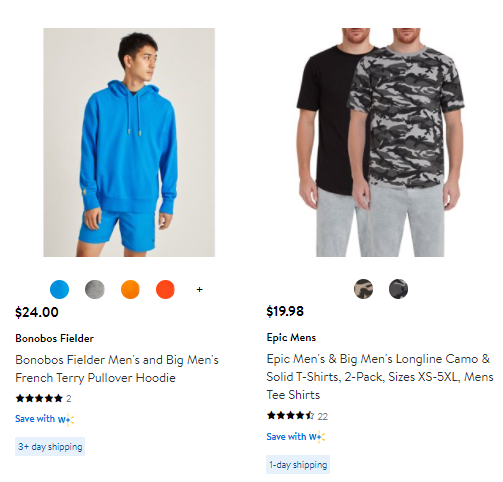
WooCommerce & Selling on Walmart Marketplace
Walmart Marketplace Integration: Perquisites
To start your Walmart Marketplace Integration effort with your WooCommerce store and become a part of the Walmart Marketplace Seller Community, make sure you have the following all of the following perquisites in place for your business:
- US Business Tax ID (Social Security Number, SSN, not accepted)
- W9 or W8 and EIN Verification Letter from the Department of Treasury that verifies your US business address or place of physical operations.
- Address or place of physical operations
- US business address
- Planned integration method for your product catalog (bulk upload, API, solution provider)
- Primary product categories, catalog size, and related information (for example, the total SKUs you will be selling on Walmart.com initially with verified UPC information, including used vs. refurbished attribute information per item to be sold, etc.)
Among the list of perquisites above, a few other things to take into consideration when starting are:
- Ensure none of your products appear on the list items referenced by Walmart Marketplace Prohibited Products Policy (which includes alcohol, certain types of food, offensive products, hazardous material, etc.)
- Providing as much information upfront as possible to avoid delays during the application review process (while it takes 10-15 minutes to complete the application, the process can take about 14 to 30 days to finish)
- Have a fast and predictable fulfillment network. Since FBA (Fulfillment by Amazon) cannot be used, Walmart offers the Walmart Fulfillment Center, which takes care of storing, packing, and shipping your orders:
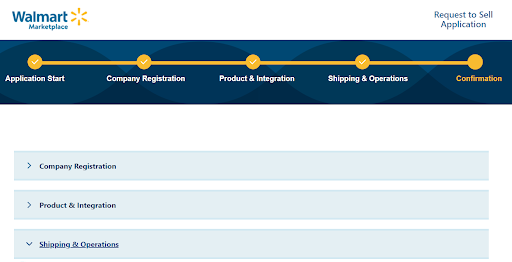
Walmart Marketplace Application Submission
After reviewing everything, submit your application and await the results.

Walmart Marketplace Registration & Setup
If everything goes well, you will want to get registered and fill out some additional information. You can start your Walmart Marketplace Integration simply by logging in and uploading and updating listings from your website to Walmart.com with ease using the Bulk Upload Tool, which is recommended. Still, you can also upload items individually if you prefer to do so.
Walmart Seller Central & Related APIs
Items can also be added either in Walmart Seller Central after it has been set up. If you’re a more technical user or have a technical team that can handle the task, items can be added through the set of APIs. For both seller and supplier developers, these APIs include:
The Walmart Marketplace API: Used to manage items, orders, prices, promotions, inventory, and reports on Walmart.com.
The Walmart Drop Vendor API: Used by Drop Ship Vendors (DSVs) to scale their businesses to present goods to a large audience.
The Walmart Warehouse Suppliers API: Used to manage items, orders, prices, promotions, inventory, and reports on Walmart.com.
The Walmart Content Providers API: Used to help create enriched content, assist with API integrations, and act as a bridge between suppliers and Walmart.
Walmart partners with top ecommerce companies such as Shopify to provide the required tools and technology to smaller ecommerce businesses that could greatly benefit for the easier management of various aspects of the business operations, including:
- Item Setup
- Pricing
- Inventory
- Order Fulfillment
Walmart partners with the leading solution providers, who offer top-notch support and a wide range of ecommerce services, including item setup, inventory, order fulfillment, pricing, and more. While some solution providers offer full-service integration, others only provide specific functions. Each integration is tailored to your specific needs, so you should reach out to the solution provider directly to gather information on costs, features, and capabilities.
Two Plugin Options for Walmart Marketplace Integration
For Walmart Marketplace Integration with WooCommerce, we can recommend the following:
Plugin Option #1: Walmart Integration for WooCommerce Pros- Effortless selling on Walmart Marketplace
- 24/7 Support team
- Easy-to-use interface and a centralized managing point
- Dedicated Account Manager that can assist with Installation and onboarding
- A 14-day free trial of integration services.
- Multiple available integrations along with Walmart Marketplace Integration
- 24/7 email/chat support team
- Depending on the number of orders, costs can go pretty high
Plugin Installation for Walmart Marketplace Integration
To start the installation process, navigate to your Admin area, go to Plugins > Add New > and search for Multichannel for WooCommerce: Google, Amazon, eBay & Walmart Integration – Channel Cloud by Codisto.
Additional resources
What is managed WordPress hosting? →
Get details and decide if managed WordPress hosting is right for you.
Must-have web development plugins to create WordPress websites at scale →
Explore the best web development plugins to enhance functionality, improve performance, and streamline your WordPress site.
A complete guide to WordPress shortcodes →
Shortcodes make life easier. Learn how to get started!
