◦ Comprehensive security
◦ 24/7 support
WordPress Guide → SEO → No Follow Link
What are nofollow links?
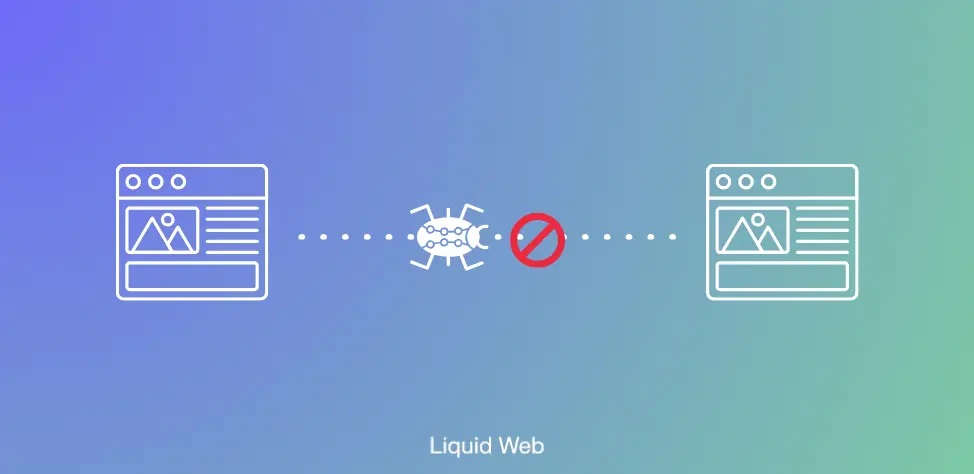
Nofollow links use an HTML attribute (rel=”nofollow”) that tells search engines, “Please don’t factor this link into your ranking algorithms”. In other words, they help control where your site’s “link juice” or authority flows. Typically, when search engines crawl a page, they track every link they can follow, distributing value along the way. Adding nofollow stops that flow, preventing the linked site from gaining ranking benefits through your link.
This powerful yet simple attribute has become a preferred tool for webmasters who want to manage their outbound links – especially in cases involving user-generated content, affiliate links, or potential spam sources.
Get fast, reliable hosting for WordPress
Power your site with the industry’s fastest, most optimized WordPress hosting
What is a nofollow link?
A nofollow link is a hyperlink that contains a special attribute (rel=”nofollow”) telling search engines not to follow it or pass ranking authority to the linked page.
Normally, when you link to another website, search engines treat it as a “vote of confidence” and consider it when ranking that page. Adding nofollow removes that vote. The link still works for users, but Google, Bing, and other engines won’t treat it as an endorsement.
In WordPress, you might add nofollow tags to links in blog posts, sidebars, or comment sections to control how your site passes authority to other websites.
When to use a nofollow link
You don’t need to make every link nofollow. In fact, most links on your site should be standard (dofollow). But here are common cases where nofollow is the smarter choice:
- Affiliate or sponsored links. Google requires that paid links or affiliate links be nofollow (or marked with sponsored) so they don’t influence search rankings unfairly.
- User-generated content. Comments, forum posts, or guest posts can contain links you don’t want search engines to interpret as endorsements.
- Untrusted or low-quality sites. If you need to link to a site but don’t want to pass SEO authority because you’re unsure of its trustworthiness, nofollow helps.
- External resources you don’t control. For example, a link to a Wikipedia page doesn’t need your site’s “vote” to rank well.
Why use nofollow links? Key benefits
Using nofollow strategically gives you more control over your SEO and protects your site. Here’s how:
- Prevents SEO penalties. Linking to low-quality sites without nofollow can hurt your reputation in Google’s eyes.
- Keeps affiliate marketing compliant. Marking sponsored and affiliate links avoids penalties from search engines.
- Protects against spam abuse. Adding nofollow to comment sections and forums discourages spam links.
- Improves link strategy. It helps you control which sites your authority supports, keeping more link equity within your site.
How to add a nofollow link
WordPress makes it extremely easy to add a nofollow tag to any link.
- Open the block editor and highlight the text you want to link. (This is called “anchor text.”)
- Insert the link as usual.
- Switch to the HTML view (in the editor toolbar, choose “Edit as HTML”)
- Add rel=”nofollow” inside the link tag. For example:
<a href=”https://example.com” rel=”nofollow”>Example Link</a>
For a simpler option, plugins like All in One SEO or Yoast SEO let you check a box to apply nofollow without editing code.
With Yoast, for example, you simply create your link and then:
Click on the anchor text again and select the Edit/pencil icon

Select “Search engines should ignore this link (mark as nofollow)” and click Save.

Nofollow vs dofollow links
A dofollow link is the default type of link. It passes link equity (sometimes called “link juice”) from your site to the destination, helping that page rank higher in search engines.
The difference is simple:
- Dofollow links are endorsements, signaling trust.
- Nofollow links are neutral, saying, “I’m linking here, but not vouching for this page.”
Both have value. Dofollow links help build relationships and support SEO, while nofollow keeps you compliant and protects your rankings.
Why was the nofollow tag created?
Google and other search engines introduced nofollow in 2005 as a way to combat spammy SEO tactics. At the time, websites were being bombarded with comment spam—links added only to manipulate search results.
By giving site owners a way to label certain links as nofollow, search engines could stop spammers from gaining an advantage. Over time, the use of nofollow expanded to cover paid links, affiliate marketing, and other situations where link manipulation might occur.
Today, nofollow remains a vital part of SEO best practices and is often used alongside related tags like sponsored and ugc (user-generated content).
How to check if a link is nofollow
You can easily confirm whether a link has the nofollow attribute:
- Open the page in your browser.
- Right-click on the link and select “Inspect” or “View Page Source.”
- Look for the <a> tag. If you see rel=”nofollow”, the link is nofollow.
- If not, it’s a standard dofollow link.

There are also free browser extensions, like “NoFollow Simple” for Chrome, that highlight nofollow links automatically.
Nofollow tags and SEO
Nofollow doesn’t directly boost your SEO rankings, but it helps indirectly by protecting your site’s reputation. Google wants natural, trustworthy linking behavior. If your site is full of spammy or paid links without proper tagging, you risk penalties.
By marking those links as nofollow, you’re signaling that you aren’t trying to manipulate search rankings. That keeps your site in good standing.
Another benefit is focusing your link equity. By applying nofollow to unimportant or required links (like affiliate links or login pages), you allow your dofollow links to carry more weight.
Finally, a balanced link profile (a healthy mix of dofollow and nofollow) looks natural to search engines. Too many of one type can raise red flags.
Nofollow vs noindex
A noindex tag tells search engines not to index an entire page, meaning it won’t appear in search results. Nofollow only applies to individual links, not whole pages.
- Nofollow: Controls whether search engines follow a specific link.
- Noindex: Controls whether an entire page shows up in search results.
Nofollow vs noindex
A noindex tag tells search engines not to index an entire page, meaning it won’t appear in search results. Nofollow only applies to individual links, not whole pages.
- Nofollow: Controls whether search engines follow a specific link.
- Noindex: Controls whether an entire page shows up in search results.
Nofollow vs noreferrer
A noreferrer attribute stops the browser from sending referral information when someone clicks a link. That means the site you’re linking to won’t see where the traffic came from.
- Nofollow: Tells search engines not to pass link authority.
- Noreferrer: Hides referral data from the linked site.
Nofollow vs noopener
A noopener attribute prevents new tabs from gaining access to your site’s browsing context, which improves security against phishing attacks.
- Nofollow: SEO-focused, controls link authority.
- Noopener: Security-focused, prevents malicious behavior from linked sites.
Nofollow link FAQs
Getting started with nofollow link WordPress
Nofollow links give you control over which sites you endorse and protect your SEO from penalties. They’re especially important for affiliate marketing, user content, and untrusted external resources.
Your next step is to review your WordPress posts and pages. Check where you’ve linked out and add nofollow where appropriate. Plugins can make this easier if you prefer not to edit code.
Ready to upgrade your WordPress experience? Professional hosting improves speeds, security, and reliability for a website and a brand that people find engaging and trustworthy.
And if you don’t want to deal with server management and maintenance, our fully managed hosting for WordPress is the best in the industry. Our team are not only server IT experts, but WordPress hosting experts as well. Your server couldn’t be in better hands.
Click below to explore options or start a chat with one of our WordPress hosting experts now to get answers to your questions and further guidance.
Additional resources
Comprehensive guide to securing WordPress with ModSecurity
→
This guide provides a comprehensive overview of how to use ModSecurity to enhance the security of your WordPress site.
Why is my website loading slow? Website troubleshooting steps →
In this article, we have assembled guidance from the seasoned web hosting professionals at Liquid Web as we review some of those factors that can be controlled and improved upon to fix a slow loading website.
Why security matters for WordPress enterprise hosting
→
Use the blog as your guide to attacks to watch out for, security best practices, and steps to improve the WordPress protection you already have.

Originally from Albuquerque, New Mexico, Leslie Bowman has hopped around the country since graduating from undergrad. She focused on English and Latin American History in college and eventually attended graduate school in New York City. There, she developed a passion for short, persuasive arguments. Bowman found a love of copywriting and is now a Senior Copywriter at Liquid Web.