◦ Comprehensive security
◦ 24/7 support
WordPress Guide → Pros and Cons
WordPress pros and cons
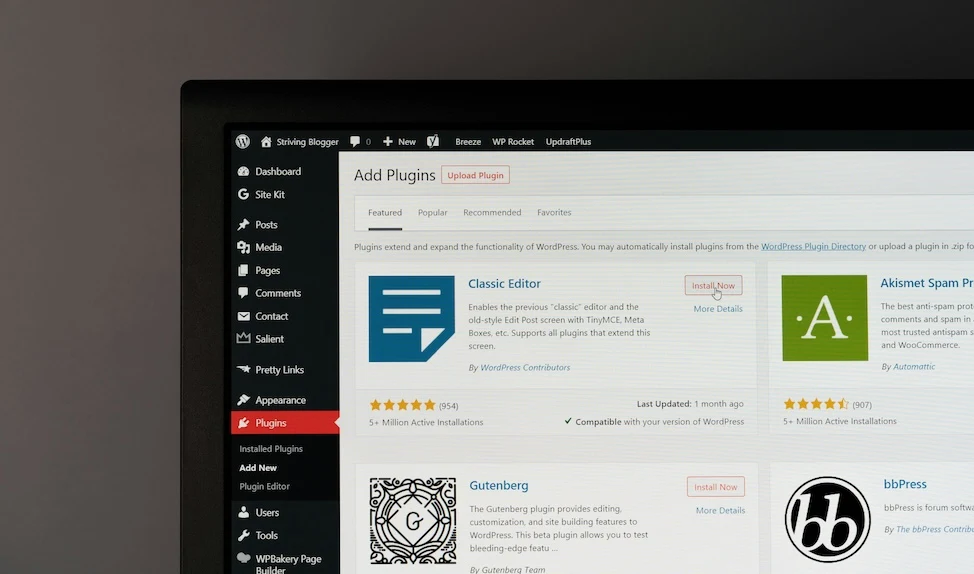
WordPress powers over 40% of the internet. It’s beloved by bloggers, developers, and businesses alike. But it’s not without its headaches. Before you dive into building a WordPress site, it’s worth understanding what you’re really getting into—both the good and the not-so-good.
Let’s walk through the key advantages and drawbacks of using WordPress in 2025.
The biggest advantages of WordPress
Here’s what makes WordPress a go-to CMS for millions of websites, from solo portfolios to Fortune 500 companies.
Pro 1: User-friendly interface
Even if you’ve never touched code, WordPress makes it easy to create and manage content. The block editor (also called Gutenberg) uses a drag-and-drop interface to help you build pages visually. You can insert images, videos, columns, buttons, and more—no developer needed.
For those who want even more control, popular page builders like Elementor and Beaver Builder provide powerful visual design tools.
Pro 2: Massive customization options
WordPress has a plugin for almost everything—SEO, contact forms, ecommerce, membership sites, galleries, you name it. There are over 60,000 free plugins in the WordPress Plugin Directory, plus thousands of premium options from third-party developers.
Themes control the look of your site, and you’ll find thousands of them, both free and paid. Many are customizable with built-in design controls, so you don’t have to touch CSS or PHP unless you want to.
Pro 3: SEO-friendly structure
Right out of the box, WordPress helps you build sites that search engines can crawl and index. Clean permalink settings, built-in tagging and categories, and simple content hierarchies all work in your favor.
Install an SEO plugin like Yoast SEO or All in One SEO to take full control of meta tags, schema, breadcrumbs, and sitemaps—no developer needed.
Pro 4: Strong community and ecosystem
WordPress has an enormous global user base. That means:
- Thousands of free tutorials, forums, and how-to guides
- Active Slack and Discord groups
- Endless support from hosting providers and developers
- Regular updates and security patches
If you ever get stuck, chances are someone has solved the problem before.
Pro 5: Free and open-source core
WordPress is free to download, install, and use. You own your website and data, and you’re not tied to any one provider. Because it’s open-source, developers can extend or modify the core software however they want.
This freedom is a big reason why WordPress has stayed dominant for so long.
Pro 6: Cost-effective for small projects
You can run a small business site, blog, or portfolio on WordPress for very little upfront investment. With free themes, free plugins, and entry-level WordPress hosting, you can get started for less than $100/year.
As your site grows, you can add premium features or upgrade hosting as needed, without rebuilding from scratch.
Pro 7: Scalable with the right setup
WordPress can power everything from a one-page landing site to a massive ecommerce store. It supports:
- WooCommerce for online stores
- LearnDash and Tutor LMS for education sites
- BuddyPress for social communities
- WordPress Multisite for managing multiple sites from one dashboard
It’s flexible enough to grow with your needs, assuming you invest in proper hosting and site optimization.
The downsides of WordPress you should know
For all its strengths, WordPress isn’t perfect. These are the most common pain points users encounter.
Con 1: Security vulnerabilities
Because WordPress is so widely used, it’s a big target for hackers. Vulnerabilities often come from outdated plugins or themes, insecure admin setups, or weak hosting environments.
You can harden WordPress with plugins like Wordfence or iThemes Security, but you’ll need to stay proactive about patches, updates, and backups.
Con 2: Frequent maintenance and updates
WordPress core, plugins, and themes all release updates regularly, and ignoring them can leave you open to bugs or exploits.
If you run a complex site with customizations or dozens of plugins, updates can be risky. You may need to test changes on a staging site before deploying them live.
Con 3: Plugin and theme conflicts
Adding lots of plugins can backfire. Some don’t follow coding best practices. Others may conflict with each other or your theme.
You might experience broken layouts, fatal errors, or subtle bugs that are hard to track down. Resolving conflicts often means disabling plugins one by one or inspecting logs—not fun for non-tech users.
Con 4: Performance bottlenecks
Too many plugins, a bloated theme, or unoptimized images can slow your site down. WordPress needs caching, image compression, and a solid hosting setup to stay fast.
It’s not uncommon for beginner sites to suffer from 5+ second load times because of poor configuration.
Con 5: Learning curve for advanced features
WordPress is easy to start, but more advanced customization takes time to learn. Custom post types, ACF, hooks, child themes, and troubleshooting PHP errors can be overwhelming for beginners.
Without a developer, site owners often hit a ceiling where they can’t implement specific design or functionality changes.
Con 6: True costs can creep up
Free gets you in the door, but premium plugins, themes, backups, security tools, and performance enhancements can add up.
And while WordPress itself is free, your time isn’t. Managing updates, fixing conflicts, and configuring plugins all take effort.
Is WordPress right for your type of website?
WordPress is incredibly versatile, but it’s not a universal fit. It works best for:
- Content-heavy sites (blogs, news, portfolios)
- Ecommerce sites using WooCommerce
- Service-based business websites
- Membership, course, or community platforms
- Agencies managing multiple client sites
You might want to consider a different tool if:
- You only need a static, single-page site
- You want no-maintenance, all-in-one solutions (like Squarespace)
- Your app needs real-time functionality or custom backend logic
Self-hosted WordPress vs WordPress.com
New users often confuse these two options:
- Self-hosted WordPress (WordPress.org): You install WordPress on your own hosting. Full control over plugins, themes, and code.
- WordPress.com: A hosted platform. Easier to use for beginners but comes with limitations unless you’re on a paid plan.
If you want full flexibility, go self-hosted. If you want a simpler experience and don’t mind fewer features, WordPress.com might be fine.
Extra considerations: developer experience and ecosystem
Behind the scenes, WordPress isn’t always developer-friendly.
- The PHP codebase is old and not always elegant
- Plugin quality varies—some are excellent, others are spaghetti
- Modern dev workflows (Git, CI/CD, headless builds) require extra setup
- REST API and GraphQL support are available but not deeply integrated
That said, experienced devs can do a lot with WordPress. It just doesn’t feel modern out of the box.
Final verdict: balancing flexibility with responsibility
WordPress gives you unmatched flexibility, customization, and control—but it also asks more of you than drag-and-drop site builders. It’s not perfect for every user, but when managed well, it’s incredibly powerful.
Getting started with WordPress
WordPress is a flexible CMS with massive potential—but only if you understand its strengths and limitations.
If you’ve decided WordPress is right for your project, your next step is choosing the right hosting. That’s the foundation for everything from performance to security.
Professional hosting improves speeds, security, and reliability for a website and a brand that people find engaging and trustworthy. Liquid Web’s WordPress hosting options configure business-class servers and support plans specifically for WordPress websites.
Don’t want to deal with server management and maintenance? Our fully managed hosting for WordPress is the best in the industry. Our team are not only server IT experts, but WordPress hosting experts as well. Your server couldn’t be in better hands.
Click through below to explore all of our hosting for WordPress options, or chat with a WordPress expert right now to get answers and advice.
Additional resources
What is managed WordPress hosting? →
Get details and decide if managed WordPress hosting is right for you.
How to build a WordPress site →
9 detailed steps to help walk you through your first setup
A complete guide to WordPress shortcodes →
Shortcodes make life easier. Learn how to get started!