◦ Comprehensive security
◦ 24/7 support
WordPress Guide → Plugins → Best Scheduling and Billing
The 9 best booking and appointment plugins for WordPress

Whether you’re a freelancer, a small business owner, or managing a larger enterprise, the right WordPress plugins can streamline your operations, enhance customer experience, and ultimately boost your bottom line.
Let’s look at the eight best WordPress booking plugins that simplify these essential tasks and integrate seamlessly with your existing WordPress setup. We’ll focus on the best features and functionalities to help you make an informed decision, elevating your business efficiency and customer satisfaction.
Get fast, reliable hosting for WordPress
Power your site with the industry’s fastest, most optimized WordPress hosting
What makes a good WordPress booking plugin?
Choosing the right booking plugin is not just about checking whether it has the relevant features, it’s about finding a solution that actually works for your business. Here’s how we evaluated these plugins to bring you only the best options.
- Ease of use comes first: Test each plugin’s setup process and task management capabilities. If it takes hours to configure or confuses your customers, it shouldn’t be on your list. The best plugins work intuitively from day one.
- Real-world reliability: Prioritize plugins with proven track records. Check the number of active installations, frequency of plugin updates, and positive user feedback. Don’t go for experimental tools or untested solutions or plugins that have not been updates in months.
- Essential features coverage: Every plugin must handle core booking needs: calendar management, customer notifications, payment processing, and mobile responsiveness. Advanced features are great, but the fundamentals must be rock-solid.
- Value for investment: Compare pricing against functionality to ensure you get genuine value. Whether free or premium, pick a plugin that delivers meaningful returns on your time and money.
- Transparent pricing structure: Hidden fees destroy budgets. The best plugins show exactly what you’ll pay upfront. Avoid solutions that nickel-and-dime you with essential features locked behind expensive add-ons.
- Support that actually helps: When things go wrong (and they sometimes do), you need responsive support. Favor plugins with active development teams and helpful communities.
- Growth-ready architecture: Your business will evolve and so your chosen booking plugin should scale with you, supporting multiple staff members, locations, and services without breaking down.
These characteristics separate professional booking solutions from amateur attempts. Choose accordingly.
WordPress booking plugin comparison table
| Plugin | Best for | Key features | Notable limitations |
|---|---|---|---|
| WooCommerce Bookings and Appointments | Businesses needing flexible, feature-rich booking systems | Recurring & multi-date bookings, dynamic pricing, buffer time, calendar sync, staff & resource control | Add-ons needed for some features, no free version, learning curve for setup |
| Bookly | General appointment booking across industries. | Automated booking system. Email and SMS notifications. Google Calendar integration. Multiple staff support. Customizable forms. | Complex setup process. Add-ons increase costs significantly. Occasional compatibility issues. |
| BookingPress | Beginners needing straightforward booking solutions. | Setup wizard for easy configuration. All premium add-ons included. Clean responsive design. PayPal and Stripe integration. | Limited customization in free version. Fewer integrations than competitors. Advanced features require paid upgrade. |
| Simply Schedule Appointments | Small businesses wanting lightweight solutions. | Simple intuitive interface. Quick setup with minimal configuration. Google Calendar and Zoom integration. Excellent customer support. | Lacks advanced automation features. Limited customization for booking rules. Key integrations restricted in free version. |
| Amelia | Businesses needing advanced booking and automation. | Multi-location and staff management. Modern mobile-friendly interface. WooCommerce integration. Strong automation features. Advanced notification system. | Steeper learning curve for beginners. Free version significantly limited. Advanced features require higher-tier plans. |
| Booking Calendar | Businesses needing reliable basic booking solutions. | Well-established and reliable plugin. Simple calendar-based booking system. Email notifications included. One-time payment options available. | Very limited free version. Lacks advanced automation features. User interface feels outdated. |
| MotoPress Appointment Booking | Service-based businesses requiring streamlined systems. | Multiple staff and service management. WooCommerce integration for payments. Easy appointment management interface. Good range of basic features. | Less modern interface than competitors. Limited third-party integrations. Customization options not very flexible. |
| MotoPress Hotel Booking | Hotels, B&Bs, and vacation rental businesses. | Designed specifically for hospitality industry. Seasonal pricing support. Airbnb and Booking.com integration. Direct booking capabilities. | Not suitable for non-hospitality businesses. Complex setup due to extensive options. Key features require paid extensions. |
| Salon Booking System | Salons, spas, and wellness centers. | Tailored specifically for salon businesses. Recurring appointments support. Staff assignment capabilities. Multiple payment options available. | Less versatile for non-salon industries. Customization options somewhat limited. No free version to test features. |
1. WooCommerce Bookings and
Appointments

WooCommerce Bookings and Appointments is a powerful plugin designed for WooCommerce stores offering appointments, rentals, and service bookings. It supports single or multi-day bookings, flexible start and end times, and even lets users make multiple non-adjacent bookings in a single order — ideal for therapists, rental services, and consultants. With the Recurring Bookings add-on, you can allow clients to schedule repeat sessions (e.g., weekly classes or therapy), reducing friction for regular customers.
The plugin includes dynamic cost calculations based on time, guests, services, and seasonal rules. Admins can configure buffer times, partial payments, custom booking fields, and staff-wise pricing and schedules. Full 2-way sync with Google Calendar, Outlook, and iCal ensures automated calendar updates for both customers and staff. Businesses can manually create bookings, offer group reservations, and apply booking restrictions based on time, dates, or even booking windows.
Pricing:
- $149/year for a single site license
- Includes 1 year of updates & support
- Add-ons like Recurring & Non-Adjacent Bookings are sold separately
Pros and Challenges
| Pros | Challenges |
|---|---|
|
|
2. Bookly

Bookly is an appointment booking plugin for WordPress that enables businesses to manage online bookings. It includes features such as an automated booking system, email and SMS notifications, and integration with Google Calendar and payment gateways. The plugin supports multiple staff members and allows for some customization of the booking interface. A free version is available with basic functionality, while the premium version and add-ons offer expanded features such as recurring appointments and advanced payment options.
While Bookly provides a range of booking tools, setup can be complex, especially for users unfamiliar with WordPress plugins. The reliance on add-ons for advanced features can also increase costs. Some users report compatibility issues with certain themes and plugins, which may require additional troubleshooting.
Pricing:
- Free version: Basic functionality with Bookly branding
- Premium version: $33 per year OR $99 lifetime payment (includes updates for 6 months)
- Add-ons: From $9.95 per year OR $29 lifetime license.
Pros and Challenges
| Pros | Challenges |
|---|---|
|
|
3. BookingPress

BookingPress is a WordPress booking plugin that offers a straightforward way to manage online appointments. It comes with a clean booking interface and supports multiple payment methods, including PayPal and Stripe. The plugin is designed to be beginner-friendly, with a setup wizard that guides users through the process of creating booking forms. It also includes built-in email notifications and integrations with Google Calendar.
Although BookingPress provides a solid feature set, it lacks the depth of customization available in some competing plugins. Some users report limitations when trying to fine-tune booking rules or customize the design of the booking form. Additionally, its free version is restrictive, requiring an upgrade for more advanced features like multiple staff management and advanced scheduling rules.
Pricing:
- Free version: Basic booking features with limited functionality.
- Premium plans:
- Standard plan: $79 per year for a single site.
- Professional plan: $129 per year for three sites.
- Enterprise plan: $249 per year for 20 sites.
- Unique value: All premium add-ons included at no extra cost (unlike competitors).
Pros and Challenges
| Pros | Challenges |
|---|---|
|
|
4. Simply Schedule Appointments

Simply Schedule Appointments is designed for small businesses that need a lightweight and easy-to-use scheduling solution. It offers a simple interface, allowing users to create and manage appointments without technical expertise. The plugin provides integration with Google Calendar, Zoom, and major payment gateways. Unlike some competitors, Simply Schedule Appointments focuses on a clutter-free experience with minimal setup requirements.
While it excels in simplicity, this plugin lacks some of the deeper automation and customization features found in more comprehensive scheduling tools. Businesses that require complex appointment rules, recurring bookings, or staff assignments may find it somewhat limited. Additionally, while the free version is functional, it restricts access to key integrations and advanced booking options.
Pricing:
- Free version: Unlimited calendars and basic notifications
- Premium plans:
- Plus: $99/year for one site. Integrates with Google Calendar and collects data from group events.
- Professional: $199/year for one site. Online payments integration for appointments, features to track goals and conversions, and send reminders.
- Business: $399/year for one site. Includes resource booking, advanced management features, staff scheduling, group events, etc.
- Risk-free trial period.
Pros and Challenges
| Pros | Challenges |
|---|---|
|
|
5. Amelia

Amelia is a powerful appointment booking plugin aimed at businesses that need advanced scheduling and automation. It supports multiple employees, locations, and services, making it suitable for industries like health, beauty, and education. The plugin offers a modern, mobile-friendly booking interface and integrates with payment gateways, WooCommerce, and Google Calendar. One of its standout features is the ability to manage appointments and payments from a single dashboard.
Despite its extensive features, Amelia can be overwhelming for new users due to its comprehensive settings. The free version is highly limited, and some key features, such as group bookings and recurring appointments, are only available in the paid plans. Additionally, while it supports online payments, the flexibility of payment methods is somewhat restricted.
Pricing:
- Free version: Basic appointment booking (limited features).
- Premium plans:
- Starter: €49/year (1 domain) – Essential features, email notifications.
- Standard: €89/year (1 domain) – SMS notifications, custom fields.
- Pro: €129/year (1 domain) – WooCommerce integration, packages.
- Elite: €319/year (unlimited domains) – WhatsApp, webhooks, API access.
- Lifetime plans are also available, starting from €199 for one site.
Pros and Challenges
| Pros | Challenges |
|---|---|
|
|
6. Booking Calendar
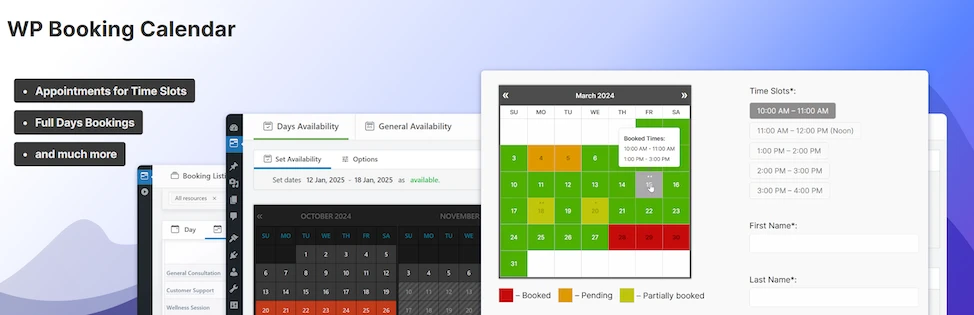
Booking Calendar is one of the oldest and most well-known WordPress booking plugins. It provides a simple way to accept and manage appointments, making it a popular choice for businesses needing a basic scheduling solution. The plugin features an intuitive calendar-based booking system with email notifications and customizable form fields. It supports online payments via PayPal and Stripe in the premium version.
However, Booking Calendar lacks some of the more advanced scheduling features found in competitors. The free version is quite basic, with limitations on custom booking rules and integrations. Additionally, while the interface is functional, it appears slightly outdated compared to modern alternatives.
Pricing:
- Free version: Basic calendar booking, email notifications.
- Premium plans:
- Personal: $41.87 (one-time) – Edit bookings, CSV export, Google Calendar
- Small Business: $78.97 (one-time) – Time slots, payments, custom forms
- Medium Business: $131.97 (one-time) – Seasonal pricing, booking search
- Large Business: $184.97 (one-time) – Discount coupons, multi-user panels
- Multiuser: $343.97 (one-time) – Independent configuration of form fields, email templates, payment gateways, and booking resources.
- One-time payment plans include 6 months of free updates.
Pros and Challenges
| Pros | Challenges |
|---|---|
|
|
7. MotoPress Appointment Booking
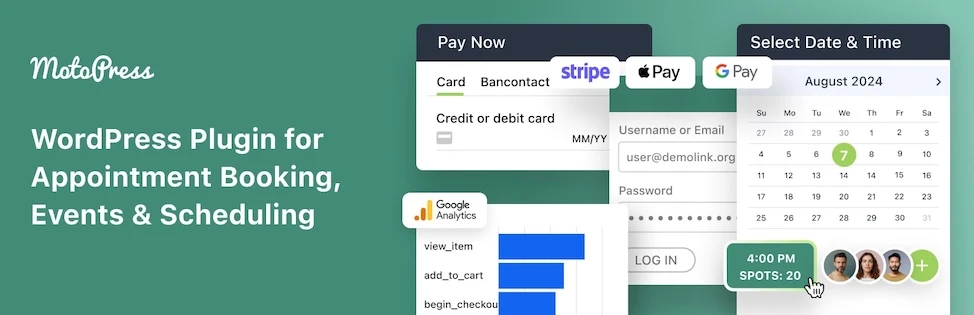
MotoPress Appointment Booking is tailored for service-based businesses that require a streamlined scheduling system. The plugin allows businesses to manage multiple staff members, service durations, and appointment availability. It also integrates with WooCommerce, making it useful for businesses that require payment processing alongside booking.
Although MotoPress Appointment Booking offers a good range of features, its interface is not as polished as some competitors. The plugin lacks certain advanced features, such as deep reporting tools or extensive third-party integrations. Users also report that some customization options are not as flexible as expected.
Pricing:
- Free Lite Version: Unlimited employees, locations, services, basic notifications.
- Premium plans:
- One site: $49 per year.
- Up to 25 sites: $179 per year.
- One site lifetime: $149.
Pros and Challenges
| Pros | Challenges |
|---|---|
|
|
8. MotoPress Hotel Booking

MotoPress Hotel Booking is designed specifically for hotels, B&Bs, and vacation rentals. It provides a robust reservation system with features like seasonal pricing, availability calendars, and online payments. The plugin integrates with popular payment gateways and allows direct synchronization with platforms like Airbnb and Booking.com.
Despite its strong feature set for hospitality businesses, MotoPress Hotel Booking is less suitable for general appointment-based businesses. The plugin’s setup can be complex due to the number of configuration options required for room availability, pricing, and booking rules. Additionally, certain advanced features, like channel management, require additional paid extensions.
Pricing:
- Premium plans include:
- One site: $139 per year.
- Up to 25 sites: $249 per year.
- One site lifetime license: $549.
Pros and Challenges
| Pros | Challenges |
|---|---|
|
|
9. Salon Booking System
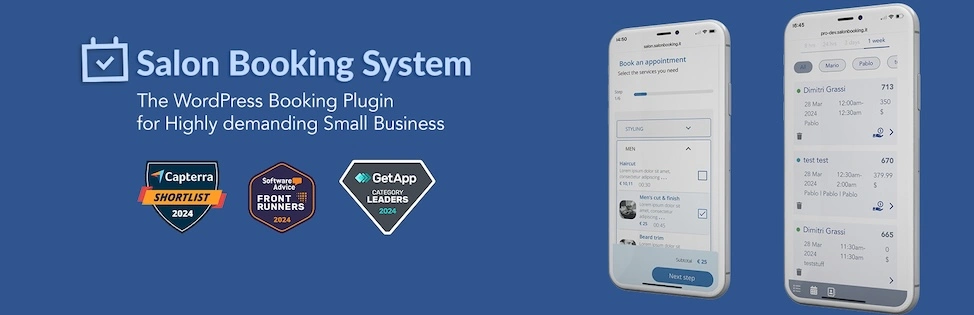
Salon Booking System is a WordPress appointment plugin tailored for salons, spas, and wellness centers. It includes features such as staff management, recurring appointments, and automatic reminders. The plugin also supports multiple payment options, including PayPal and Stripe. Its user-friendly interface is designed for businesses with high client turnover, ensuring a seamless booking experience.
While it excels for salon-based businesses, the plugin is less versatile for other industries. Some users find the customization options somewhat restrictive, particularly when modifying the booking form and workflow. Additionally, the free version is limited, requiring a paid upgrade for more advanced booking features.
Pricing:
- Premium plans:
- Business: $99 per year for two sites.
- Agency: $299 per year for 10 sites.
- Unlimited: $499 per year for unlimited sites.
Pros and Challenges
| Pros | Challenges |
|---|---|
|
|
Getting started with WordPress booking plugins
There are a lot of options that can make your WordPress site really work for your business. Start by identifying the features and functionalities you need, and then see which plugin best aligns with your specific use case.
And when you’re ready to upgrade your WordPress hosting, Liquid Web can help. Our servers and solutions have been leading the industry in WordPress hosting for decades. We offer the widest variety of hosting options for WordPress sites as well as multiple tiers of server management support.
Make sure your customers always have a great experience on your site by partnering with a hosting provider that offers the fastest WordPress hosting, air-tight security, and 99.999% uptime guarantees.
Additional resources
How to check if a WordPress plugin is safe →
Learn how to check if a WordPress plugin is safe before installing it.
5 best seo plugins for WordPress →
Discover the best SEO plugins for WordPress websites.
Best photo gallery plugins for WordPress →
Find the best photo gallery plugins for WordPress websites.