How to use the TranslatePress plugin on your Site – Nexcess

Setting up multi-language support on a website can be a complex project. Learn how to use the TranslatePress plugin, one of the easiest options for multi-language support on a WordPress website.
Get fast, reliable hosting for WordPress
Power your site with the industry’s fastest, most optimized WordPress hosting
Setting up multi-language support on a site can be a complex project. One of the easiest options for multi-language support on a WordPress site is the TranslatePress plugin.
After you have installed and activated the plugin, it will add a new settings admin item. The free version of TranslatePress includes support for up to two languages — the base default language of the site and the other language version.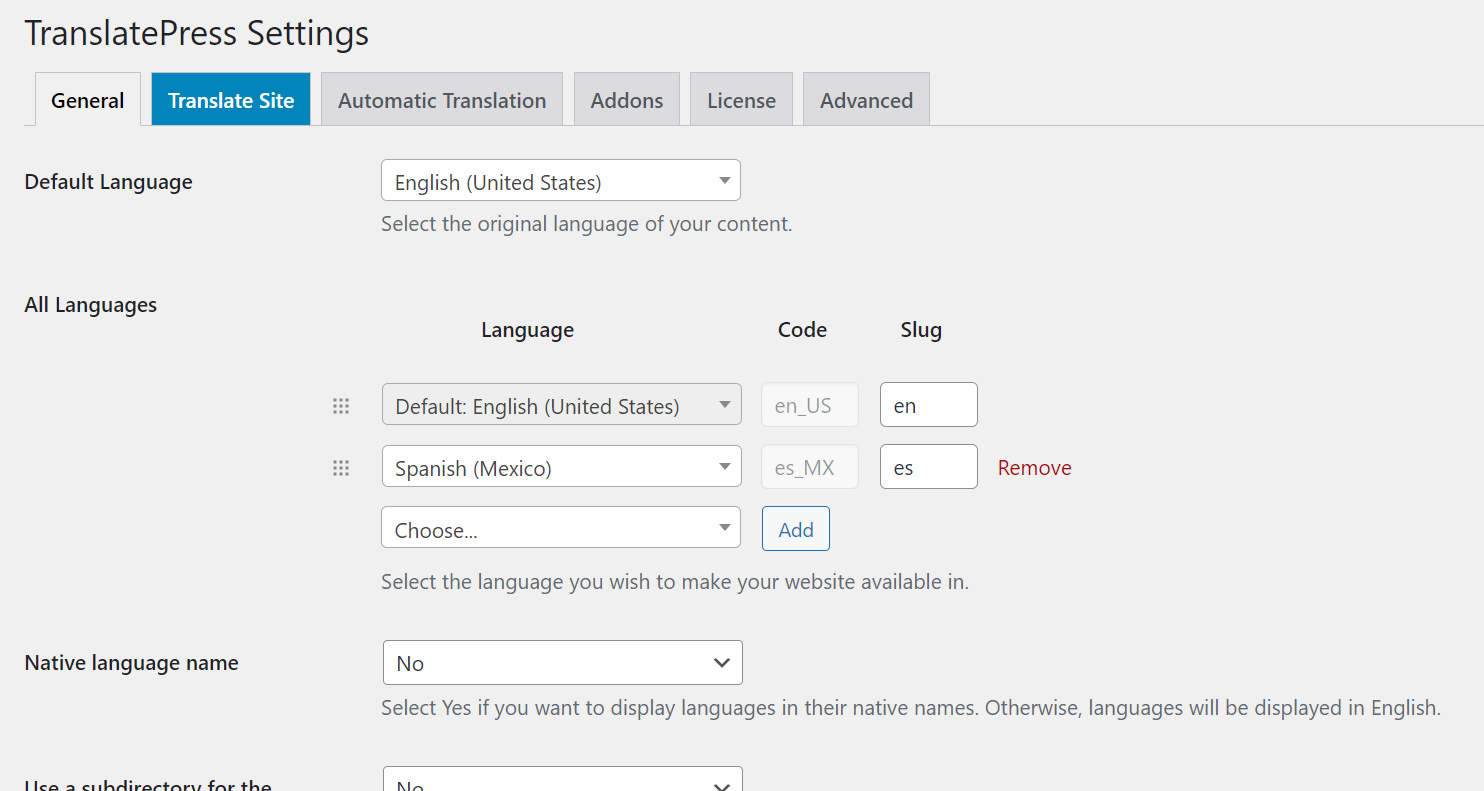
TranslatePress will work with WooCommerce, Elementor, and Beaver Builder plugins and a number of other plugins.
To use TranslatePress is very intuitive. Go to the page or post that you wish to translate and then select the string that you want to add the translation to and then save that change.
TranslatePress includes a language switcher for selection of the other language versions, either in the widget from a shortcode, in the menu, or as a floating language selection
If you do not want to manually add all of the secondary language translations you can use two of the automatic language translations using either Google Translate or DeepL APIs.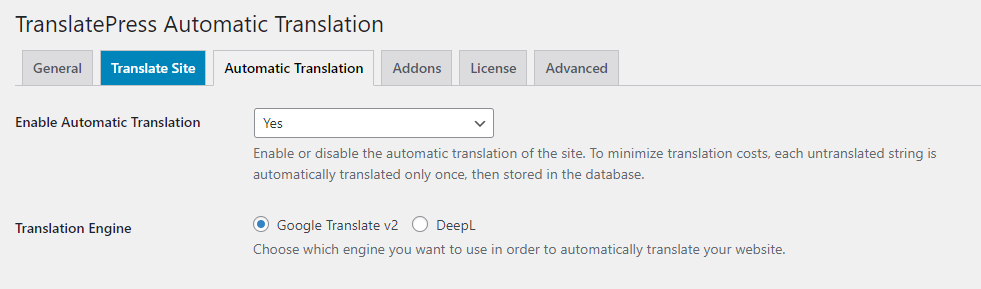
TranslatePress does not cause performance problems like certain other multilanguage plugins and the free version includes all of the features to get started on your site.
For 24-hour assistance any day of the year, contact our support team by email or through your Client Portal.
Additional resources
What is managed WordPress hosting? →
Get details and decide if managed WordPress hosting is right for you.
Must-have web development plugins to create WordPress websites at scale →
Explore the best web development plugins to enhance functionality, improve performance, and streamline your WordPress site.
A complete guide to WordPress shortcodes →
Shortcodes make life easier. Learn how to get started!
