How to configure the Restrict Content Pro plugin

Restrict Content Pro is easy to use plugin to be able to sell memberships for content on your site. The Restrict Content Pro plugin and a number of add-on plugins for Restrict Content Pro are now included on the just-launched membership sites. It can be purchased on the SolidWP website. After you have purchased the plugin it can be downloaded from the member panel.
How to configure the plugin
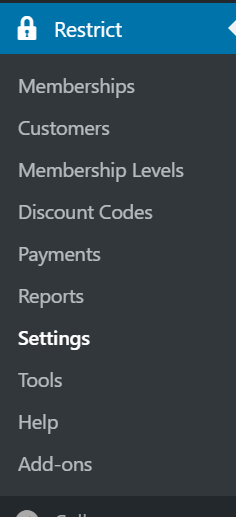
Now that you have installed the plugin you will find a new admin menu call Restrict. You will first need to go through the settings on Restrict Content Pro. By default Restrict Content Pro will add a number of default pages that will contain the shortcodes needs for the plugin to work correctly.
Get fast, reliable hosting for WordPress
Power your site with the industry’s fastest, most optimized WordPress hosting
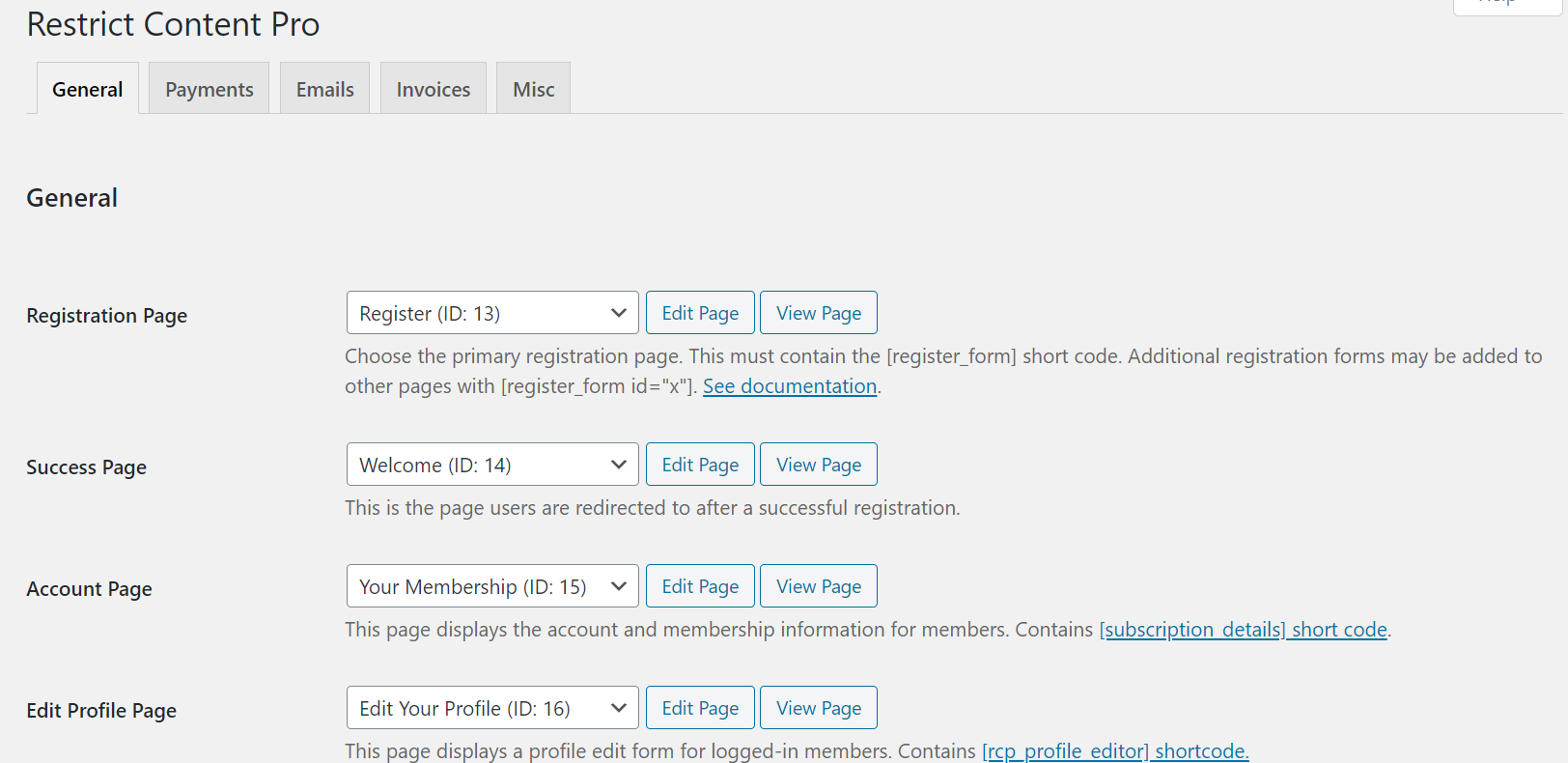
In the payments tab take the time to set up the payment gateways that you wish to use with Restrict Content Pro. Some of the payment gateway options are Stripe, PayPal, Braintree, and Authorize.net.
Next, you will need to create membership levels for your site you can set these in;
Restrict > Membership Levels
You may only need one membership level but you can set up as many different ones as needed. In membership levels, you can include payment plans and being able to include free trials to customers.
The last step will be to set which content you want to restrict for membership customers. Restrict Content Pro will work with post and page content as well as by categories. It is also possible to restrict specific sections of content as well.
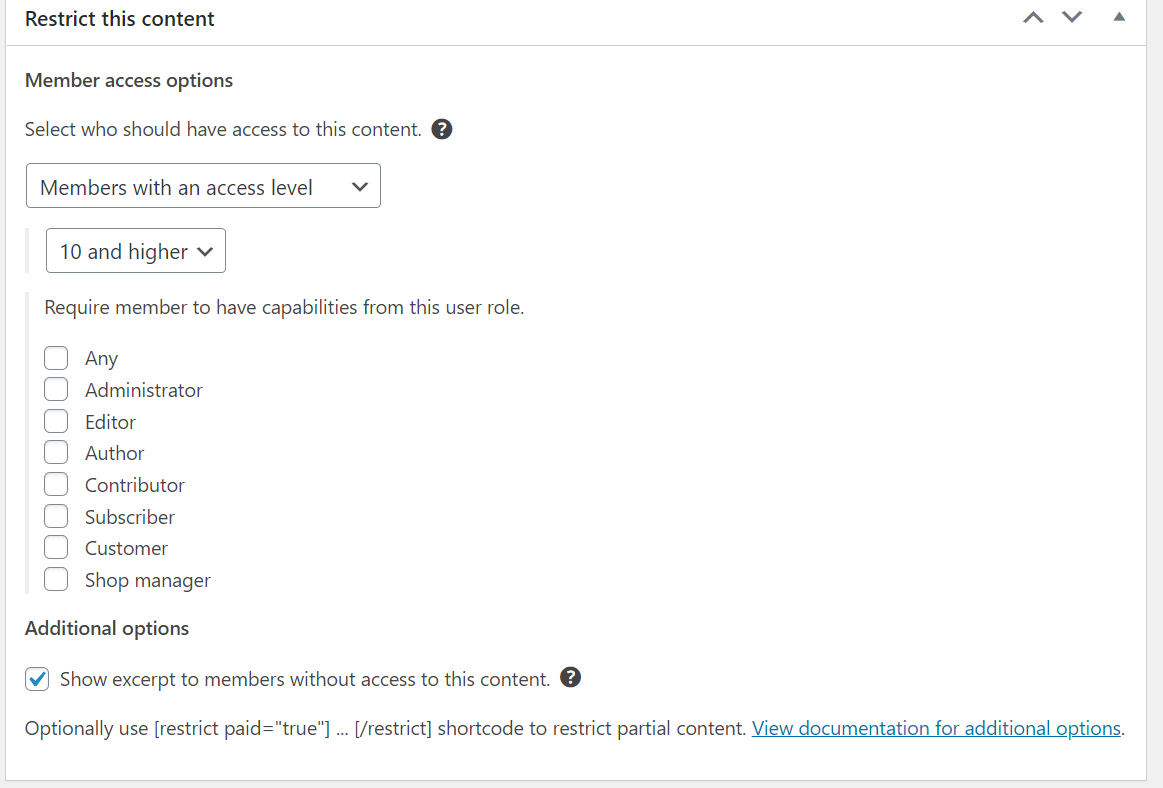
Restrict Content Pro will work with any custom post types that already exist on your site such as products in WooCommerce.
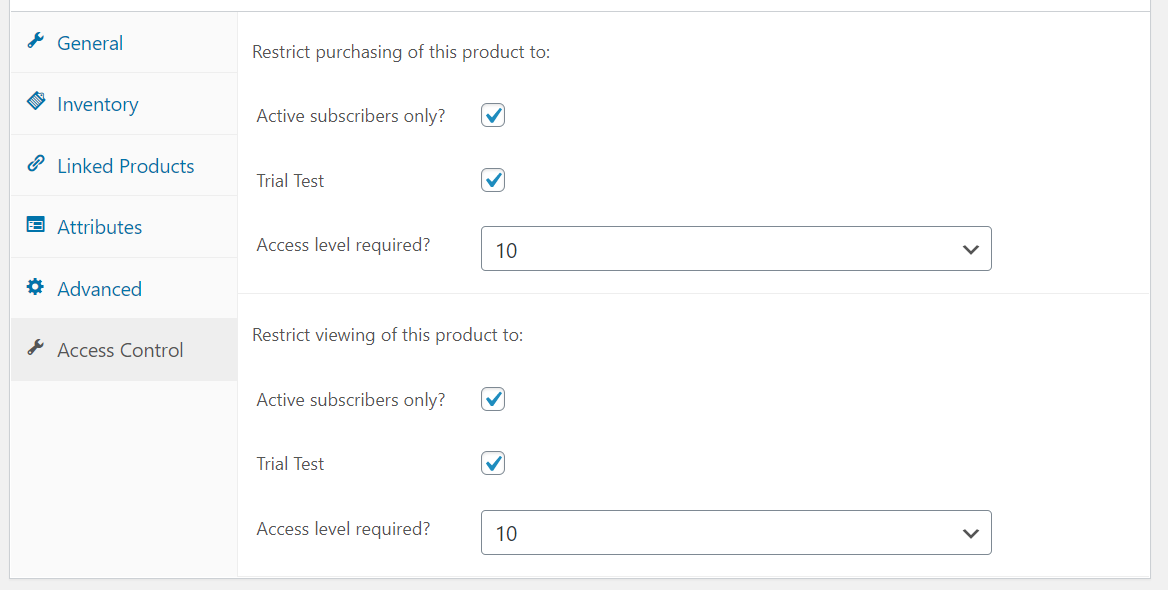
Restrict Content Pro includes a number of shortcodes, import and export tools as well as being able to hide menu items from non-members. The SolidWP help site includes a large range of help articles just on Restrict Content Pro. The most recent release of the Solid Security Pro plugin includes support for Restrict Content Pro.
Restrict Content Pro is a well built and easy to use plugin for being able to sell memberships on your site as well as being able to restrict content.
For 24-hour assistance any day of the year, contact our support team by email or through your Client Portal.
Additional resources
9 best booking and appointment plugins →
Choose top booking plugins to simplify scheduling and payments.
Multi-vendor plugins for marketplaces →
Explore multi-vendor plugins for your online marketplace.
6 cart abandonment options →
Reduce cart abandonment with top recovery plugins.
