◦ Comprehensive security
◦ 24/7 support
WordPress Guide → Plugins → Best Stripe
Best Stripe WordPress plugins
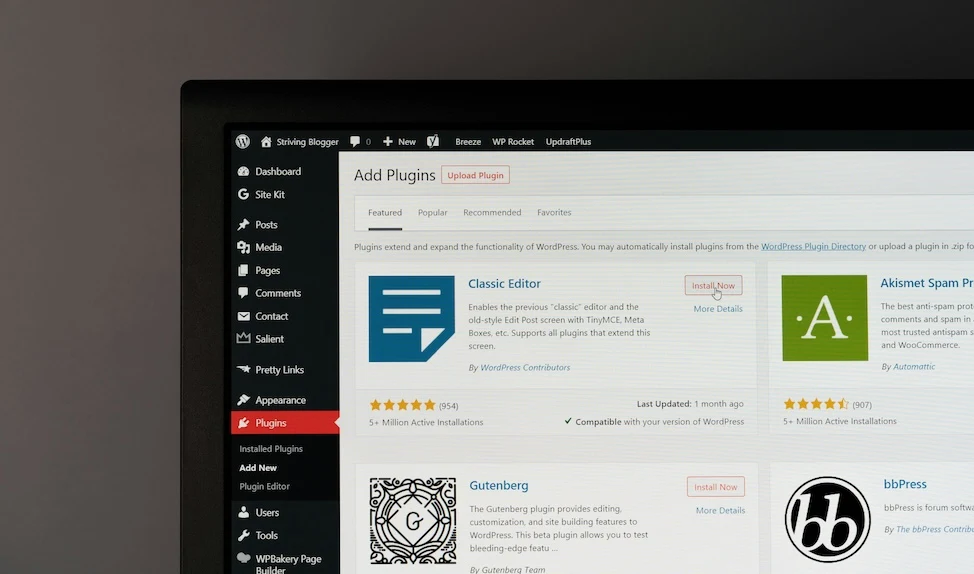
Looking to add Stripe to your WordPress site? These Stripe plugins make it easy to collect payments, manage subscriptions, and optimize checkout.
Stripe is one of the most popular ways to accept payments online, and adding it to your WordPress site is easier than you might think. Whether you’re running a WooCommerce store, selling digital goods, or just need a donation form, there’s a Stripe plugin that fits the job.
Get fast, reliable hosting for WordPress
Power your site with the industry’s fastest, most optimized WordPress hosting
What is Stripe?
Stripe is a powerful online payment processing platform designed for developers, businesses, and creators. It enables you to accept credit and debit cards, mobile wallets, bank transfers, and more, all through a single integration. Stripe is trusted by startups and enterprise companies alike because of its robust security, modern checkout experience, and flexible features.
Stripe handles PCI compliance, encrypts sensitive data, and allows you to scale across multiple countries and currencies. With just a plugin and a Stripe account, you can be ready to take payments on your WordPress site in minutes.
Benefits of Stripe for your WooCommerce store
WooCommerce site owners can take full advantage of Stripe’s seamless integrations and advanced capabilities.
- Accept all major credit and debit cards, plus Apple Pay, Google Pay, and more.
- Enable one-click checkout with saved cards and express pay options.
- Offer subscription payments with built-in recurring billing support.
- Handle refunds and disputes directly from your WordPress dashboard.
- Get faster payouts and access to detailed reporting tools.
Stripe’s tight integration with WooCommerce helps reduce cart abandonment, streamline checkout, and improve the customer experience.
Best Stripe WordPress plugins
Each of the following plugins supports Stripe and is well-rated, actively maintained, and beginner-friendly.
1. WPForms Lite
WPForms Lite is a drag-and-drop form builder designed for ease of use. While the free version doesn’t support payments, upgrading unlocks full Stripe integration for donation forms, registrations, or client invoices.
Key Stripe features:
- Stripe payment fields available in Pro version
- Accept one-time and recurring payments
- Use conditional logic to show/hide payment fields
Best for: Users who need flexible, Stripe-powered forms without WooCommerce.
Starting at: Free (Stripe integration requires Pro)
2. Forminator
Forminator includes built-in Stripe support in its free version, making it a standout for anyone who wants to accept payments without additional costs. It supports forms for donations, service payments, or registration fees.
Key Stripe features:
- Collect payments using Stripe without needing Pro
- Drag-and-drop form builder with custom styling
- Supports variable pricing and recurring payments
Best for: Nonprofits, consultants, or educators needing Stripe-enabled forms.
Starting at: Free
3. WooCommerce Stripe Payment Gateway
This official WooCommerce plugin is the most robust and reliable Stripe integration for ecommerce sites. It’s developed by WooCommerce and Stripe to ensure long-term compatibility and support.
Key Stripe features:
- Accept credit/debit cards, Apple Pay, Google Pay, and Link by Stripe
- Support for WooCommerce Subscriptions and saved cards
- PCI-compliant checkout and 3D Secure authentication
Best for: Ecommerce store owners who need official, full-featured Stripe support.
Starting at: Free
4. Stripe Payments
Stripe Payments lets you sell products or services with customizable “Buy Now” buttons, without using WooCommerce. It’s ideal for simple, direct-to-checkout product pages or service payment links.
Key Stripe features:
- Add Stripe-powered buttons using shortcodes
- Sell digital products or subscriptions
- Lightweight and easy to configure
Best for: Creators selling single products or collecting payments without a cart system.
Starting at: Free
5. Payment Gateway for Stripe and WooCommerce Integration
Payment Gateway for Stripe and WooCommerce Integration is an alternative Stripe gateway plugin and a good option if you want Stripe support without the official plugin’s extras. It focuses on performance, simplicity, and mobile-friendly checkout.
Key Stripe features:
- Secure credit card processing via Stripe
- Works with 3D Secure and SCA requirements
- Minimal configuration needed
Best for: Lightweight WooCommerce stores that need simple Stripe support.
Starting at: Free
6. Checkout Plugins – Stripe for WooCommerce
Checkout Plugins – Stripe for WooCommerce adds advanced styling and UX improvements to your WooCommerce Stripe checkout. It supports express payment buttons, dynamic fields, and an upgraded customer experience.
Key Stripe features:
- Integrates express pay options like Apple Pay and Google Pay
- Sleek, customizable Stripe checkout layout
- Supports upsells and saved payment methods
Best for: Store owners focused on conversion rate optimization and checkout design.
Starting at: Free
How to add Stripe to Elementor forms
If you’re already using Elementor, you can also add Stripe to Elementor forms. Here’s how:
Stripe plugin FAQs
Getting started with Stripe WordPress plugins
Stripe is one of the easiest and most flexible ways to accept payments on WordPress, and the plugin ecosystem gives you plenty of options. Whether you’re building a full WooCommerce store or just need a quick payment form, Stripe is fast, secure, and customizable.
If you’re running a store, go with the official WooCommerce Stripe plugin or try Checkout Plugins for a more customized checkout experience. If you’re handling registrations, donations, or quick sales, Forminator or Stripe Payments are fast and free options.
Ready to upgrade your WordPress experience? Professional hosting improves speeds, security, and reliability for a website and a brand that people find engaging and trustworthy. Liquid Web’s WordPress hosting options configure business-class servers and support plans specifically for WordPress websites.
Don’t want to deal with server management and maintenance? Our fully managed hosting for WordPress is the best in the industry. Our team are not only server IT experts, but WordPress hosting experts as well. Your server couldn’t be in better hands.
Click through below to explore all of our hosting for WordPress options, or chat with a WordPress expert right now to get answers and advice.
Additional resources
What is a WordPress plugin? →
A complete beginner’s guide to WordPress plugins and how to manage them
7 best WordPress community plugins [2025] →
Let’s look at what these handy WordPress plugins are, the benefits of using them, and how to choose the best to help you grow your online community
How to check if a plugin is safe →
Simple steps to evaluating a plugin before you install and activate it