◦ Comprehensive security
◦ 24/7 support
WordPress Guide → Plugins → Malware Scanner
11 best malware scanner plugins for WordPress

Ensuring your WordPress site is secure from malware threats is more critical than ever. With countless options available, choosing the right malware scanner plugin can be overwhelming. That’s why we’ve curated a list of the 11 best malware scanner plugins for WordPress, designed to provide you with top-notch security features and peace of mind.
Each of these plugins offers unique benefits, making them ideal for various needs and budgets. Whether you’re a small business or a large enterprise, our selection is tailored to help you protect your website efficiently. This allows you to focus on what matters most—growing your online presence.
Get fast, reliable hosting for WordPress
Power your site with the industry’s fastest, most optimized WordPress hosting
Best malware scanner plugins for WordPress
When it comes to securing your WordPress site, having a reliable malware scanner is essential. Below is a comparison of some of the top malware scanner plugins designed to keep your WordPress site safe and secure.
| Plugin | Real-time Monitoring | Malware Removal | Firewall Protection | Pricing |
|---|---|---|---|---|
| MalCare Security Plugin | Yes | Yes | Yes | Starts at $99/year |
| Wordfence Security | Yes | Yes | Yes | Free / Premium starts at $99/year |
| Sucuri Security | Yes | Yes | Yes | Starts at $199.99/year |
| Malcure Malware Scanner | No | Yes | No | Free |
| Quttera Web Malware Scanner | No | No | No | Free |
| Defender Security | Yes | Yes | No | Free / Pro starts at $25/year |
| NinjaScanner | No | Yes | No | Free |
| BulletProof Security | No | Yes | Yes | Free / Pro version available |
| Security Ninja | No | Yes | No | Free / Pro starts at $39/year |
| All In One WP Security & Firewall | No | No | Yes | Free |
| SecuPress | Yes | Yes | No | Starts at $69/year |
Choosing the right malware scanner plugin is crucial for securing your WordPress site. Here’s a closer look at 11 of the best options available today.
1. MalCare Security Plugin

MalCare excels in providing a one-click malware removal option, making it a go-to choice for site owners who want peace of mind without the hassle of manual intervention.
Strengths:
- Extremely user-friendly interface that simplifies the security management process.
- Offers real-time protection against emerging threats, ensuring continuous safety.
- One-click malware removal significantly reduces downtime and operational disruptions.
Challenges:
- The free version has limited capabilities, which may not satisfy all user needs.
- Some advanced features are only available in the premium plans, requiring an investment.
Cost: Starts at $99/year.
2. Wordfence Security

Wordfence Security stands out as a comprehensive security solution, integrating a powerful firewall and malware scanning capabilities to protect WordPress sites. It provides detailed scan reports that help users understand potential vulnerabilities and threats.
Additionally, the live traffic monitoring feature allows administrators to keep an eye on site activity in real-time, enhancing the overall security posture of the website.
Strengths:
- In-depth scan reports that highlight security issues and recommended actions.
- Real-time live traffic monitoring aids in identifying suspicious activities as they occur.
- A free version is available, making it accessible for users on a budget.
Challenges:
- Can consume significant server resources, especially during extensive scans.
- Configuration may be complex for users unfamiliar with security protocols.
Cost: Free with premium options starting at $99/year.
3. Sucuri Security
Sucuri Security is a highly reputable security plugin known for its comprehensive malware scanning and security auditing capabilities. It offers cloud-based protection, which ensures that your site is monitored and secured without putting a strain on server resources.
Sucuri also provides excellent customer support, making it easier for users to resolve issues and understand security measures.
Strengths:
- Cloud-based protection that minimizes impact on site performance while ensuring security.
- Outstanding customer support that assists users with any security concerns.
- Comprehensive security audits help identify potential vulnerabilities and threats.
Challenges:
- Many advanced features require a premium subscription, limiting functionality in the free version.
- Some users may find the initial setup process daunting.
Cost: Free with premium plans starting at $199.99/year.
4. Malcure Malware Scanner
The Malcure Malware Scanner is a dedicated plugin focused on identifying malware and vulnerabilities within WordPress sites. Its scanning process is designed to be quick and efficient, providing users with detailed reports that highlight any issues found.
This tool is particularly useful for users looking for a straightforward solution to enhance their website’s security without unnecessary complexity.
Strengths:
- Quick scanning capabilities that save time while ensuring thorough checks.
- Detailed reports that provide insights into detected vulnerabilities and malware.
Challenges:
- Compared to other plugins, it has limited features that may not cover all security needs.
- Lacks remediation options, requiring users to manually address issues found.
Cost: Free.
5. Quttera Web Malware Scanner

Quttera Web Malware Scanner is an online scanning tool that integrates seamlessly with WordPress, providing effective malware detection. Its user-friendly design allows even novice users to initiate scans and interpret results easily.
While it excels in identifying threats, it’s important to note that it primarily focuses on scanning without offering built-in remediation options.
Strengths:
- Highly effective detection capabilities that help identify malicious code and vulnerabilities.
- User-friendly interface that simplifies the scanning process for all users.
Challenges:
- Primarily operates as a scanning tool, lacking features for direct remediation of detected issues.
- May require additional tools or plugins for comprehensive website security management.
Cost: Free.
6. Defender Security
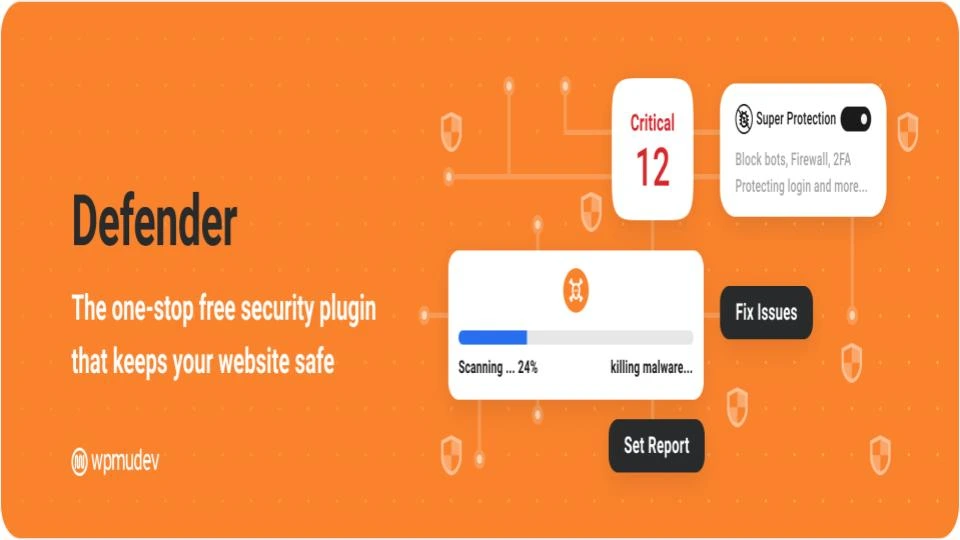
Defender Security is designed to enhance the security of WordPress sites through its malware scanning and hardening features. It provides a user-friendly experience while also offering a variety of security settings that can be adjusted according to individual needs. This flexibility makes it suitable for users with varying levels of expertise.
Strengths:
- Intuitive interface that makes it easy for users to navigate and configure security settings.
- Offers a diverse range of security settings to tailor protection based on user preferences.
Challenges:
- Some advanced features may be complex for users without a technical background.
- Configuration may require careful attention to ensure optimal security.
Cost: Free with premium options.
7. NinjaScanner

NinjaScanner is a straightforward malware scanner designed for quick detection of security threats on WordPress sites. It’s particularly appealing for users who want a simple and fast solution to identify potential vulnerabilities without the need for complicated setups. NinjaScanner’s ease of use makes it a practical choice for many site owners.
Strengths:
- Rapid scanning processes that deliver fast results without compromising effectiveness.
- Simple setup and configuration, allowing users to get started quickly.
Challenges:
- Lacks advanced features that some users might expect from a comprehensive security plugin.
- May require integration with other security tools for a more complete solution.
Cost: Free with premium plans available.
8. BulletProof Security
BulletProof Security provides a multilayered approach to website protection, combining malware scanning with a robust firewall. This plugin is designed to be lightweight, ensuring that it doesn’t slow down site performance while still offering extensive security features. Users may find the initial configuration a bit challenging, but the security benefits are substantial.
Strengths:
- Lightweight design that minimizes impact on website loading times.
- Multiple security layers provide comprehensive protection against various threats.
Challenges:
- Configuration can be intricate for beginners, requiring a learning curve.
- Users may need to invest time in understanding all available features for optimal use.
Cost: $69.95 for a single site license.
9. Security Ninja
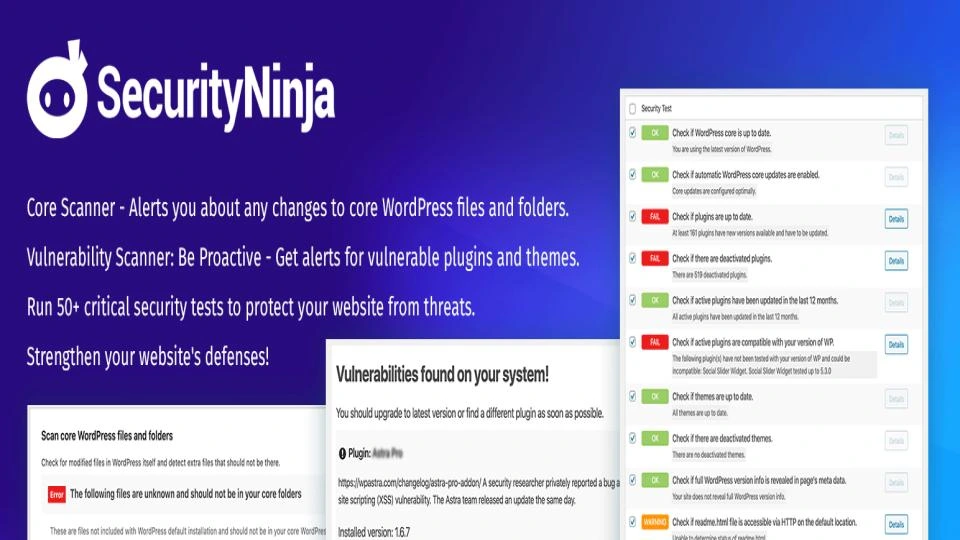
Security Ninja is a versatile security plugin that not only offers malware scanning but also conducts vulnerability checks to ensure comprehensive protection for WordPress websites. Its user-friendly interface allows users to navigate through its features easily, although some advanced functionalities may only be accessible through a premium subscription.
Strengths:
- Thorough testing and vulnerability checks that enhance overall site security.
- User-friendly design that facilitates easy navigation and use for all skill levels.
Challenges:
- Certain advanced features are restricted to premium users, limiting functionality in the free version.
- May require additional investment for users needing full access to all tools.
Cost: Free with premium options starting at $49/year.
10. All In One WP Security & Firewall

All In One Security (AIOS) is a robust security solution that emphasizes user-friendly settings to help individuals protect their WordPress sites effectively. This plugin combines a variety of security features into one comprehensive package, making it suitable for users who want a single solution for their security needs.
However, the extensive options available may be overwhelming for some beginners.
Strengths:
- Simple to navigate, making it accessible for users of all technical backgrounds.
- Includes proactive security notifications to alert users of any potential issues.
Challenges:
- The free version has limited features, which may not meet all security requirements.
- Some advanced features are only available in the premium version, necessitating an upgrade for full capabilities.
Cost: Free with premium options starting at $59/year.
11. SecuPress

SecuPress is a security plugin that integrates malware scanning and firewall protection, designed to safeguard WordPress websites efficiently. It stands out for its ease of use, allowing even those without technical expertise to manage their website’s security effectively. The plugin also includes security notifications, keeping users informed about potential threats and system health.
Strengths:
- In-depth scan reports that highlight security issues and recommended actions.
- Real-time live traffic monitoring aids in identifying suspicious activities as they occur.
- A free version is available, making it accessible for users on a budget.
Challenges:
- Can consume significant server resources, especially during extensive scans.
- Configuration may be complex for users unfamiliar with security protocols.
Cost: Free with premium options starting at $99/year.
How to choose
When selecting the best malware scanner plugin for your WordPress site, several key considerations will help ensure you make an informed choice that prioritizes your website’s security.
- Look for plugins that offer real-time scanning capabilities. This feature allows you to detect and address threats as they emerge, keeping your site secure at all times.
- Consider the frequency of updates. Malware threats are constantly evolving, so it’s vital to choose a plugin that receives regular updates to maintain its effectiveness against new vulnerabilities.
- Consider the plugin’s reputation and user reviews. A plugin with a solid track record and positive feedback from users indicates reliability and effectiveness.
- Ensure that the plugin you choose works seamlessly with your existing WordPress setup, including themes and other plugins. A good malware scanner should not interfere with your site’s performance or functionality.
- Consider whether the plugin offers comprehensive support options. Having access to knowledgeable customer support can be invaluable, especially if you encounter issues or need assistance with complex security concerns.
- Assess the pricing structure. While some plugins may offer free versions, premium options often provide enhanced features and support, making them a worthwhile investment for serious website owners.
By focusing on these key considerations, you can confidently select a malware scanner plugin that not only meets your security needs but also complements your website’s overall performance.
Getting started with malware scanner plugin for WordPress
Choosing the right plugin is crucial for ensuring the security of your site and its visitors.Each plugin offers unique features and benefits, but what sets our recommended options apart is their comprehensive scanning capabilities, real-time protection, and user-friendly interfaces.
Start by evaluating your website’s requirements. Do you need a basic scanner for occasional checks, or are you looking for advanced features like firewall protection, automated backups, and malware removal?
Ready to upgrade your WordPress experience? Professional hosting improves speeds, security, and reliability for a website and a brand that people find engaging and trustworthy. Liquid Web’s WordPress hosting options configure business-class servers and support plans specifically for WordPress websites.
Liquid Web has been leading the industry in WordPress hosting for decades. And if you select managed WordPress hosting, our team of experts will manage server IT for you — so you can focus on growing your brand.
Click below to explore options or start a chat with one of our WordPress hosting experts now to get answers to your questions and further guidance.
Additional resources
What is a WordPress plugin? →
A complete beginner’s guide to WordPress plugins and how to manage them
4 best WordPress security plugins →
Securing your WordPress website is a straightforward process if you have the right tools.
How to check if a plugin is safe →
Simple steps to evaluating a plugin before you install and activate it