

◦ Comprehensive security
◦ 24/7 support
WordPress Guide → Plugins → Calendar
8 of the best WordPress calendar plugins

The right WordPress calendar plugins can transform how you manage events, appointments, and bookings on your site. Whether you’re promoting community events or building a complete event ticketing system, there’s a calendar plugin designed for your use case.
This guide walks through eight WordPress calendar plugins, all verified as actively maintained on WordPress.org or by their developers, with current pricing, key features, and a recommendation for the type of site that fits each one best.
Get fast, reliable hosting for WordPress
Power your site with the industry’s fastest, most optimized WordPress hosting
WordPress calendar plugins side-by-side
Here’s a quick overview of how the plugins compare on features and pricing.
| Plugin | Event mgmt | Recurring events | Booking/appt scheduling | Frontend submissions | Google Calendar integration | Visual layout options | Pricing (starting at) | Best for |
|---|---|---|---|---|---|---|---|---|
| The Events Calendar | ✓ | ✓ | ✗ (sold separately via Event Tickets) | ✓ | ✓ | Customizable | Free / $259/yr Essentials | Event promotion & ticketing at scale |
| Amelia | ✓ | ✓ | ✓ | ✗ | ✓ | Clean UI | Free Lite / $49/yr Pro | Appointments and bookings |
| Sugar Calendar | ✓ | ✓ | ✗ | ✗ | ✓ | Minimalist | Free Lite / $49.50/yr Pro | Simplicity and speed |
| Events Manager | ✓ | ✓ | ✓ | ✓ (Pro) | ✓ (Pro) | Standard | Free / $75/yr Pro | Basic event registration |
| WP Simple Booking Calendar | ✗ | ✗ | ✗ | ✗ | ✓ (Pro) | Simple blocks | Free / $39/yr Pro | Vacation rental availability |
| My Calendar | ✓ | ✓ | ✗ | ✓ | ✓ | Standard | Free / $59/yr Pro | Accessibility-focused sites |
| EventON | ✓ | ✓ | ✗ (via add-on) | ✓ | ✓ | Stylish | Free Lite / $25 one-time | Visual-first events |
| WP Event Manager | ✓ | ✓ | ✗ | ✓ | ✓ | Listing-style | Free / paid add-ons | Community event directories |
1. The Events Calendar

The Events Calendar (TEC) is the most widely-used event management plugin in the WordPress ecosystem, with 700,000+ active installs powering over 1 billion events. First launched in 2009, it’s a mature, well-supported plugin that handles everything from a single community meetup calendar to enterprise-scale event operations.
The free WordPress.org plugin gives you a working calendar with the basics: month, list, and day views, event categories, venues, and Google Calendar sync. The paid Essentials plan adds the features most growing event sites need, including recurring events, ticket sales via Stripe/PayPal/Square, virtual events, custom event fields, and community submissions. Pro and Elite layer on zero-commission ticketing, WooCommerce integration, QR check-in, and marketing tools.
Key features:
- Seven calendar views (month, list, week, day, photo, map, and summary).
- Recurring events with daily, weekly, monthly, yearly, and custom interval support.
- Ticket sales via Stripe, PayPal, and Square (included on Essentials and up).
- Zero-commission ticketing on Pro and Elite plans.
- Community event submissions are included on Essentials and up.
- Google Calendar, iCal, and Outlook sync.
- WooCommerce integration for selling tickets alongside products (Pro and Elite).
Best for: Sites that need a serious event management platform with scale potential. Universities, nonprofits, agencies managing client events, ticketed conferences, and businesses where events drive revenue.
Starting at: Essentials: $259/year (recurring events, ticketing via Stripe/PayPal/Square, virtual events, community submissions).
Links: The Events Calendar on WordPress.org | The Events Calendar product page.
2. Amelia
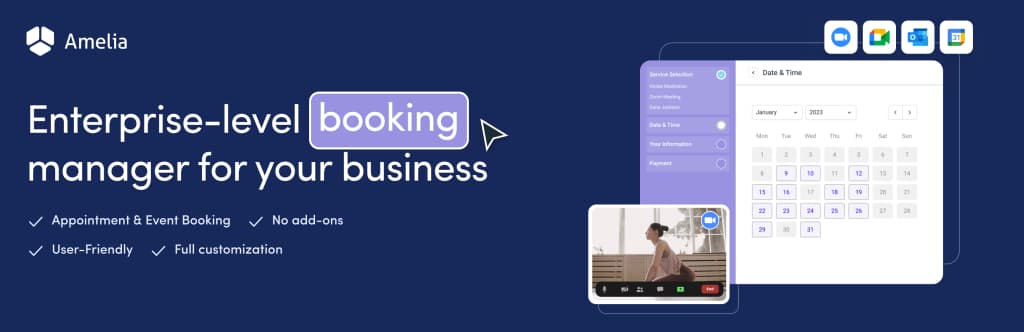
Amelia (Booking for Appointments and Events Calendar) is a modern booking and appointment scheduling plugin built for service-based businesses. Where TEC is designed for event promotion, Amelia is designed for the moment someone actually picks a time slot and books.
The plugin handles the full appointment workflow: customers see your services, pick a time, book online, pay if required, and get automated confirmations. Behind the scenes, you get employee management, working hours configuration, capacity rules, and Google Calendar two-way sync.
Key features:
- Automated booking with online payments via Stripe, PayPal, Mollie, and WooCommerce.
- Two-way Google Calendar and Outlook Calendar sync to prevent double-bookings.
- SMS and email reminders to reduce no-shows.
- Employee and customer panels (front-end interfaces for managing their own bookings).
- Custom service durations with different prices per duration.
- Zoom integration for online appointments.
Best for: Service-based businesses, appointment scheduling, and event booking with payments. If your customers need to reserve a specific time slot rather than just see what’s happening, Amelia is the strongest pick on this list.
Pricing: Free Lite version on WordPress.org. Paid plans start at $49/year.
3. Sugar Calendar
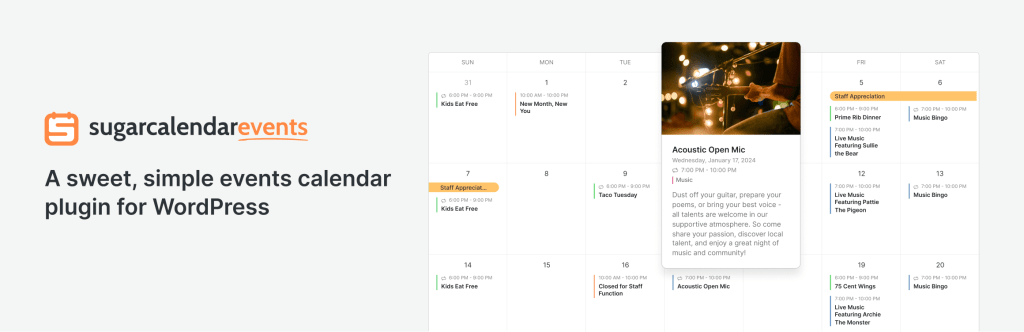
Sugar Calendar Lite is a lightweight event calendar plugin focused on simplicity and speed. It doesn’t try to be a full event management platform with ticketing, attendee tracking, and email marketing. Instead, it does one thing well: display events on a clean, fast calendar that doesn’t slow down your site.
The plugin was first launched in 2012 by Pippin Williamson (founder of Easy Digital Downloads) and now sits in the Awesome Motive product family. The interface feels native to WordPress, which is part of the appeal. If you’ve ever felt that other event plugins add too much UI overhead for your needs, Sugar Calendar is the alternative.
Key features:
- Clean, fast interface that doesn’t bloat your admin dashboard.
- Event Tickets feature for selling tickets via Stripe.
- Block editor integration with Events Calendar and Events List blocks.
- Recurring events.
Best for: Bloggers, content creators, small business sites, and anyone who wants a calendar plugin that respects their time and doesn’t try to be everything.
Pricing: Free Lite version on WordPress.org. Paid plans start at $49.50/year.
4. Events Manager

Events Manager is a long-running event plugin maintained by Marcus Sykes since 2009, with 70,000+ active installs on WordPress.org. It handles event registration alongside standard calendar display, which makes it a reasonable fit for sites where booking forms and attendee tracking matter more than ticketing depth or visual customization.
The free version covers single and multi-day events, recurring events, basic booking forms, venue management, Google Maps integration, and time zone support. The Pro version adds payment processing, custom booking form validation, and multiple ticket types.
Key features:
- Single-day, multi-day, and recurring event registration.
- Calendar, list, and grid display options.
- Basic booking forms with attendee management.
- Google Calendar export and Google Maps integration.
Best for: Sites that need straightforward event registration without a full ticketing platform.
Pricing: Free version on WordPress.org. Events Manager Pro starts at $75/year.
5. WP Simple Booking Calendar
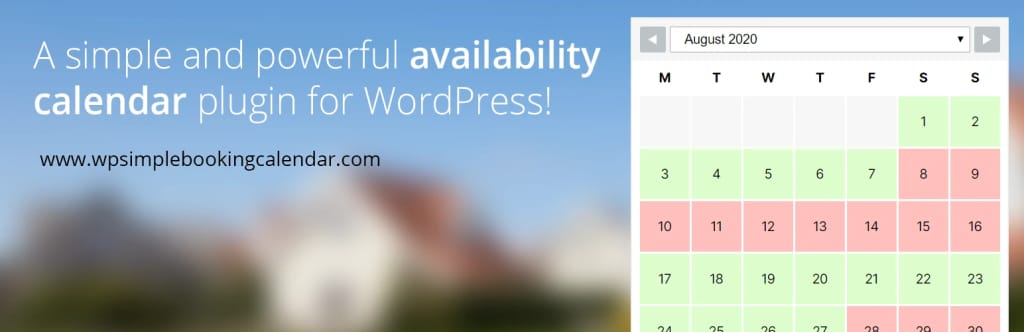
WP Simple Booking Calendar is the right pick when you just want to show people whether something is available or not. It doesn’t handle bookings, payments, or event management. It shows a calendar with dates colored to indicate availability, and that’s it.
This sounds limiting, but it’s the right tool for a surprising number of use cases. Vacation rentals showing when the property is booked, meeting rooms showing when they’re free, equipment rentals showing when items are available: all of these only need a simple availability calendar rather than a full booking system. WP Simple Booking Calendar fills that gap.
Key features:
- Simple availability calendar with three states (available, booked, partially booked).
- Easy embedding via shortcode or widget.
- iCal sync (Pro) for syncing with Airbnb, Google Calendar, and other external calendars.
- Custom legends and color coding (Pro).
Best for: Vacation rentals, holiday homes, room rentals, equipment availability calendars, and any situation where you need to show open/closed dates without handling the actual booking process.
Pricing: Free version on WordPress.org. Pro starts at $39/year.
6. My Calendar

My Calendar is a flexible event management plugin with a strong emphasis on accessibility. Built and maintained by Joe Dolson (a well-known accessibility specialist in the WordPress community), it’s the standout choice for sites where accessibility compliance matters.
The plugin offers WCAG-compliant layouts, screen reader compatibility, multisite support, recurring event options, and frontend event submission. It’s not as visually flashy as EventON or as feature-dense as TEC, but it’s reliably built and accessible to users with disabilities, which matters for nonprofits, educational institutions, and government sites.
Key features:
- Accessibility-first design with WCAG compliance.
- Screen reader support built in.
- Recurring events and event categories.
- Frontend event submission.
- Multisite-ready for WordPress networks.
- Custom templates for developers.
Best for: Accessibility-focused sites, nonprofits, educational institutions, and WordPress multisite installations where consistent event management across multiple sites matters.
Pricing: Free version on WordPress.org. My Calendar Pro starts at $59/year.
7. EventON

EventON is a premium-focused calendar plugin known for visual design. The plugin prioritizes aesthetics, with carousel layouts, custom color schemes, and shortcode configurators that make it easy to build attractive event displays without custom development.
The full EventON plugin is sold on CodeCanyon as a one-time purchase ($25 core), with paid add-ons for ticketing, RSVP, bookings, and other features. The Lite version on WordPress.org is the entry-level option, suitable for sites that want a clean, modern calendar look without all the add-ons.
Key features:
- Visually polished calendar layouts that look modern out of the box.
- Event carousels and popup displays.
- Custom shortcode builder for embedding events anywhere.
- Wide range of paid add-ons (RSVP, bookings, seats, Zoom, etc.).
- Featured images and color customization.
Best for: Designers, creatives, and visual-first event sites where the look of the calendar is a priority over deep functional features.
Pricing: Free Lite version on WordPress.org. Full version $25 one-time on CodeCanyon, with paid add-ons.
8. WP Event Manager

WP Event Manager takes a different approach from the other plugins on this list. Instead of building a calendar-centric interface, it creates an event listing and directory. Similar to how WP Job Manager handles job boards. Events display in a filterable list format with frontend submission forms built in.
This makes WP Event Manager particularly well-suited for community event directories where multiple people contribute event listings, university course schedules, or any site where the listing-and-search model fits better than a calendar grid.
Key features:
- Lightweight architecture optimized for speed.
- Frontend event submission with admin moderation.
- Search and filter by category, type, location, or date.
- Compatible with Gutenberg, Elementor, and other page builders.
- Add-ons available for ticketing, sales, registrations, and more.
Best for: Community event directories, multi-organizer event sites, university and educational event boards, and any site where frontend event submissions are central to the workflow.
Pricing: Free version on WordPress.org. Paid add-ons available for advanced features.
Do you need a calendar on your WordPress site?
A WordPress calendar plugin earns its place when your site does any of the following:
- Event promotion. You publish event dates, locations, RSVP options, and ticketing details, and visitors want to see what’s coming up.
- Appointment booking functionality. Your visitors need to schedule time with you (consultations, classes, services), and you want to automate the scheduling and reminders.
- Availability calendars. You rent rooms, properties, or equipment, and visitors need to see what’s available before getting in touch.
- Community submissions. You run a directory or community site where multiple people contribute event listings.
- Content planning. You manage a content calendar for your team or publication.
If your site doesn’t fit any of these patterns, you may not actually need a calendar plugin. A simple embedded Google Calendar in a page might be all you need. The plugins above shine when your needs go beyond static embedding.
Pick the calendar plugin that fits your site
The best WordPress calendar plugins are the ones that actually do what your site needs rather than the ones with the longest feature lists. Most of the plugins on this list have free versions on WordPress.org, so the practical move is to try the one that best matches your use case on a staging site, see how it fits your workflow, and upgrade only if your needs grow.
For event-focused sites that may grow to need ticketing and scale, The Events Calendar is the strongest starting point. It’s the most widely-deployed event plugin in WordPress.
If you’re running an event-heavy WordPress site and want the hosting to match, Liquid Web’s managed WordPress hosting is optimized for the kinds of traffic that event sites typically face. Combined with the right calendar plugin, you’ll have a stable platform for running events at any scale.
Additional resources
What is a WordPress plugin? →
A complete beginner’s guide to WordPress plugins and how to manage them
Spam protection plugin for WordPress: Jetpack vs Akismet →
Jetpack and Akismet comparison to help you choose the right plugin for security, spam protection, and performance.
How to check if a plugin is safe →
Simple steps to evaluating a plugin before you install and activate it