◦ Comprehensive security
◦ 24/7 support
WordPress Guide → Plugins → 360 Panorama Viewer
7 best 360 panorama viewer plugins for WordPress

A WordPress 360 image viewer is a plugin that displays panoramic photos and videos on your website. Users can interactively rotate, zoom, and explore your optimized images from all angles.
Whether you’re showcasing real estate, interactive tours, or creative projects, 360 panorama viewer plugins make it easy to embed scrollable, zoomable panoramic images and videos. You don’t need custom code—just the right plugin and knowing where to find great pics.
Let’s compare the top options and find the best fit for your project.
Get fast, reliable hosting for WordPress
Power your site with the industry’s fastest, most optimized WordPress hosting
360-degree viewers, side-by-side
All these plugins let you add interactive panoramic content, but they vary in features like VR support, shortcode integration, and video compatibility. For different plugin functionality, check out our guide to Click Image to Enlarge plugins.
| Plugin | 360 image support | 360 video support | VR headset support | Gutenberg compatible | Shortcode support | Starts free | WordPress reviews | WordPress installs |
| 360 Javascript Viewer | Yes | No | No | Yes | Yes | Yes | 5 stars | 1K+ |
| Panorama Block | Yes | No | No | Yes | No | Yes | 5 stars | 3K+ |
| WP VR | Yes | Premium only | Yes | Yes | Yes | Yes | 4.7 stars | 60K+ |
| iPanorama 360 | Yes | Yes | Yes | Yes | Yes | Yes | Not listed | 6K+ |
| Algori 360 Image | Yes | No | Yes | Yes | Yes | Yes | N/A | 2K+ |
| WebRotate 360 | Yes | Yes | Limited | Yes | Yes | Yes | 4.6 stars | Not listed |
| Sirv 360 Spin | Yes | Yes | Yes | Yes | Yes | Limited | Not listed | Not listed |
1. 360 Javascript Viewer
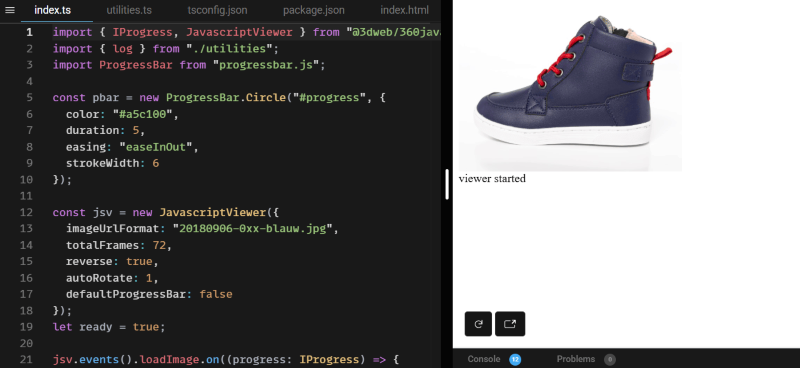
360 Javascript Viewer is a WordPress plugin that turns image sequences into interactive 360-degree views
It offers full 360° rotation with smooth mouse or touch navigation and is well-suited for ecommerce, supporting WooCommerce and unlimited presentations per page. Users can upload up to 365 images per item. Use features such as responsive design, adjustable speed/inertia, autorotation, zoom, and custom events for progress bars or animations.
Its setup is simple, there’s an API for advanced customization, and the plugin adds minimal bloat (only 50KB).
Pricing: Free, or one-time $69.
Best for: Ecommerce stores needing customizable, 360° product views.
2. Panorama Block
Panorama Block is a lightweight Gutenberg block for displaying 360-degree panoramas.
Destined for the block editor, it allows unlimited use, supports panorama images and videos, and provides customization within the Gutenberg sidebar. Compatible with all standard WordPress themes, it requires no shortcodes and needs the Gutenberg editor to activate and adjust parameters like image width, height, and block appearance. The block is reusable, mobile-friendly, and supports panning and interactive navigation out of the box.
Pricing: Free.
Best for: Users building sites with the Gutenberg editor seeking a streamlined, code-free panorama solution.
3. WP VR
WP VR is a WordPress plugin for creating 360 panoramic images and virtual tours.
It supports advanced walkthroughs via draggable hotspots, creates floor plans, and gives complete control over navigation. The plugin integrates with Gutenberg, Elementor, and WPBakery, supports gyroscope and VR headset use, and offers WooCommerce compatibility (Pro). Tours are built through drag-and-drop and can have explainer videos, background audio, or custom branding.
Pricing: Free, then starting from $79.99/year for one site.
Best for: Real estate, education, and tourism businesses seeking interactive tours or walkthroughs.
4. iPanorama 360
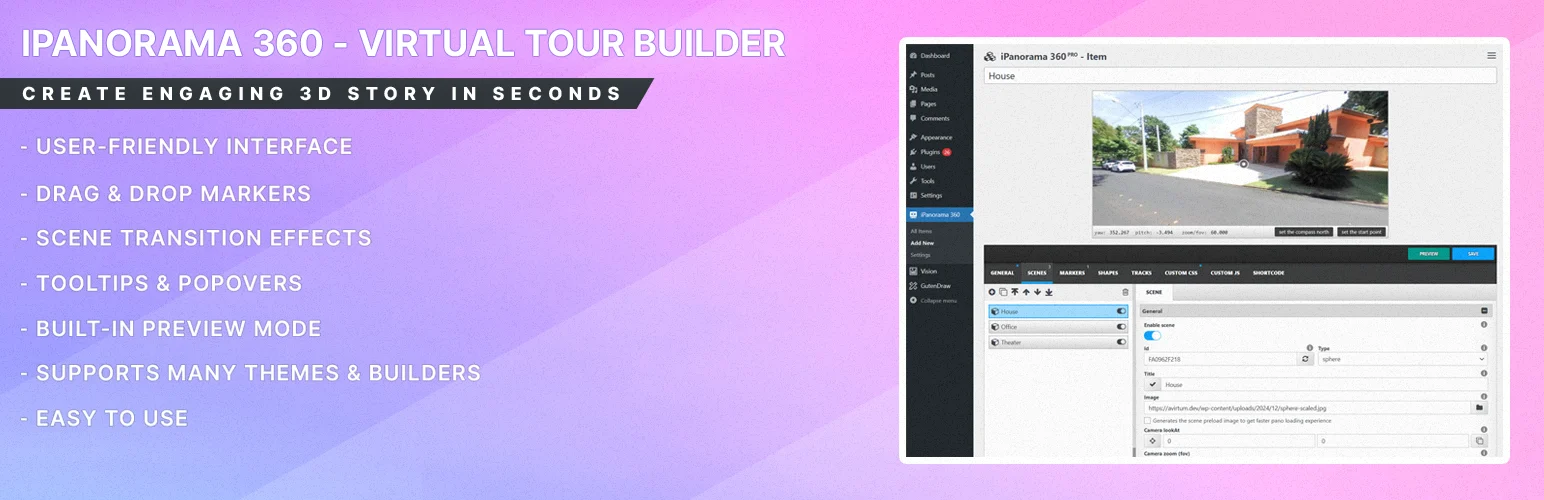
iPanorama 360 is a virtual tour builder plugin for WordPress. It lets WordPress users create interactive tours with support for multiple scene types: sphere, cube, cylinder, Google Street View, and flat.
Features include interactive markers with tooltips and popovers, animated scene transitions, background audio, and tour sharing via iframe or Gutenberg block. The plugin supports unlimited scenes arranged in any sequence, batch image upload, and both classic and block editor integration. You can find some fab additional photo editing tips with our guide.
Pricing: Free core plugin, Pro from $39/year.
Best for: Agencies and creators needing advanced, feature-rich virtual tours.
5. Algori 360 Image

Algori 360 Image is a free, Gutenberg-exclusive WordPress,org plugin for embedding a single, interactive 360° photo per page.
Its minimal interface keeps setup easy, requiring only media upload and block placement. Features include responsive scaling, mouse/touch navigation, VR headset compatibility (like GearVR, Cardboard, Vive), and support for equirectangular JPGs but not multiple panoramas per page. It’s popular among bloggers and photographers for its simplicity.
Pricing: Free
Best for: Those wanting a fast, simple panorama in Gutenberg—no shortcode or pro version needed.
6. WebRotate 360
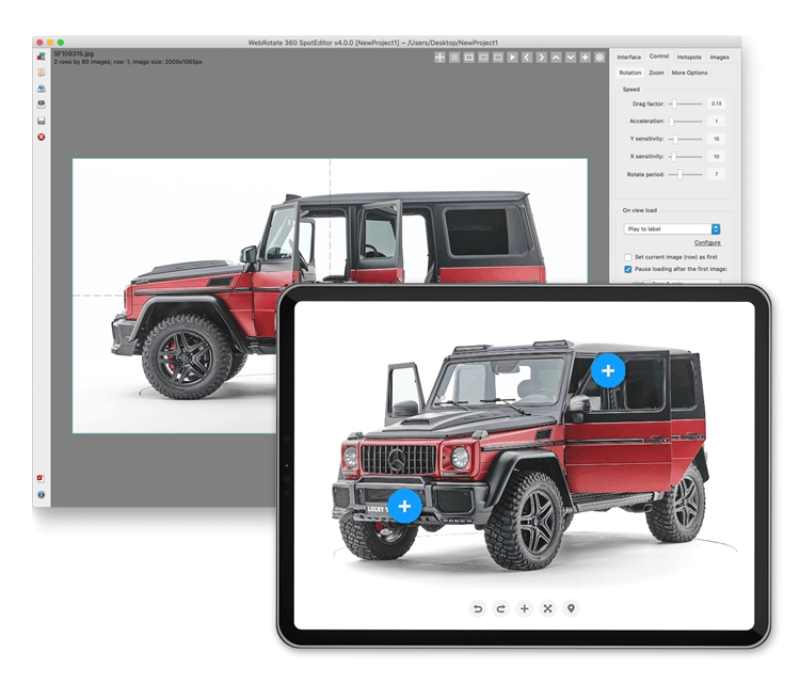
WebRotate 360 produces high-quality, interactive 360/3D product viewers using SpotEditor for preparing assets and deep integration with WordPress or WooCommerce.
It supports deep zoom, pan, spin, unlimited hotspots, analytics via Google, CDN/external image loading, and white-labeling (Pro/Enterprise). WebRotate 360 includes both a WordPress plugin and a standalone desktop application.
Pricing: Free, or paid plans start with Pro for $459 (one-time fee).
Best for: Professional ecommerce and technical users who need top-tier product visualization and asset management.
7. Sirv 360 Spin
Sirv 360 Spin hosts panoramic and spin images, delivering them via a global CDN for best speed and reliability. The plugin enables deep zoom, customizable spins, hotspot overlays, WordPress integration, and mobile optimization. Sirv is a hosted media platform connecting to WordPress via a plugin.
Pricing: Free trial available, with advanced analytics, fast CDN, and simplified media management. Starter plans begin at $19/month.
Best for: Ecommerce teams and agencies needing scalable, managed 360 image hosting with WordPress.
Next steps for 360 panorama viewer plugins
Start by identifying your specific needs. Consider whether you need video support. Check if VR compatibility is important. Choose between free and premium options based on features.
Ready to upgrade your WordPress experience? Professional hosting improves speeds, security, and reliability for your website.
To make it even easier, our fully managed hosting for WordPress is the best in the industry. Our team are server IT experts, and WordPress hosting experts as well. Your server couldn’t be in better hands.
Click through below to explore all of our hosting for WordPress options, or chat with a WordPress expert right now to get answers and advice.
Additional resources
What is a WordPress plugin? →
A complete beginner’s guide to WordPress plugins and how to manage them
How to get products for online stores →
Five options and how to choose which is best for you
How to check if a plugin is safe →
Simple steps to evaluating a plugin before you install and activate it