◦ Comprehensive security
◦ 24/7 support
WordPress Guide → Images → Compressor
10 best WordPress plugins for compressing images

There are many benefits of optimizing and compressing your WordPress website’s images. These include improving your site’s speed and performance — both important ranking factors for search engine optimization (SEO). Even more critically, learning how to compress image size in WordPress will improve your website’s user experience.
Get fast, reliable hosting for WordPress
Power your site with the industry’s fastest, most optimized WordPress hosting
How we assessed the top WordPress image optimizer plugins
Our assessment of WordPress image optimization plugins focused on six key criteria that directly impact user experience and functionality:
- Feature comparison: We evaluated each plugin’s complete feature set to understand its capabilities and limitations.
- Free tier limits: We examined what functionality is available in the free version of each plugin, helping users understand what they can achieve without investment.
- Maximum file size: We identified the largest file size each plugin can handle, which is crucial for users working with high-resolution images.
- Bulk optimization support: We checked whether each plugin can process multiple images simultaneously, an essential feature for sites with extensive media libraries.
- WebP support: We verified whether the plugin can convert images to WebP format, an increasingly important feature for modern web optimization.
- Automatic optimization: We assessed each plugin’s ability to automatically process new uploads, reducing manual work for site administrators.
This systematic approach allows us to provide clear recommendations based on specific use cases and requirements.
The top 10 image compression plugins
Here is our top list of image optimization solutions to improve the responsiveness of your website:
| Plugin Name | Free Tier Limit | Max File Size | Bulk Optimization | WebP Support | Automatic Optimization | Best For |
|---|---|---|---|---|---|---|
| Smush | Up to 5MB | 5MB | Yes | Yes | Yes | General use |
| TinyPNG | 500 compressions/month | 5MB | Yes | Yes | Yes | Integration with Liquid Web hosting |
| EWWW Image Optimizer | No restriction | No limit | Yes | Yes | Yes | Unlimited optimization |
| Optimus | Up to 100KB | 10MB | Yes | Yes | Yes | Up to 70% reduction |
| Optimole | 1GB/month | 5MB | Yes (automated) | Yes | Yes | Format-based optimization |
| ShortPixel | 100 compressions/month | 100MB | Yes | Yes | Yes | PDF + image optimization |
| WP Compress | 1000 compressions | Not shared | Yes (automated) | Yes | Yes | Adaptive optimization |
| Imsanity | 100 compressions/month | No limit | Yes | No | Yes | Automatic resizing |
| Imagify | 20MB/month | <2MB | Yes | Yes | Yes | Multiple compression levels |
| reSmush.it | Up to 5MB | 5MB | Yes | Yes | Yes | Basic optimization needs |
Let’s dive into each of these in a little more detail.
1. Smush
Smush is one of the best WordPress image compressor plugins available for WordPress, offering a comprehensive optimization solution that’s ideal for general users. The free tier includes up to 5MB file size limits, bulk optimization, WebP conversion support, and automatic optimization of new uploads. Any new images you upload will be optimized automatically, and you can save backups of your original images.
Key features:
- Multiple optimization styles
- Image resizing for precise control
- Automated optimization for new uploads
- Full multisite compatibility
- Integration with popular plugins (WP All Import, WP Media Folder, WPML)
This plugin is best for everyday WordPress users who want a reliable, easy-to-use solution with good all-round functionality.
2. TinyPNG
TinyPNG is a powerful compression service integrated with WordPress through its official connector. The free plan includes 500 compressions per month, with a 5MB file size limit and support for bulk optimization and WebP conversion. It works by intelligently reducing or eliminating metadata and removing redundant data without compromising visual quality.
Key features:
- Smart metadata preservation (copyright, GPS location, time/date)
- Customizable maximum upload size
- Bulk optimization for existing media library
- Native integration with LiquidWeb hosting platforms
- Automatic resizing of oversized uploads
This service is best for LiquidWeb hosting users who want seamless integration with their hosting platform and reliable image compression.
3. EWWW Image Optimizer
EWWW Image Optimizer is an excellent WordPress image compressor plugin. Once you enable this solution, it will automatically compress any new or existing images on your website with no restrictions for speed or file size. It’s particularly powerful for large websites, offering unlimited optimization and complete control over your compression settings.
Key features:
- No speed or file size restrictions
- Premium compression options
- Bulk optimization for entire media libraries
- Auto-scaling of large images
- Lazy loading for better performance
- ExactDN integration for faster delivery
This solution is best for users with large image libraries who need unlimited optimization without file size restrictions.
4. Optimus
Optimus is a streamlined WordPress compression plugin that can reduce your image sizes by up to 70%. With this tool, you can optimize both original and preview images automatically, and there’s no need for any code adjustments. The free tier lets you work with images up to 100KB, with a maximum file size of 10MB for larger images.
Key features:
- Automatic optimization of original and preview images
- WordPress multisite and WooCommerce compatibility
- Support for WordPress mobile apps and Windows Live Writer
- No code adjustment needed
This solution is best for users seeking high compression rates without compromising quality.
5. Optimole
Optimole is a plugin that adapts to your site’s needs. With this service, your images are automatically optimized and delivered based on your visitors’ devices and connection speeds. The free tier provides 1GB monthly bandwidth, making it perfect for growing websites.
Key features:
- Format based optimization
- Smart cropping
- Quality downgrade for slower connections
- Full support for page builders like Elementor
- Support for Retina and WebP images
This plugin is best for users who need adaptive optimization that responds to visitor conditions.
6. ShortPixel Image Optimizer
ShortPixel is a versatile optimization plugin that handles both images and PDFs with equal efficiency. With this service, you can resize and compress multiple file types while maintaining copies of your originals for safety. The free plan gives you 100 compressions monthly and handles files up to 100MB.

Key features:
- Compression of JPG, JPEG, JPEG 2000, JPEG XR, PNG, and GIF files
- Conversion to WebP or AVIF
- Automatic PNG to JPG conversion when beneficial
- Optimization of thumbnails and featured images
This solution is best for users who need to optimize both images and PDF files in one package.
7. WP Compress
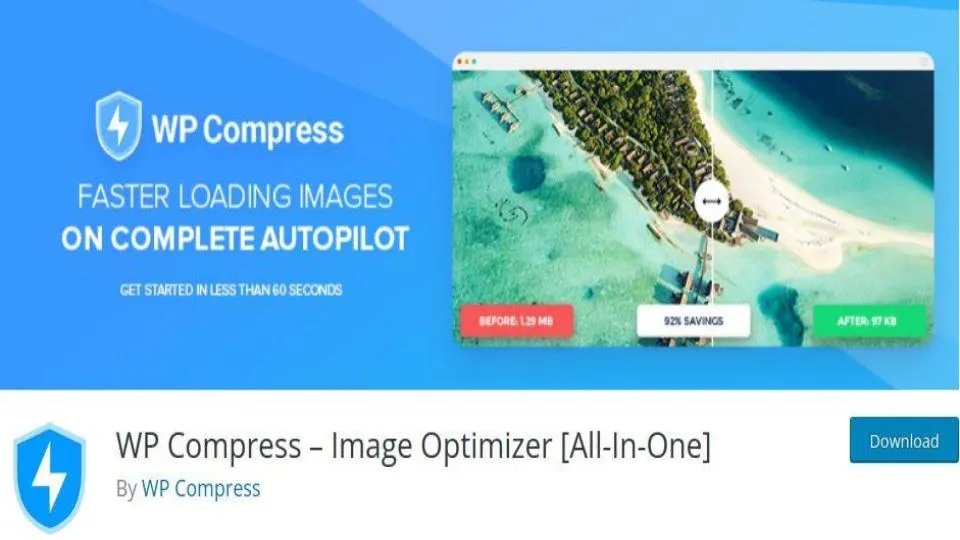
WP Compress is an intelligent optimization plugin that adapts to your site’s traffic patterns. With this tool, your images are automatically optimized based on actual usage, and it includes a CDN to serve images quickly to your users’ locations. The free tier provides 1000 compressions to get you started.
Key features:
- Automatic optimization based on incoming traffic
- Adaptive image sizing for different screens
- CDN integration
- Prevention of over-compression
- EXIF data preservation
This solution is best for users who want smart, traffic-based optimization with CDN benefits.
8. Imsanity
Imsanity is a straightforward solution focused on maintaining reasonable image sizes. With this tool, you can automatically resize large image files and set maximum dimensions that make sense for your site. It’s perfect for blogs that don’t need to store high-resolution originals.

Key features:
- Automatic resizing of large image files
- Customizable maximum dimensions
- Bulk resize feature for existing images
- Conversion of BMP and PNG to JPG
This solution is best for users who primarily need automatic image resizing and dimension control.
9. Imagify
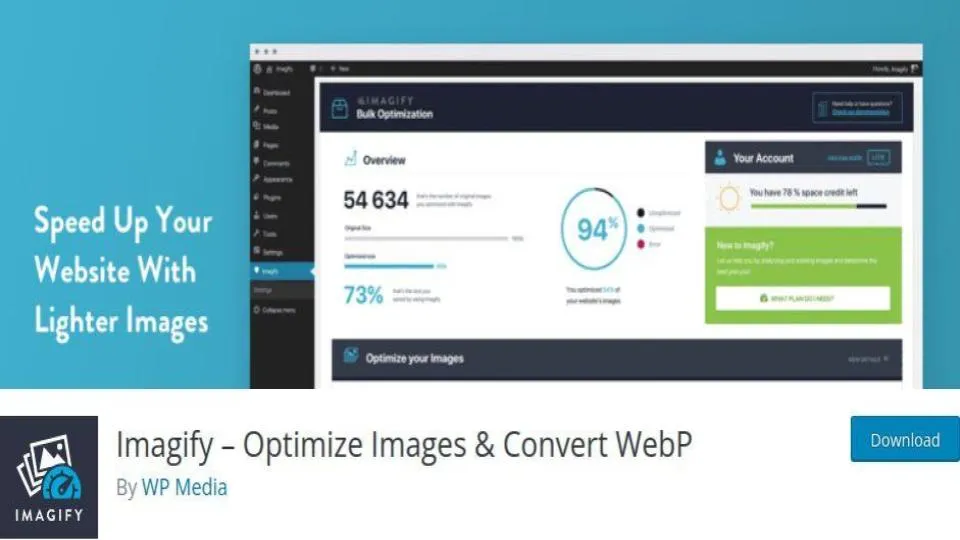
Imagify is an advanced optimization plugin offering three levels of compression to suit your needs. With this service, you can optimize newly uploaded images and existing ones in your media folder, with the ability to reverse compression if needed. The free tier includes 20MB monthly usage.
Key features:
- Three compression levels (normal, aggressive, ultra)
- Optimization reversal option
- Responsive image optimization
- Bulk optimization capability
This solution is best for users who want fine control over compression levels with the ability to reverse optimizations.
10. reSmush.it
reSmush.it is a straightforward optimization plugin that focuses on core compression needs. With this tool, you can compress images up to 5MB and exclude specific image types from compression. It automatically processes new uploads and provides bulk optimization for existing images.
Key features:
- Support for PNG, GIF and JPG files
- Different optimization levels
- File logging for developers
- Optimized image statistics
- EXIF data preservation option
- Optional backup preservation
This solution is best for users seeking a simple, straightforward compression option without complex features.
Which plugin meets your needs?
The right image optimization solution depends on your specific requirements. Here’s how to choose based on common needs:
For unlimited optimization:
- EWWW Image Optimizer offers no restrictions on file size or number of compressions
- Ideal for large media libraries and high-volume sites
- Perfect if you regularly work with large, high-resolution images
For maximum compression:
- Optimus delivers up to 70% file size reduction
- Best choice when server space is at a premium
- Good for sites with many images that need significant optimization
For simple automation:
- Smush provides straightforward automatic optimization
- 5MB limit is sufficient for most standard web images
- Ideal for users who want a “set and forget” solution
For advanced features:
- ShortPixel handles both images and PDFs
- Supports multiple file formats including JPEG 2000 and AVIF
- Best for sites with diverse media requirements
For adaptive optimization:
- Optimole adjusts quality based on user devices and connections
- Works well for sites with global audiences
- Includes smart cropping and Retina support
For basic needs:
- reSmush.it offers simple, straightforward optimization
- Free tier is generous for small sites
- Good for blogs and personal websites
For LiquidWeb customers:
- TinyPNG comes integrated with your hosting
- Offers automated optimization out of the box
- Includes professional support and seamless setup
Getting started with image compressor plugins
Liquid Web Fully Managed WordPress and Fully Managed WooCommerce Hosting have partnered with TinyPNG to provide a fix for oversized images. The Compress JPEG and PNG images plugin from TinyPNG is available to you at no additional cost! We make sites fast with premium image compression, a built-in CDN, and advanced caching.
And when you’re ready to take the training wheels off your WordPress site, upgrade to professional hosting and see how better speeds, security, and reliability provide a foundation for a website and a brand that people find engaging and trustworthy. Liquid Web’s WordPress hosting options configure business-class servers and support plans specifically for WordPress websites.
Click through below to explore all of our WordPress hosting options, or chat with a WordPress expert right now to get answers and advice.
Additional resources
What is WordPress? →
A complete beginner’s guide to WordPress.org
5 best photo gallery plugins for WordPress →
Discover the 5 best photo gallery plugins for WordPress, including Modula, NextGEN, FooGallery, and more. Find the perfect plugin for stunning, responsive image galleries on your site.
What is managed WordPress hosting? →
Discover how an added layer of support takes server IT off your shoulders