Clean up WooCommerce GeoIP transients for performance gains

WooCommerce has a built-in feature to get the customers’ default location using geolocation. The geolocation feature in WooCommerce uses the MaxMind API. Currently, if you are using this feature on your WooCommerce store you could have 20-40k transients related to it.
Get fast, reliable hosting for WordPress
Power your site with the industry’s fastest, most optimized WordPress hosting

Transients are used for storing cached temporary data that is stored in the options database table. WooCommerce will store the geolocation transients in the site’s options database table for one week.

You can easily delete any existing geolocation transients from WooCommerce by using phpMyAdmin to search for the following option names:
_transient_geoip_%
_transient_timeout_geoip_%
_transient_external_ip_address_%
_transient_timeout_external_ip_address_%
You could also use a plugin like WP Data Access then you could explore the options database table and look for all of the related transient options to delete those.
WordPress core does have a cron event called:
delete_expired_transients
That cron event will run daily to automatically delete all expired transients. WooCommerce also has a built-in tool from wp-admin;
WooCommerce >Status > Tools
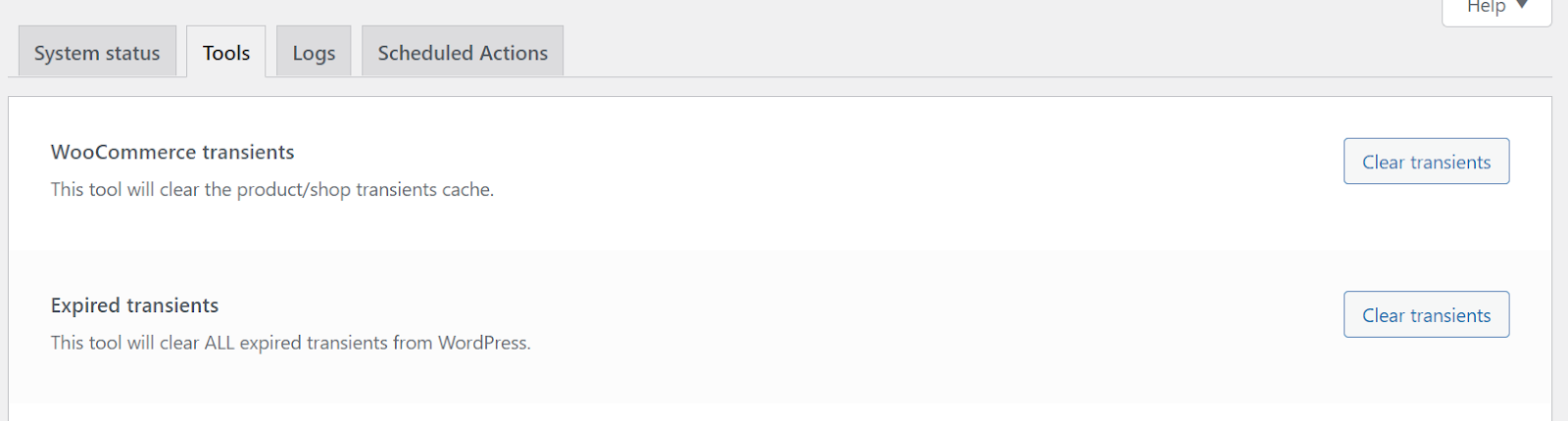
Reducing transients stored in the site’s database as well as making sure that expired transients are deleted will help keep your site performing well and will help with wp-admin load times.
For 24-hour assistance any day of the year, contact our support team by email or through your Client Portal.
Additional resources
How to change the WordPress database prefix →
Change your database prefix to improve security and organization.
WordPress transients: a beginner’s guide →
Manage transients to improve performance and reduce database clutter.
How to set up redirects in WordPress →
Learn to set up redirects to guide visitors to the right pages.
