◦ Comprehensive security
◦ 24/7 support
WordPress Guide → Database
WordPress database: everything you need to know

Your WordPress site is more than just themes and plugins—it’s powered by a database that keeps everything running behind the scenes. If you’ve never dug into how your database works, now’s the time. Understanding your WordPress database can help you manage your site more efficiently, improve performance, and troubleshoot issues like a pro.
Let’s dive into what it is, why it matters, and how you can take control of it.
Get fast, reliable hosting for WordPress
Power your site with the industry’s fastest, most optimized WordPress hosting
What is a database?
WordPress is a dynamic content management system (CMS). That means your website isn’t made of fixed HTML pages that never change. Instead, WordPress pulls information from a database and assembles it on the fly every time someone visits a page.
When you write a new post, change your site title, or adjust a setting, WordPress saves those details in the database. Then, when someone views your site, WordPress retrieves that data and displays it in your theme’s design.
Without a database, your website wouldn’t have a way to remember anything. You’d have to manually code every piece of text or media into static HTML files. The database gives you flexibility to update your site from the dashboard and have those changes appear instantly, without touching code.
The database also allows WordPress to handle large amounts of information efficiently. Whether you run a personal blog with a handful of posts or a massive ecommerce store with thousands of products, the database keeps everything structured, searchable, and accessible.
How a WordPress database is organized
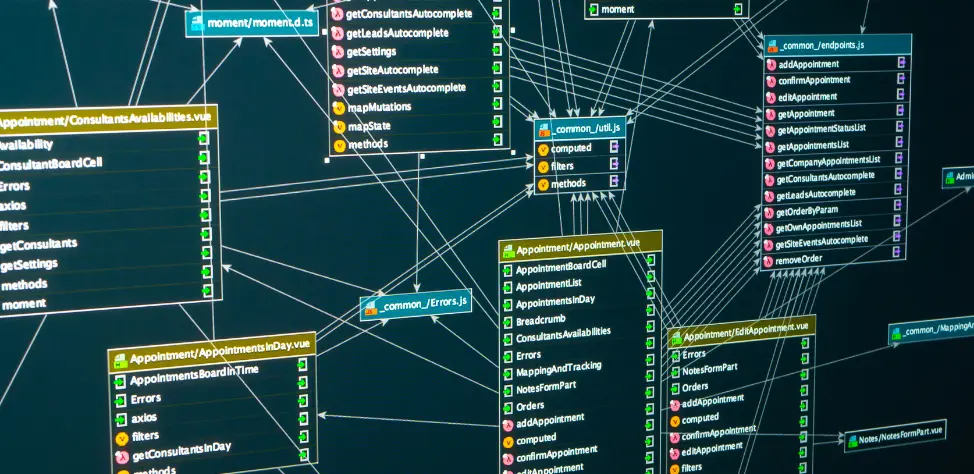
WordPress uses a relational database, which means data is stored in connected tables that reference one another. This makes it easy for WordPress to pull specific pieces of information when needed—for example, displaying a blog post with the right author name, date, and category.
By default, WordPress runs on MySQL, a widely used open-source database management system. MySQL is responsible for creating, reading, updating, and deleting data in your WordPress database. In simple terms, it’s the engine that powers the storage and retrieval of your site’s content.
A table in a database is similar to a spreadsheet. Each one contains rows and columns of related data. For instance, there’s a table for posts (wp_posts), a table for users (wp_users), and a table for comments (wp_comments). WordPress installs around a dozen core tables, but plugins can add more to support their features.
The database connection details live inside a file called wp-config.php. This file, located in your site’s root directory, tells WordPress how to connect to the database. It includes the database name, username, password, and host information. If those settings aren’t correct, WordPress can’t access the database, and your site won’t load.
How to access your WordPress database
Sometimes you’ll need to access the database directly for troubleshooting, making manual changes, or optimizing performance. Here’s how you can get to it:
- Log in to your hosting account. Most WordPress hosting providers give you access to a control panel like cPanel or a custom dashboard.
- Open the database tool. Look for a tool called phpMyAdmin. This is a web-based interface that lets you view and manage your MySQL databases without needing to type commands.
- Select your WordPress database. If you’re not sure which one belongs to your site, check your wp-config.php file for the database name.
- Browse tables and data. Inside phpMyAdmin, you’ll see all the WordPress tables. You can click on a table like wp_posts to view your published posts in raw database format.
- Make changes with caution. Editing directly in phpMyAdmin can break your site if done incorrectly. Always back up your database before making changes.
WordPress database management
Managing your WordPress database helps keep your site running smoothly. A bloated or unoptimized database can slow down performance. Here are some best practices:
- Regularly clean up revisions and drafts. WordPress saves every version of a post, which can clutter your database. Use a plugin like WP-Optimize to delete unnecessary revisions.
- Remove spam and trashed comments. These pile up quickly and waste space. Clearing them out improves efficiency.
- Delete unused plugins and themes. Even after deactivation, plugins may leave behind database tables. Removing them keeps things tidy.
- Optimize tables. Over time, tables can become fragmented. Tools like phpMyAdmin or plugins such as WP-DBManager can run “optimize” commands to reorganize data for better performance.
- Back up regularly. Before making any changes, always back up your database. Tools like UpdraftPlus or BlogVault automate this process.
WordPress database security
Because the database holds everything about your site, it’s a major target for hackers. Protecting it is just as important as protecting your WordPress files. Here’s how to keep it safe:
- Use strong database credentials. Don’t rely on the default “root” username or simple passwords. Create unique, complex credentials stored securely in your wp-config.php.
- Change the table prefix. By default, WordPress uses wp_ as the prefix for all tables. Changing it during installation makes it harder for attackers to guess table names.
- Limit database user privileges. Assign your WordPress database user only the permissions it needs. Avoid giving full administrative privileges when unnecessary.
- Keep WordPress and plugins updated. Vulnerabilities in plugins and themes can allow attackers to exploit your database. Updates patch these issues.
- Use a firewall or security plugin. Tools like Wordfence or Solid Security add an extra layer of protection against SQL injection and brute force attacks.
How to change a WordPress database password
Changing your WordPress database password may be necessary if you suspect a security breach or want to tighten your site’s security.
Here’s how to change the database password:
- Backup your database: Yes. Every time.
- Log in to your hosting control panel: Access the database settings in cPanel or another control panel.
- Go to MySQL Databases: Find your database in the “Databases” section.
- Change the password: Update the password for your WordPress database.
- Update wp-config.php: Don’t forget to update the wp-config.php file with the new password.
Take control:
How to change user permissions on a WordPress database
You may need to change user permissions on your WordPress database to control who has access to it. This can be helpful if you’re managing a team or working with a developer.
Follow these steps to change database user permissions:
- Backup your database: You’ll thank me when something goes wrong.
- Log in to your hosting control panel: Go to your hosting provider’s control panel.
- Access MySQL Databases: Look for the MySQL Databases section.
- Edit user privileges: Select the user you want to modify and adjust their permissions as needed.
WordPress database tables: How WordPress data is organized
WordPress stores its data in various tables within the database, each serving a specific purpose. Tables are like folders in a filing cabinet, and within each table, data is organized into columns.
Here are some of the most common tables in a WordPress database:
- wp_commentmeta: Stores metadata related to comments.
- wp_comments: Holds information about comments on your site.
- wp_links: Manages links from the Links section of WordPress.
- wp_options: Stores site-wide settings like the site URL, admin email, and more.
- wp_postmeta: Contains metadata about posts.
- wp_posts: Stores all the content of posts and pages.
- wp_terms: Organizes taxonomy terms (like categories and tags).
- wp_termmeta: Stores metadata related to terms.
- wp_term_relationships: Maps posts to categories and tags.
- wp_term_taxonomy: Stores taxonomies (like categories or tags).
- wp_usermeta: Stores metadata about users.
- wp_users: Holds information about users, including admin credentials.
WordPress database FAQs
Getting started with WordPress databases
A WordPress database is essential for managing and organizing the content on your site. By understanding how it works and regularly maintaining it, you can ensure that your site runs smoothly.
Start by logging into your hosting provider’s control panel and familiarizing yourself with the database management tools. If you’re with a WordPress-focused host like Liquid Web, you’ll have access to helpful resources for managing your database.
Ready to take the training wheels off your WordPress site? Upgrade to professional hosting and see how better speeds, security, and reliability provide a foundation for a website and a brand that people find engaging and trustworthy. Liquid Web’s WordPress hosting options configure business-class servers and support plans specifically for WordPress websites.
Click through below to explore all of our WordPress hosting options, or chat with a WordPress expert right now to get answers and advice.
Additional resources
What is WordPress? →
A complete beginner’s guide to WordPress.org
How to backup a WordPress site →
Best practices and step-by-step instructions
WordPress development →
A beginner’s guide to WordPress dev, including hosting, admin basics, AI, and more