◦ Comprehensive security
◦ 24/7 support
2025 IT trends: AI adoption hits 72% industry-wide
The IT world isn’t unfamiliar with rapid technology changes.
From the first smartphone to chatbots, there have been many hyped technologies that transformed markets and reshaped entire economies.
That said, major technological changes don’t happen overnight. Even ChatGPT, which captured the world by storm in early 2023, builds on decades of research in artificial intelligence (AI) — natural language processing and deep learning.
In fact, three years before launching ChatGPT, OpenAI defeated OG Esports, one of the best “Dota 2” teams, with OpenAI Five. This milestone in AI-powered solutions showed how computing could match human performance in complex environments.
So, what’s unfolding in 2025? Here’s what every IT professional needs to know about the biggest trends shaping our digital world.
Key points
- AI has become the new normal — with 72% of companies jumping on board while learning to balance automation with human oversight.
- Real-time data is now a strategic priority for 86% of IT leaders — from warehouse inventory to user behavior, businesses are making faster, smarter decisions with live insights.
- Security threats aren’t slowing down (with data breaches now costing $4.88 million on average), pushing more companies to adopt “trust nothing, verify everything” approaches.
1. AI development: The new standard
AI is the new normal. You’ve probably seen enough videos, blogs, or presentations on the topic, sharing anything from “AI will take away your jobs” to “AI suggests putting glue on pizza.”
That said, the truth is somewhere in the middle. While tech giants (Google, Amazon, Microsoft, and Apple) continue to invest in AI, AI isn’t Skynet yet. It’s predicting, not thinking.
As a result, it can really speed up your operations — whether that’s coding, analyzing data, or automating repetitive tasks. But you still need humans in the mix to oversee what it’s doing, approve its results, and intervene if necessary.
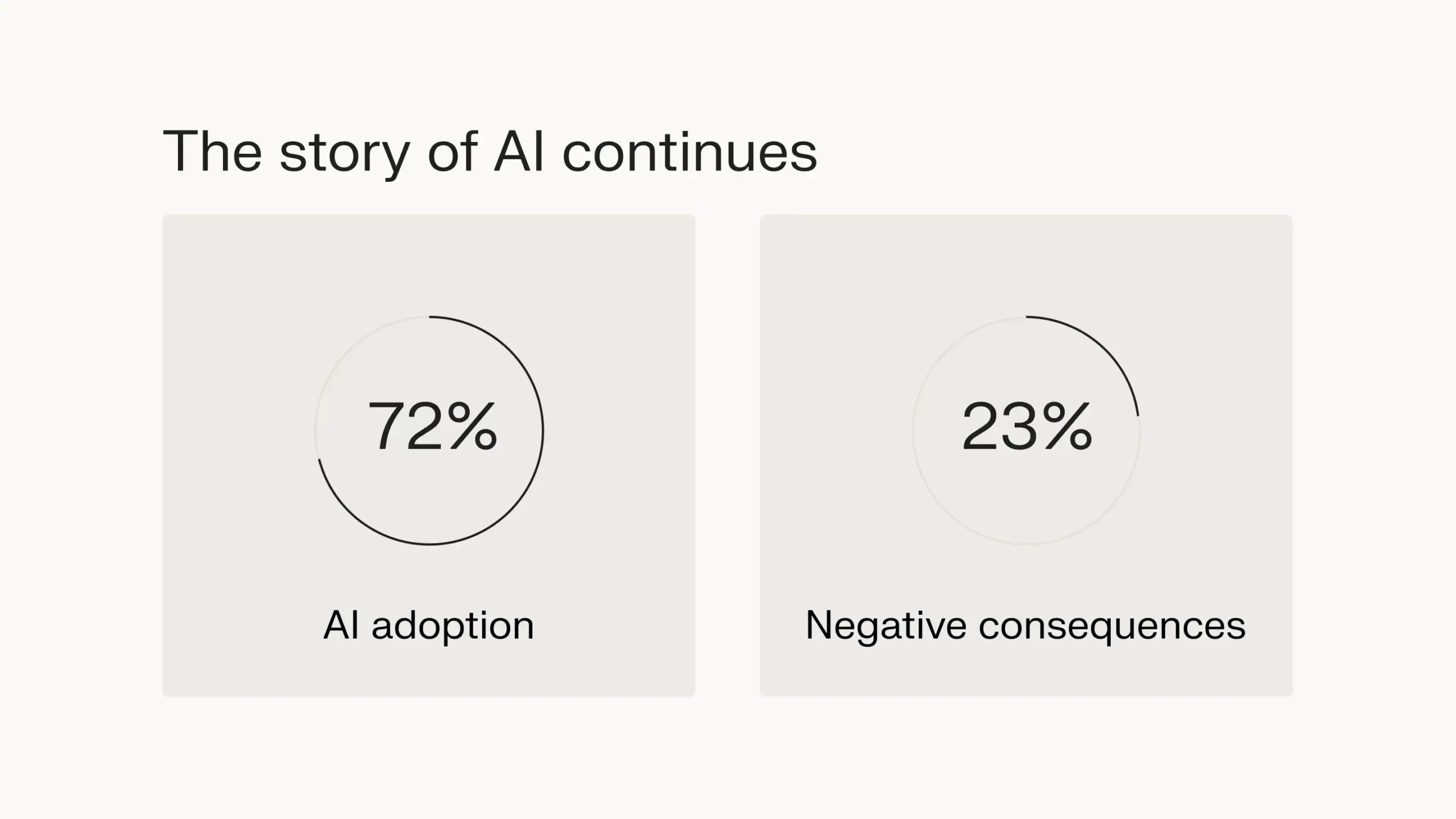
Without human intervention, it can quickly become garbage in, garbage out. For instance, a 2024 report by McKinsey & Company shares that 72% of companies have adopted AI in one form or another — but 23% of those companies have experienced a negative consequence due to the inaccurate results of generative AI.
This extends to website development too. AI tools are now pumping out website layouts, suggesting content improvements, and optimizing WordPress sites.
But just like any other AI application, you need solid infrastructure behind it. Consider WordPress VPS hosting to handle these AI features without sacrificing performance.
The same goes for serious AI development. If you’re training models or running AI workloads, standard hosting won’t cut it. You’ll need GPU-powered infrastructure to handle the heavy lifting. Otherwise, it’s like trying to run a camera drone with a calculator battery — technically possible, but you won’t get far.
If you intend to adopt this trend, start with practical AI integrations. Learn prompt engineering, experiment with small AI tools, and focus on use cases that bring immediate value before taking a big leap. Whether you’re building AI-powered websites or developing machine learning models, start small and scale up as needed.
Evaluate where AI helps and when it might hinder. Match your infrastructure to your ambitions — a basic hosting plan for simple AI tools, GPU hosting for serious development, or specialized WordPress hosting for AI-enhanced sites. The key is finding the sweet spot between capability and cost.
2. The cloud journey continues
Cloud adoption is accelerating with AI’s rise. The processing power needed for AI workloads makes cloud infrastructure more attractive than ever.
However, moving to the cloud just because everyone else is doing it can backfire. We’ve seen companies migrate without clear use cases, ending up with higher costs and complexity.
According to CloudZero, cloud spending is becoming increasingly unmanageable — while 58% of companies already report excessive cloud costs, the number of organizations facing “way too high” costs has grown from 11% in 2022 to 14% in 2024.
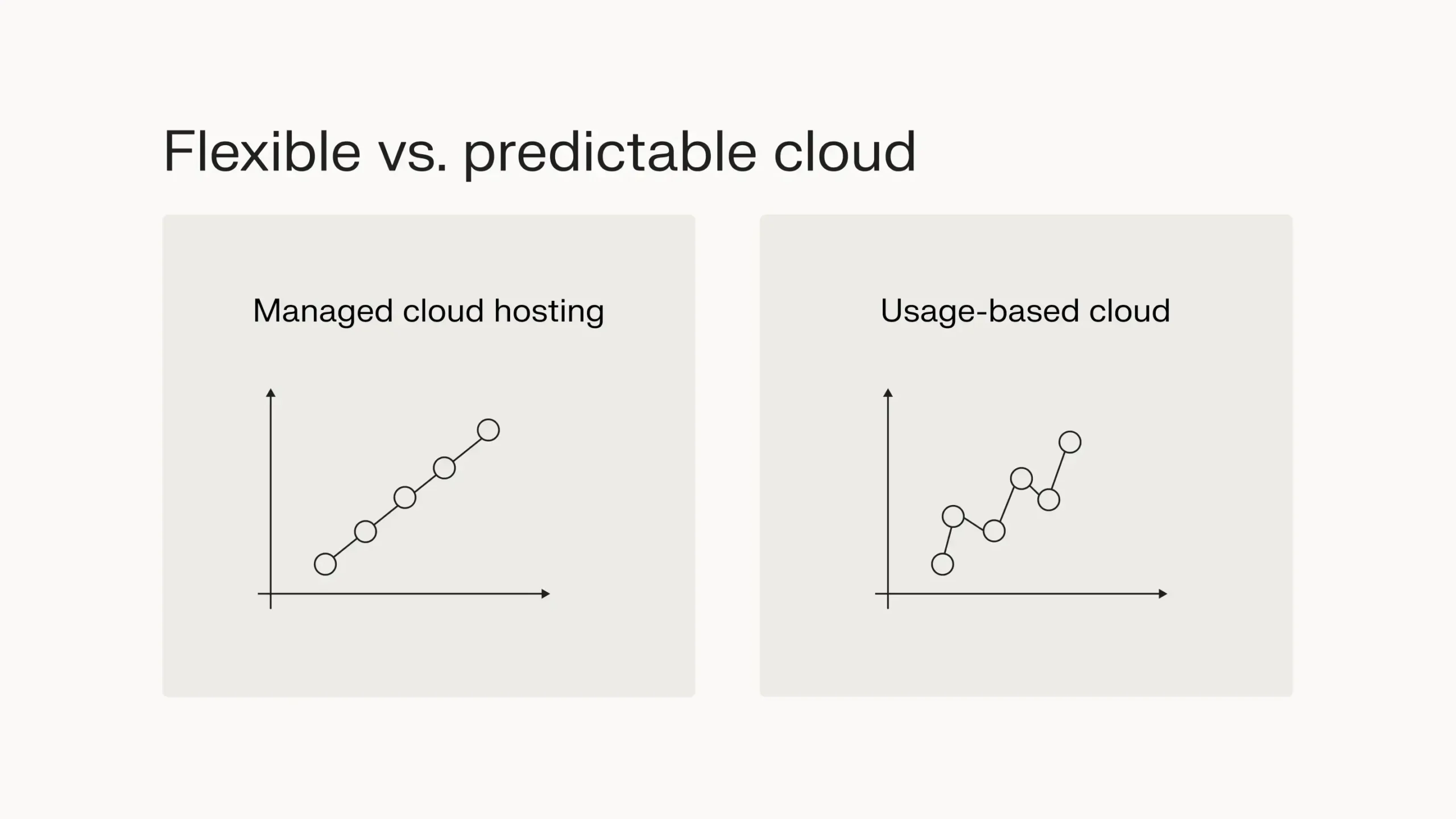
Companies are responding to these challenges in different ways. Some opt for managed cloud hosting solutions, which offer predictable pricing models and remove the burden of infrastructure management.
Others are discovering the benefits of usage-based cloud solutions like cloud VPS, where you only pay for the resources you actually consume — ideal for variable workloads.
To adopt cloud tech without breaking the bank, evaluate these different approaches based on your specific needs.
Managed hosting can provide stability and predictable costs for consistent workloads, while usage-based solutions offer flexibility for varying resource demands.
Ideally, do a cloud spend analysis. Identify which workloads actually benefit from cloud scalability versus those that need predictable resources before moving to the cloud.
Some applications might need the reliability of managed hosting, while others could benefit from the cost efficiency of usage-based pricing.
3. Zero-trust security: The new default
While the COVID-19 pandemic is a thing of the past, remote work is here to stay. As a result, network boundaries don’t mean what they used to. Everyone is accessing resources from everywhere with so many smart devices in the mix.
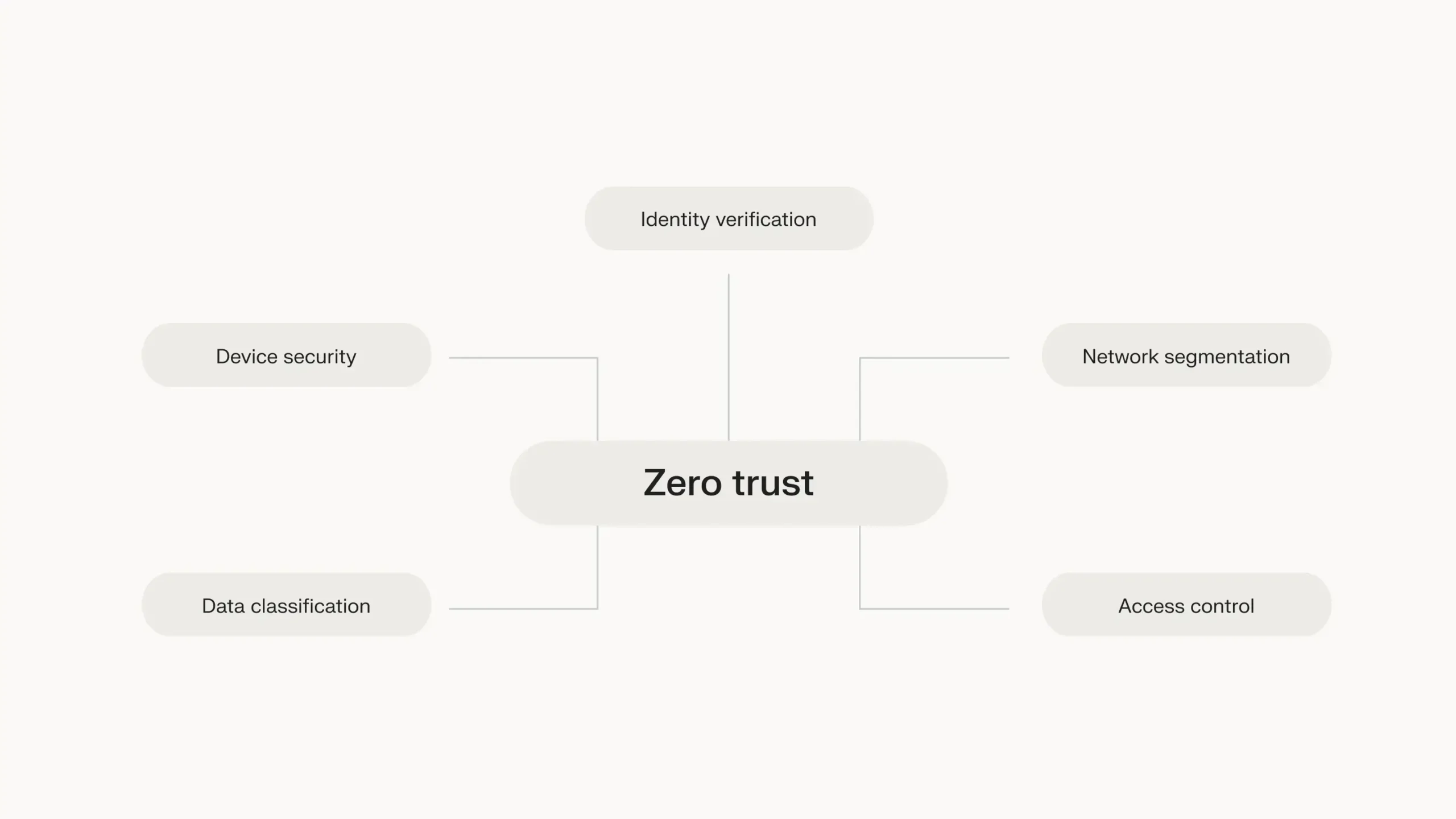
While you could train employees to secure their working environment, 68% of data breaches originated from human error. Instead, organizations are slowly adopting zero-trust security: verify everything and trust nothing.
But how should you implement it? Here’s what you need to know.
How to implement zero-trust security
- Start with identity management basics: MFA isn’t optional anymore — it’s your first line of defense. Enable it everywhere, from your email to your cloud storage. Then, audit those access controls regularly. You’d be surprised how many ex-employees still have access to systems months after leaving.
- Get serious about endpoint security: With everyone working from anywhere, every laptop and phone is a potential breach waiting to happen. Deploy endpoint detection and response (EDR) solutions to spot and stop threats in real time. Think of it as having a security guard for each device.
- Break up your network into segments: Don’t let a breach in one area expose everything. Segment your network like compartments in a ship — if one part floods, the whole vessel shouldn’t sink.
- Know your data’s worth: Not every piece of data needs Fort Knox security. Figure out what’s critical and what’s not. Apply strict controls to sensitive data while keeping less critical systems more accessible. This way, you’re not making everyone jump through hoops to check the lunch menu.
- Choose your identity platform wisely: Whether it’s Azure AD, Okta, or another solution, pick one that plays nice with your cloud setup. Then learn it inside and out. Better to be an expert in one platform than knowing just enough to be dangerous in several.
Zero-trust is a journey. Start with these basics and build up gradually. The goal isn’t perfection but continuous improvement in your security posture.
4. Infrastructure automation
Infrastructure as Code (IaC) isn’t the future anymore — it’s the present. The question has shifted from “should we automate?” to “what should we automate first?” And if you’re not automating yet, you’re doing your taxes by hand when everybody else is using a tax calculator.
Manual configuration is becoming a liability. One misclick in a control panel can take down your entire system. With IaC, your infrastructure is documented, version-controlled, and reproducible. When (not if) something breaks, you can roll back changes like you would with regular code.
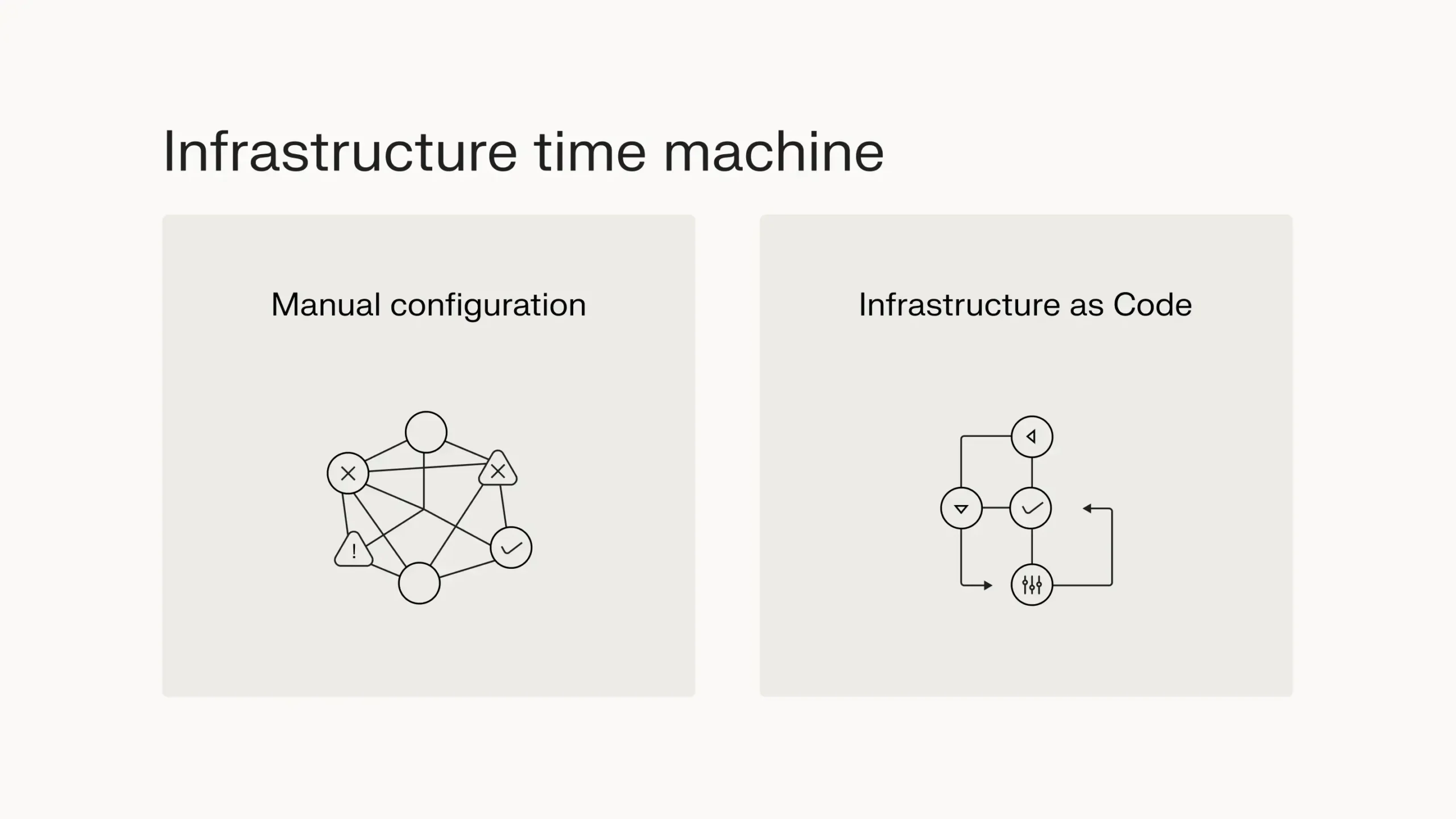
Most successful teams start small: development environments first, then carefully move to production. After all, while IaC is powerful, it also has a tendency to break things. Think of it as your infrastructure’s time machine — you can see who changed what, when, and why.
Terraform leads the pack — you can use it to manage Liquid Web resources — thanks to its massive ecosystem, but don’t feel pressured to jump into the deep end immediately. For a stepping stone, you can also turn to the Liquid Web API.
Automate one small, annoying task you do repeatedly — maybe it’s setting up development environments or configuring monitoring for new servers.
Remember: automation isn’t just about saving time; it’s about reducing errors, improving consistency, and making your infrastructure more reliable. Start small, test thoroughly, and keep building on your successes.
“With infrastructure automation powered by APIs like Terraform, businesses can efficiently reduce downtime, enhance agility, and stay ahead in an evolving IT landscape.”
Ryan MacDonald
Chief Technology Officer at Liquid Web

5. Real-time data processing
Real-time data processing is becoming more accessible. From ecommerce inventory to fraud detection, businesses want live insights. In fact, a 2024 Confluent report shares that 86% of IT leaders consider real-time data a strategic priority.
That said, “real time” means different things to different people. For some, it’s milliseconds. For others, minutes are fast enough.
The trick is matching your solution to your actual needs. Stock trading platforms need microsecond precision to execute trades. But if you’re tracking warehouse inventory or analyzing customer behavior, near real-time updates every few minutes work just fine.
It’s like choosing between overnight shipping and two-day delivery — sometimes you need the speed, sometimes you don’t.
Data quality becomes critical in these real-time systems. Bad data that might go unnoticed in weekly reports becomes a major headache when it’s flowing through your system every second.
Start by learning streaming basics with Apache Kafka or AWS Kinesis, but also focus first on your data pipeline’s accuracy. A slow but accurate system beats a fast system spewing garbage data any day.
When you’re ready to implement real-time processing, begin with a small, well-defined use case. Maybe it’s monitoring server health metrics or tracking user sessions. Build your expertise there before tackling more complex scenarios.
Last but not least, remember to plan for failure — real-time systems need robust error handling and fallback mechanisms. After all, real-time data is only valuable if it’s reliable.
6. DevSecOps: Security by design
The cost of data breaches continues to rise. As of 2024, the global average data breach cost is $4.88 million, a 10% increase from 2023.
That said, modern tools are making security easier to bake into your development process from the start, and they’re getting smarter every day.
Think of it like quality control in a factory. You wouldn’t wait until the product is boxed to check for defects.
Similarly, you shouldn’t wait until the code hits production to check for security issues. Tools like GitHub’s automated scanning and AWS’s GuardDuty can catch common vulnerabilities early when they’re cheaper and easier to fix.
You don’t have to build the perfect app — that’s not possible. Instead, focus on continuous improvement and early detection.
Start by integrating basic security scanning into your CI/CD pipeline and understanding the OWASP Top 10. Make security testing as natural as unit testing in your development workflow.
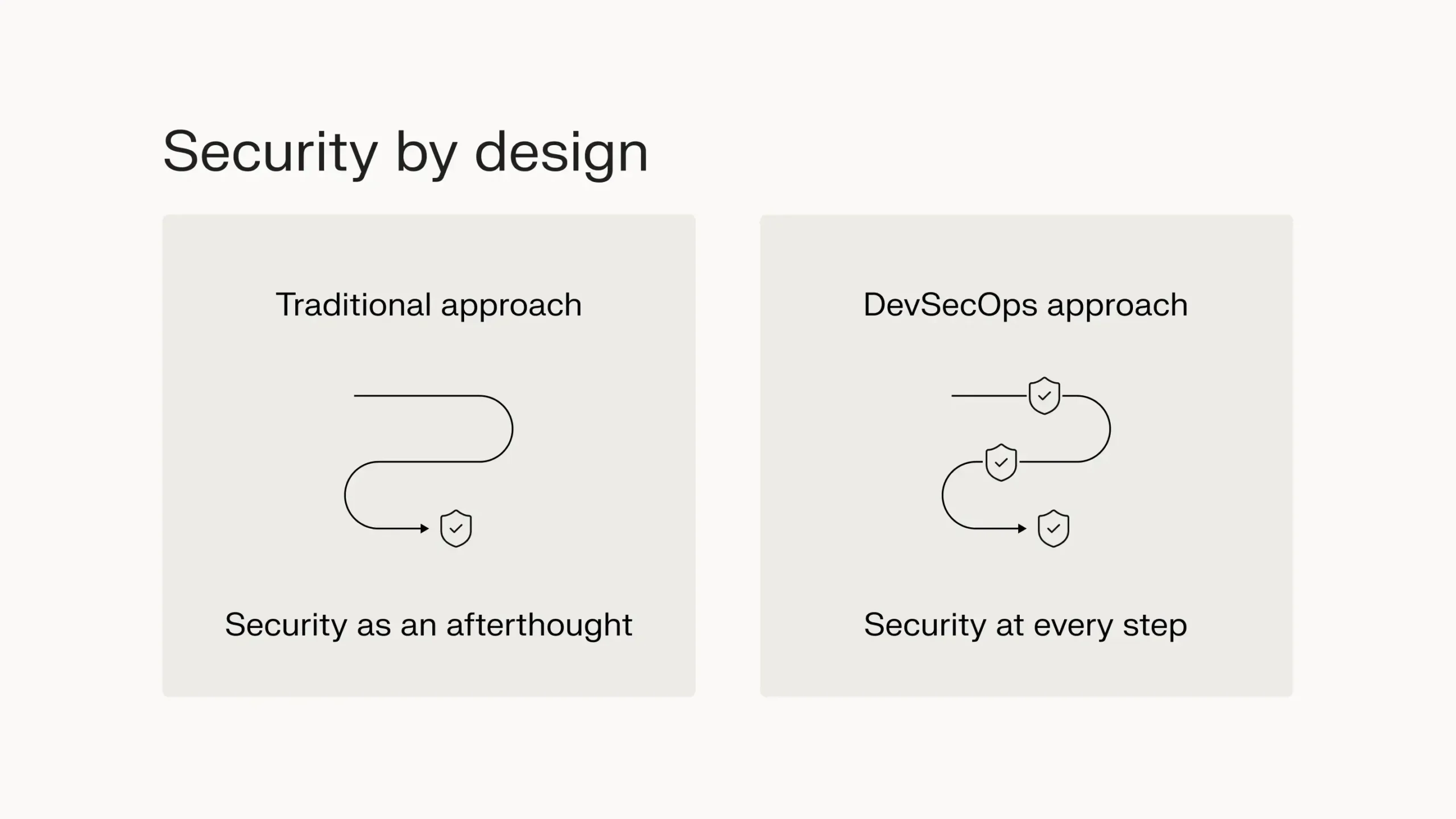
Besides that, consider your development environments as well. Secure your code repositories, implement proper secrets management, and regularly audit your deployment pipelines.
With these foundational security practices in place, you’ll have an easier time catching security issues before they become problems.
“Liquid Web DevSecOps integrates security into every stage of development and operations. From proactive monitoring to network security, we prioritize safeguarding data and infrastructure without compromising performance.”
Ryan MacDonald
Chief Technology Officer at Liquid Web
7. Platform engineering: Developer experience matters
While AI is helping improve workflows, developer systems as a whole have gotten increasingly complex. The average developer now juggles multiple software programs, language frameworks, and technology solutions just to get code from development to production.
A common reason for this is the approach of reinventing the wheel. Teams try to combine a bunch of apps together or create a half-baked application instead of adopting mainstream solutions built on best practices.
Consider a team building an internal developer portal. Instead of using established platforms like Backstage or Port, they cobble together Jenkins for CI/CD, custom scripts for environment provisioning, and a Wiki for documentation. Six months later, they’re dealing with maintenance issues and missing features that established solutions already solved.
You can resolve this through platform engineering, which focuses on building standardized, self-service platforms that developers actually want to use.
Instead of running into redundant issues, your team gets to benefit from increased productivity (50%).
Start by documenting your current development workflow and identify manual steps that slow teams down. For instance, if developers spend hours setting up local environments, create a containerized development environment with Docker Compose that starts with a single command.
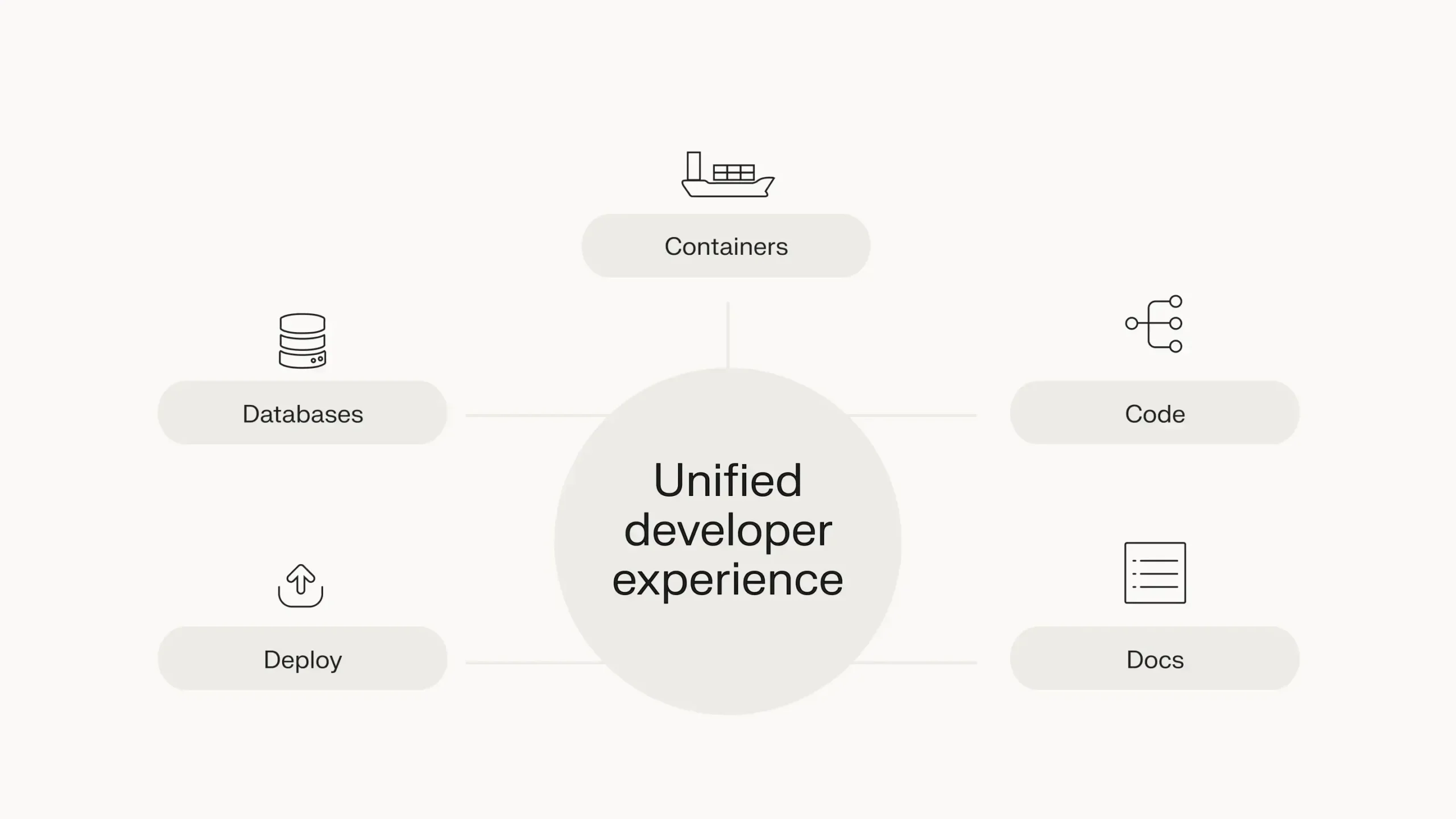
Besides that, focus on eliminating one pain point at a time rather than building a complete platform overnight. Begin with high-impact, low-effort improvements like automating database provisioning or implementing standardized logging.
As your platform matures, you can tackle more complex challenges like service mesh implementation or sophisticated deployment pipelines. After all, successful platform engineering is about creating a developer experience that encourages innovation while maintaining standards.
8. Observability: Beyond basic monitoring
Modern applications are distributed systems. When something goes wrong, simple monitoring isn’t enough.
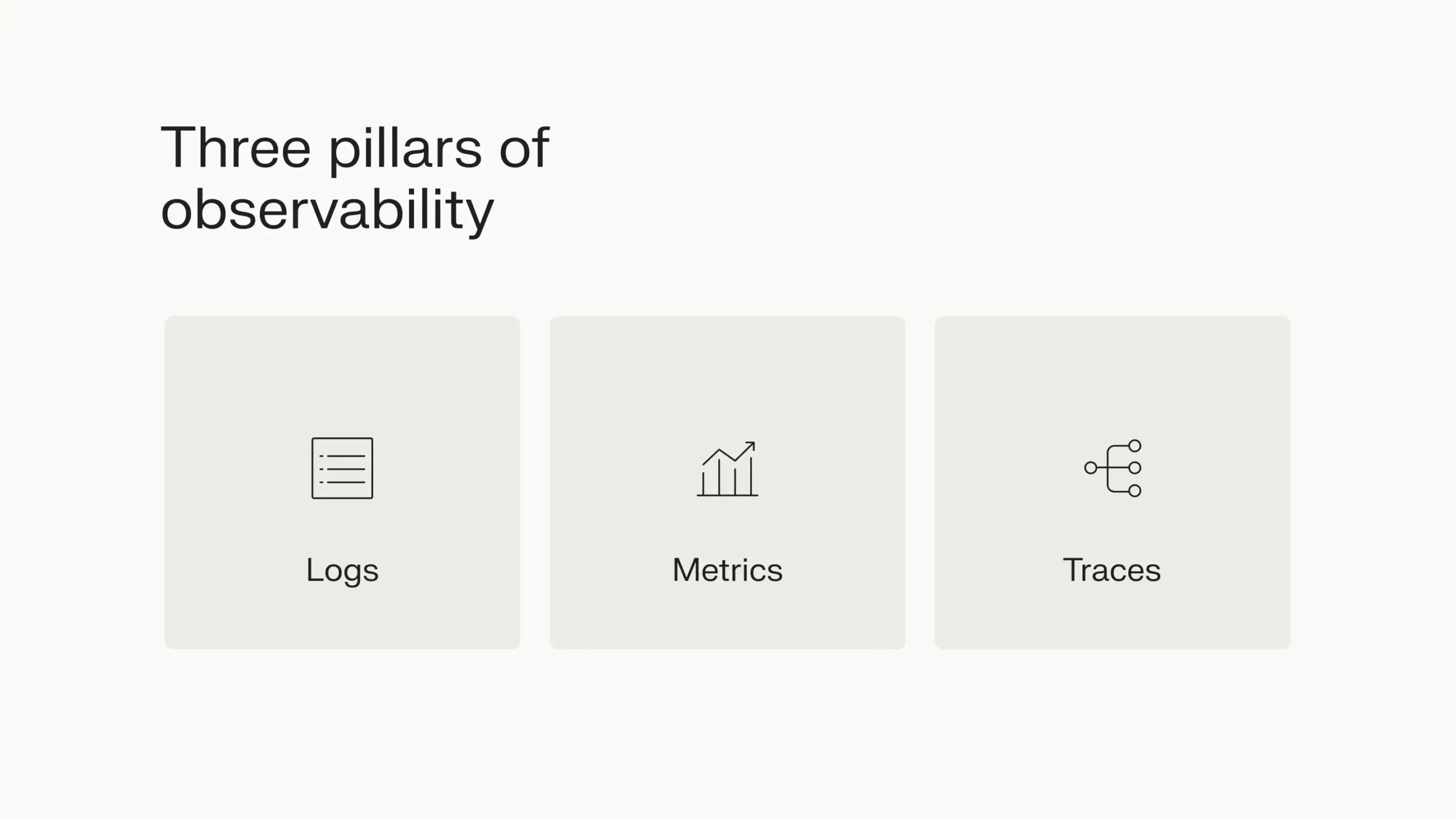
You need three pillars of observability:
- Logs for detailed system events
- Metrics for performance data
- Traces to track requests across services
Together, these give you the full picture of your system’s health.
However, you don’t need overdone dashboards that nobody will see — or the corresponding high storage bills.
Instead, focus on actionable metrics that help you solve real problems:
- What causes outages?
- What affects user experience?
- Which components are breaking?
You can use a cloud-based log management tool to handle the heavy lifting here. It’ll store server tools, manage the logging infrastructure, and give you a single place to search through everything when trouble hits.
With support for Linux environments like CentOS, Debian, and Ubuntu, you can automatically ship logs to secure storage and scale up as your needs grow.
That said, the real value comes from acting on your data. Monitor trends, catch issues early, and keep an eye out for unusual patterns. Good observability turns a reactive ops team into a proactive one.
9. Humans vs AI: Hidden SEO factors
While many encountered AI-generated content flooding the search results after ChatGPT’s release, Google’s fight against spam continues. In March 2024, Google de-indexed hundreds of websites, with a few websites commanding millions in website traffic a day prior.
In fact, Google algorithms now appear to be heavily favoring hidden SEO ranking factors, especially those that contribute to EEAT (Experience, Expertise, Authoritativeness, and Trustworthiness).
In simple words, if you’re after long-term results, you’ve got to offer real value to searchers to get recognized by Google.
Think about it like a restaurant review. You can spot the difference between someone who actually ate there and someone making up a review. Google is also getting better at doing the same with website content.
Besides content quality, Google’s emphasis on website speed continues, with a focus on metrics such as Core Web Vitals and Time to First Byte (TTFB). Nobody likes a slow website, including Google’s crawlers.
As an IT business, you should invest in website infrastructure that can serve users content as quickly as possible. If you’re looking for a reputable website host, Liquid Web comes with a lot of different hosting options to fulfill your every possible need.
Keeping up with the latest IT trends
Staying current with IT trends isn’t about chasing every new technology. Instead, start with an annual technology audit to understand where you stand.
Review your current tech stack, identify gaps, and assess what worked (and what didn’t) in the previous year.
Audit questions to ask every year
- Which systems caused the most incidents?
- What technical debt is slowing you down?
- Which tools are actually being used versus sitting idle?
Once you have this insight, pick up new tech stacks gradually.
Measure value quantitatively
Track metrics like cost reduction, productivity gains, and revenue impact to justify technology investments.
For example, if you’re considering adopting a new AI-powered code review tool, measure how it reduces review time from 1 hour to 30 minutes per pull request and calculate the annual developer hours saved.
Compare these against your audit findings to ensure you’re solving real problems.
Build sustainable foundations
Invest in documentation, training, and streamlined processes before adopting new technologies.
For instance, before rolling out a new microservices architecture, create clear documentation for API standards and conduct training sessions on containerization.
Right-size your approach
Consider your organization’s scale, team’s expertise, and resource constraints. For example, if you’re a growing startup, you might benefit from choosing managed Kubernetes cluster services instead of maintaining your own cluster.
Use your audit insights to identify where managed services could fill expertise gaps.
In short, start with business outcomes and work backward. The goal isn’t to implement every emerging trend but to selectively adopt solutions that drive measurable value while maintaining operational stability.
Your partner in IT evolution
If you’re looking for a reputable hosting partner for this digital journey, consider Liquid Web. Reach out to us today and get your choice of cloud hosting, WordPress hosting, dedicated servers, GPU servers, or VPS hosting.
Security-first VPS hosting
Deploy a dedicated environment with Liquid Web’s highly secure VPS hosting options.
