How to remove index.php from your Magento site URL – Nexcess

Learn how to remove the “index.php” character string from the web address of your Magento store — your Magento site URL. Although mod_rewrite must be enabled, it is by default for Nexcess clients.
Get fast, reliable hosting for WordPress
Power your site with the industry’s fastest, most optimized WordPress hosting
How to remove “index.php” from your web address of your Magento store.
This method works only if mod_rewrite is enabled; however, if you are a Nexcess client, this is enabled by default.
 Read How to Improve the Security of Your Magento Store.
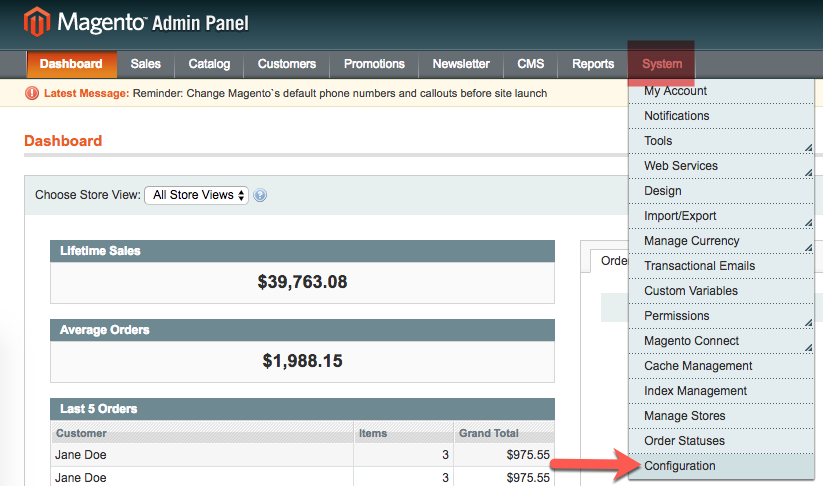
- From the Admin Panel, select System > Configuration.

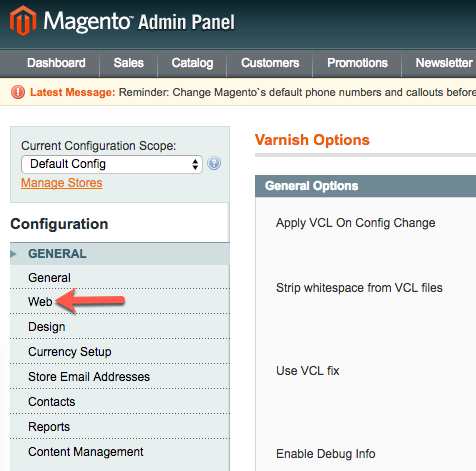
- From the Configuration menu, in the General section, click Web.

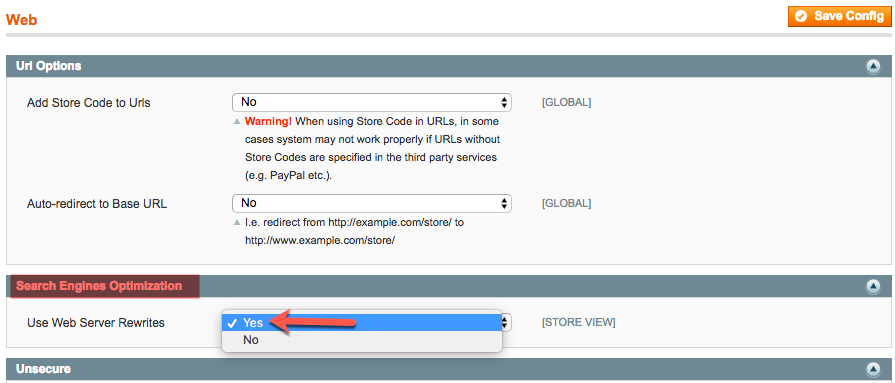
- In the Search Engines Optimization section, from the Use Web Server Rewrites drop-down menu, click Yes.

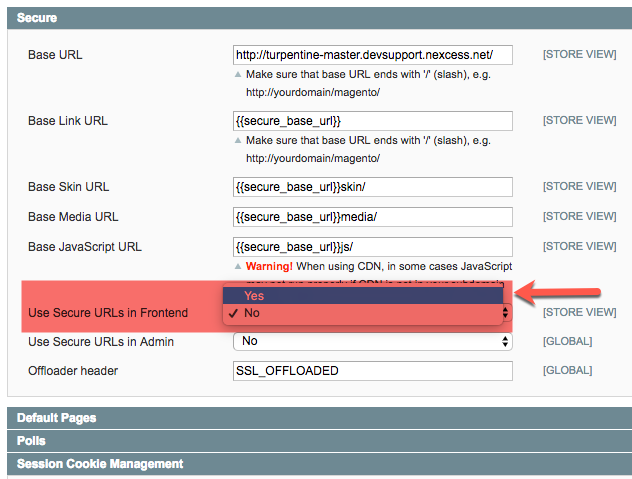
- In the Secure section, from the Use Secure URLs inFrontend drop-down list, click Yes. Though this step is not strictly necessary, it will make your site more secure.

- Click Save Config.
- Flush your Magento cache using the directions provided in How to flush your Magento cache.
- Check your website, which should now lack “index.php” in the URL. If it is still present, repeat the procedure, or contact our Support Team as directed below.
For 24-hour assistance any day of the year, contact our support team by email or through your Client Portal.
Additional resources
What is managed WordPress hosting? →
Get details and decide if managed WordPress hosting is right for you.
Must-have web development plugins to create WordPress websites at scale →
Explore the best web development plugins to enhance functionality, improve performance, and streamline your WordPress site.
A complete guide to WordPress shortcodes →
Shortcodes make life easier. Learn how to get started!
