OpenSearch vs. Elasticsearch for Magento 2 Stores
The Magento 2 platform requires that a supported search engine be installed, so we’ve summarized the history of the OpenSearch vs. Elasticsearch discussion with a focus on Elasticsearch.
Get fast, reliable hosting for WordPress
Power your site with the industry’s fastest, most optimized WordPress hosting
OpenSearch vs. Elasticsearch: why Nexcess customers are not required to use OpenSearch
Users of Elasticsearch — including all Nexcess customers — are not required to move to OpenSearch. In other words, they are free from engaging in the OpenSearch vs. Elasticsearch comparing and contrasting effort if they so choose. Nexcess will continue to use and install Elasticsearch as the default for all Managed Magento customers; there is no cause for concern with the release of OpenSearch. Furthermore, there are no current plans within Nexcess to offer Managed Magento plans that include OpenSearch. However, these developments do bring the forefront a need for the OpenSearch vs. Elasticsearch comparison. A summary is of the historical events that led to this juncture are provided in the next couple of sections. However, this article will primarily take a look at how Nexcess customers can use the Elasticsearch technology, by taking a deep dive into the configuration steps involved.How the OpenSearch vs. Elasticsearch debate came to life
OpenSearch is the Amazon forked version of Elasticsearch, setting up the discussion of OpenSearch vs. Elasticsearch. Forked means that Amazon decided to take Elasticsearch’s existing open source code and expand upon it, creating a new product, OpenSearch, within the context of their Amazon Web Services (AWS) platform:“OpenSearch project, a community-driven, open source fork of Elasticsearch and Kibana. We are making a long-term investment in OpenSearch to ensure users continue to have a secure, high-quality, fully open source search and analytics suite with a rich roadmap of new and innovative functionality. This project includes OpenSearch (derived from Elasticsearch 7.10.2) and OpenSearch Dashboards (derived from Kibana 7.10.2).” ~ Amazon Web Services Blog Post, April 21, 2021
About the events that led up to the current OpenSearch vs. Elasticsearch debate
Previously, there was an open source release of Elasticsearch, separate from the paid version. The open source version is no longer in development. This kind of stoppage in development is fairly common, and now Amazon (by way of AWS) is picking up that torch to continue where the open source version of Elasticsearch left off. Elasticsearch is still a great search engine for your website. It’s fast, focused on ecommerce needs, and has a great “fuzzy search” capability, so even misspelled searches show relevant results.Configuring the Magento 2 Elasticsearch setup for the Community Edition (Magento Open Source)
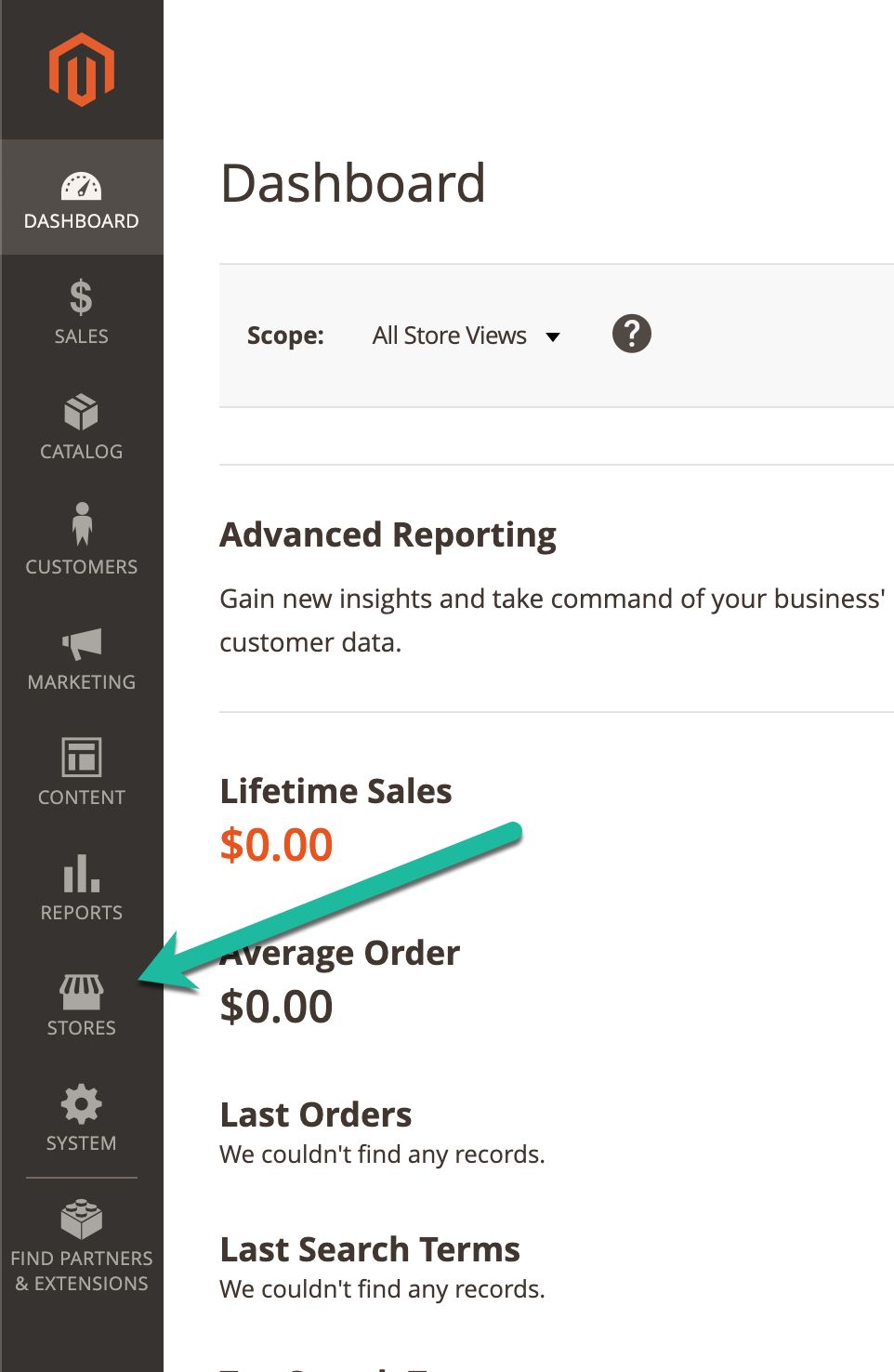
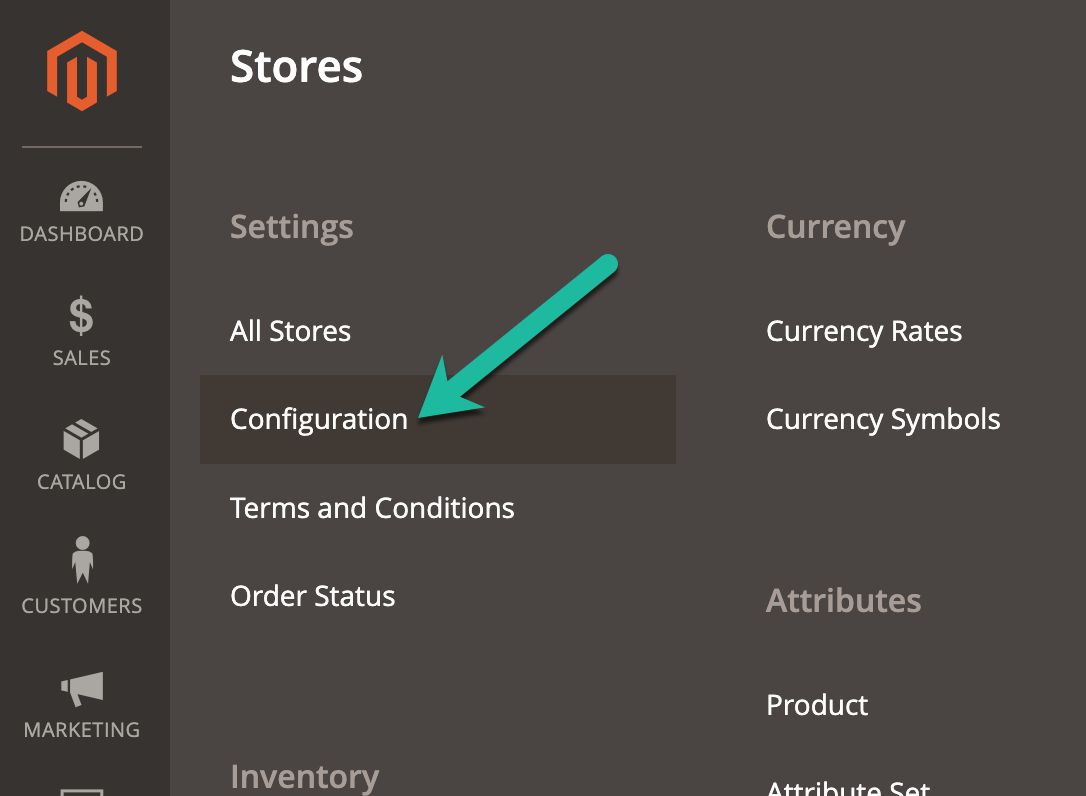
Now that we’ve cleared up the confusion let’s walk through the steps to get your Elasticsearch for Magento 2 (for the Magento Open Source version) configured for your website. Log in to your Magento Admin Panel: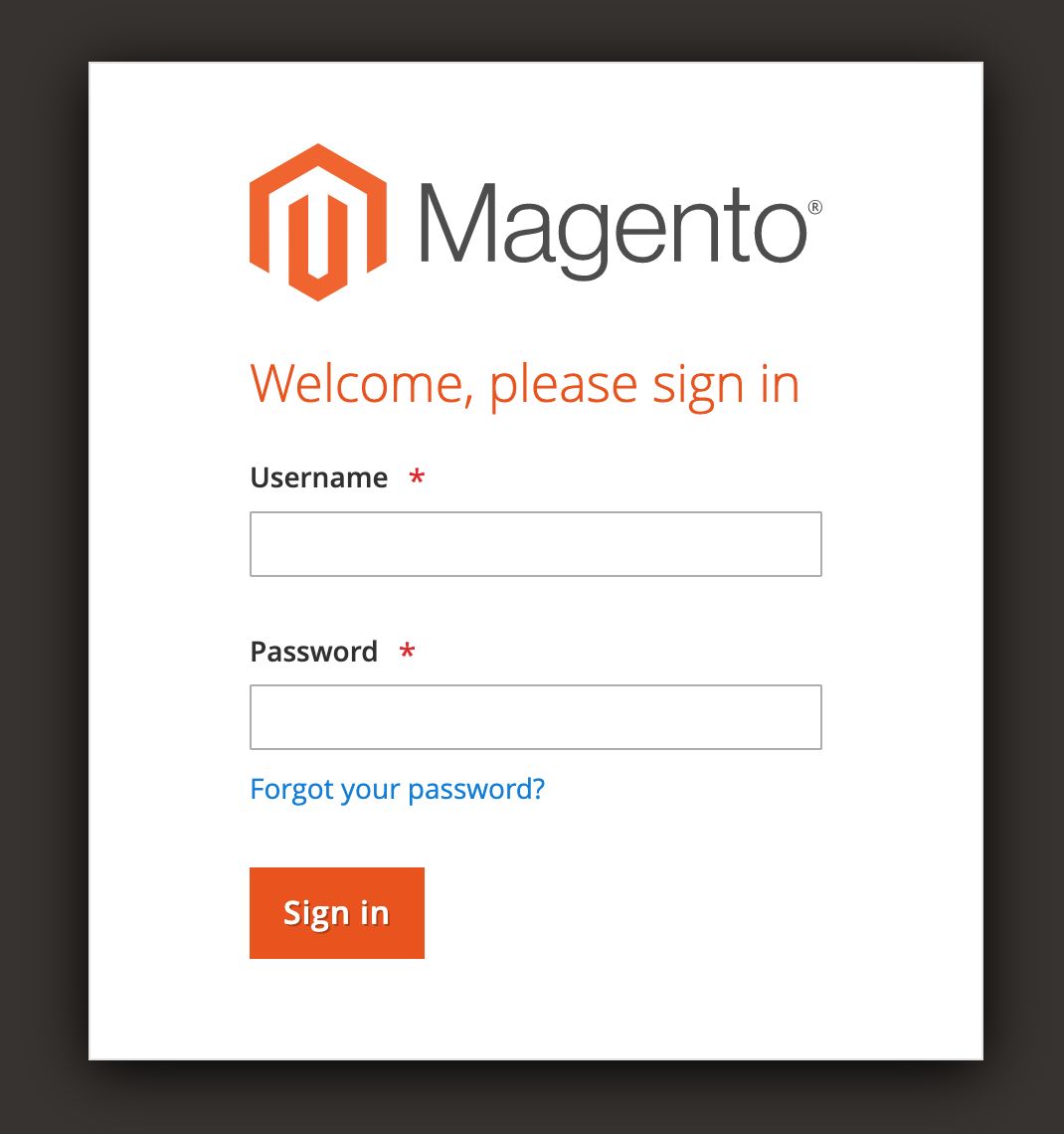
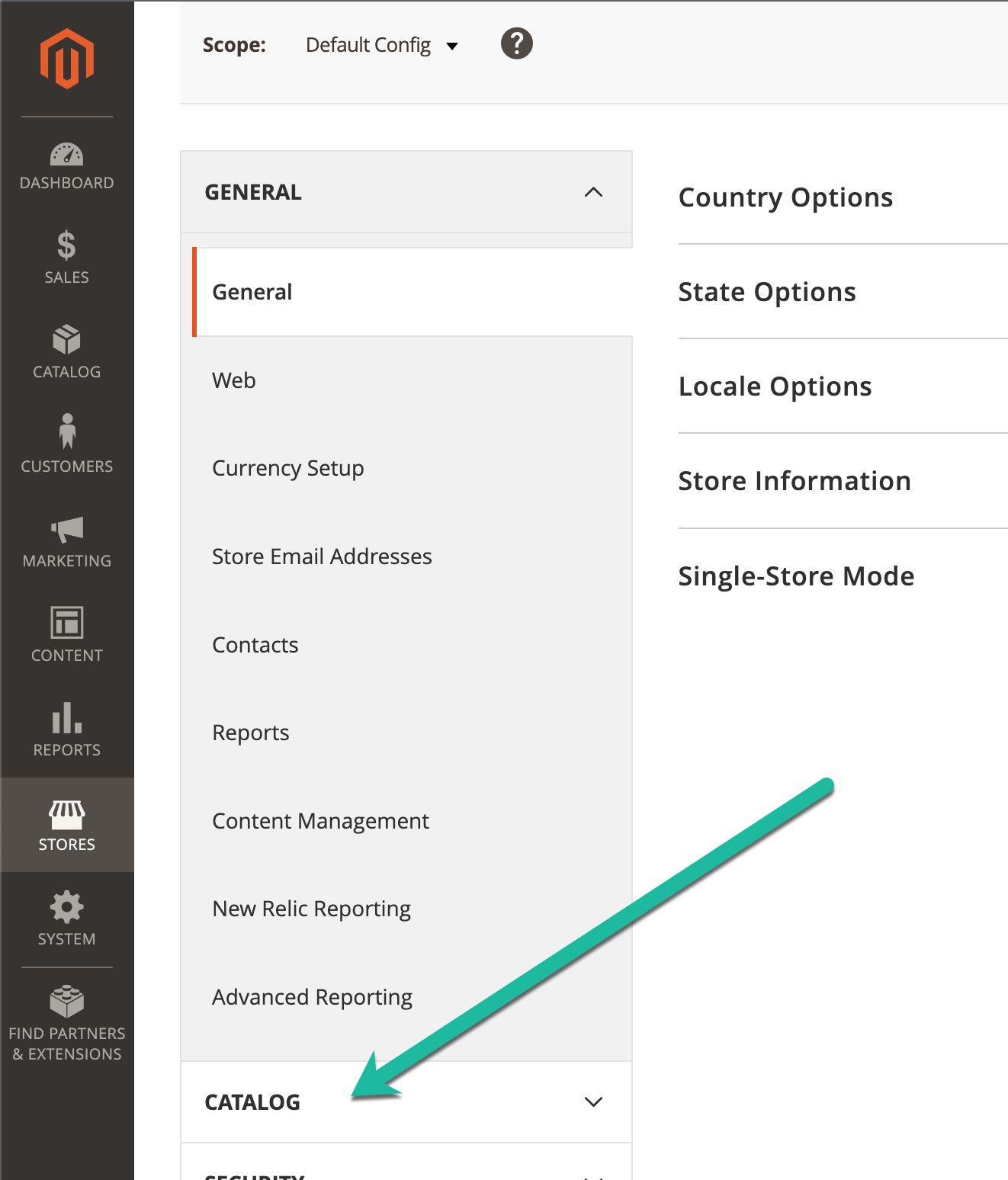

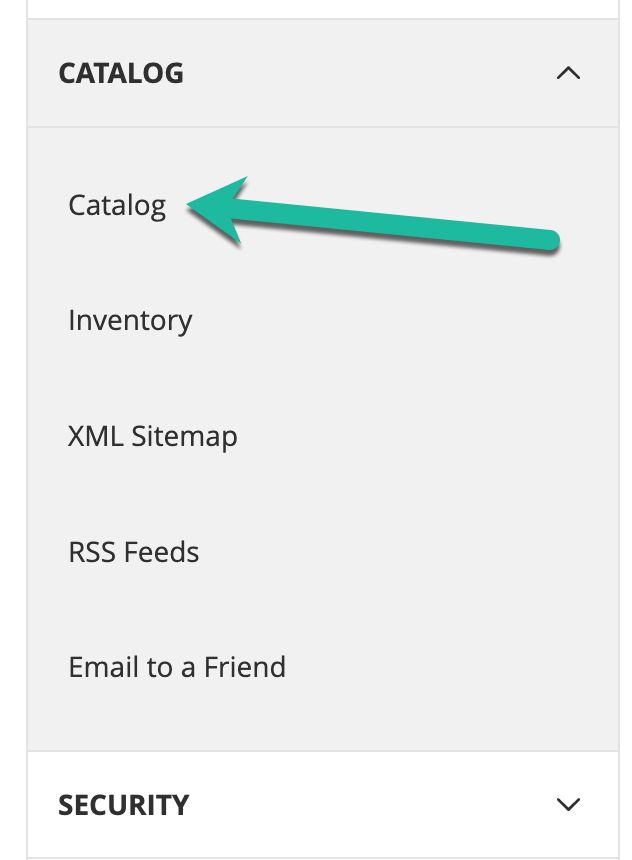
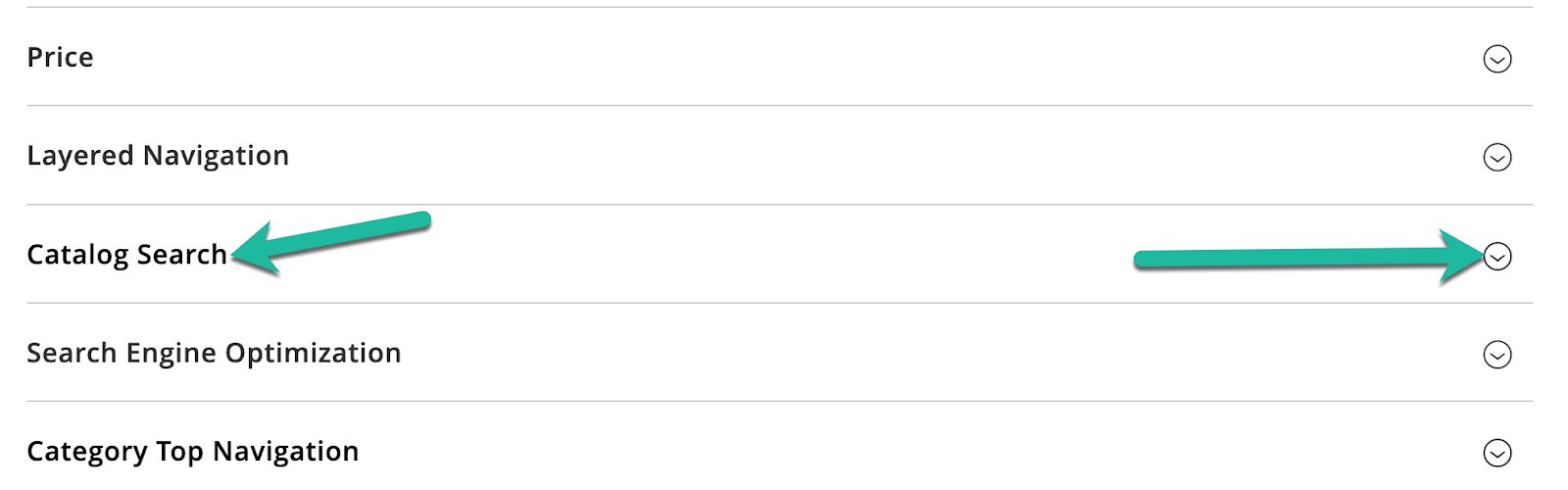
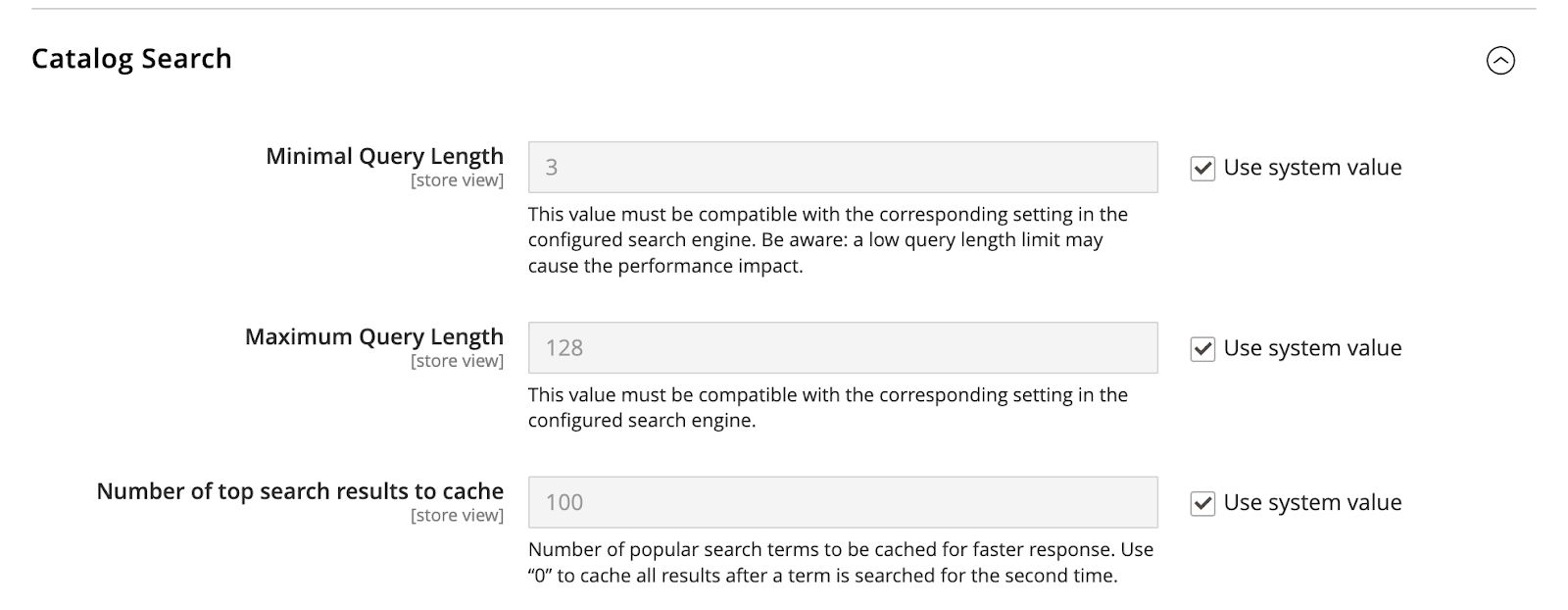
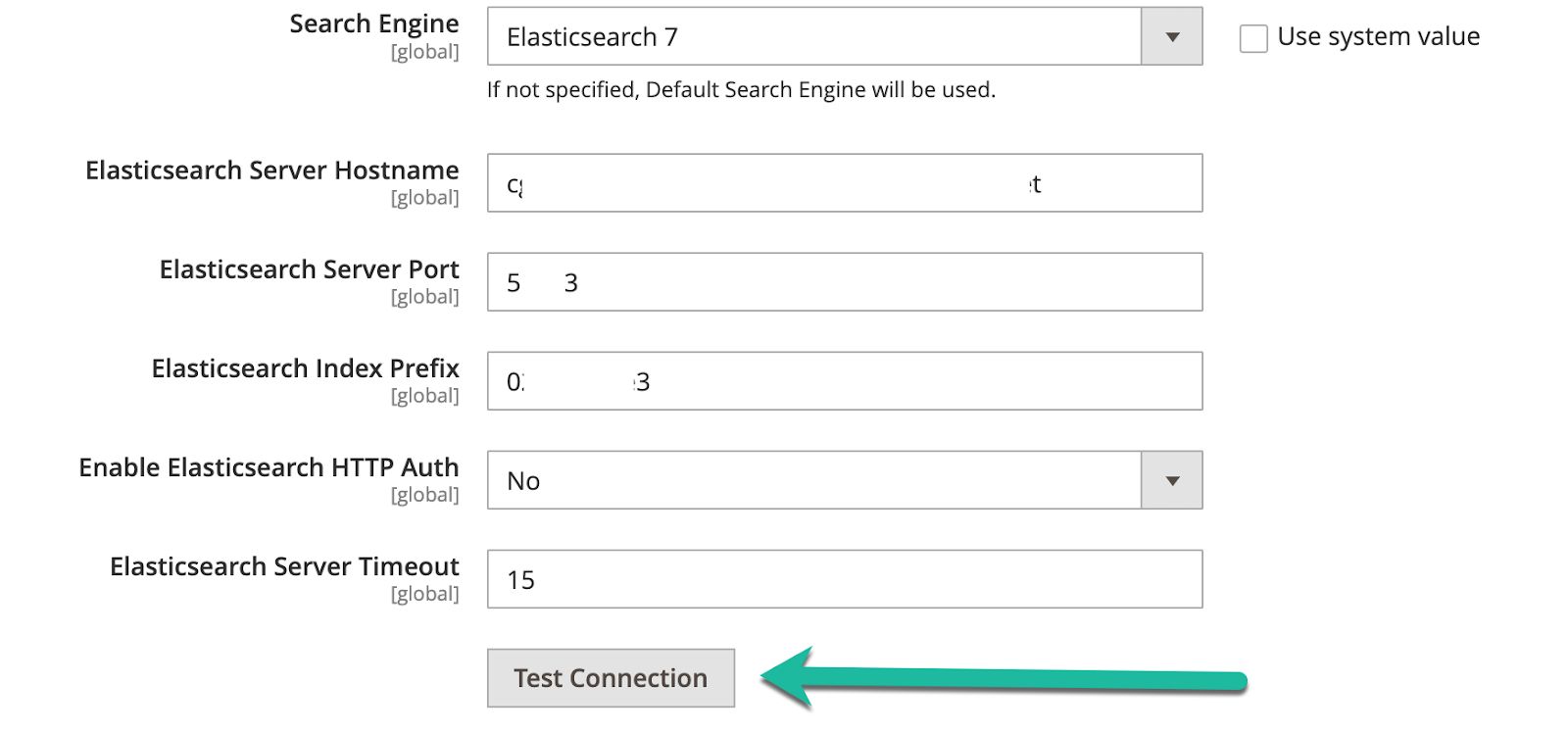

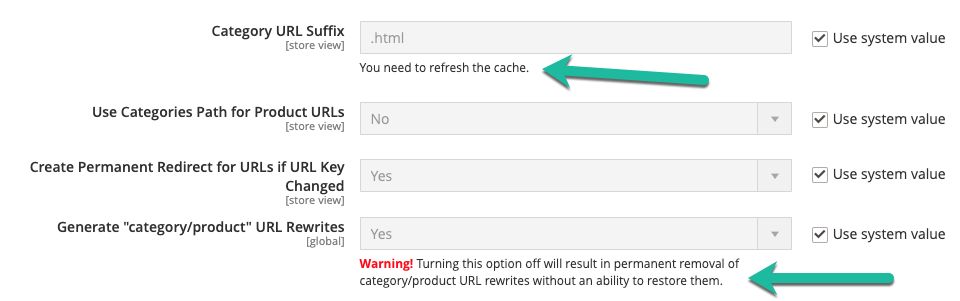
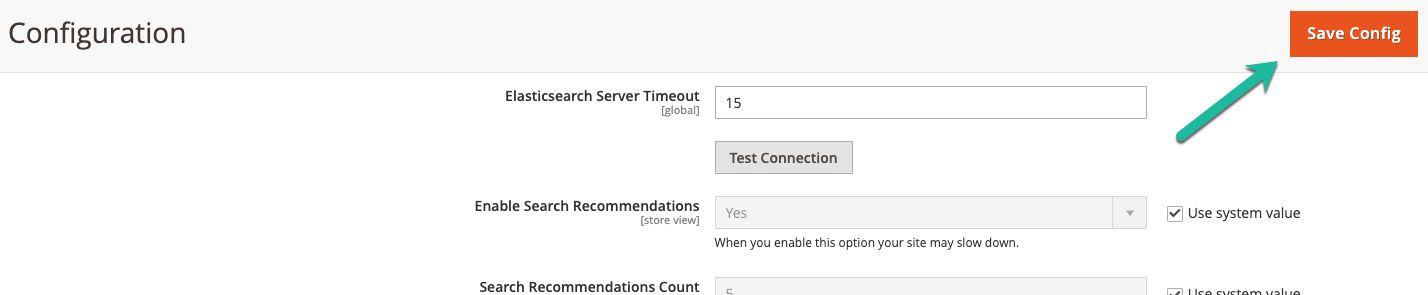
Reindexing the catalog search feature and refreshing the Full Page Cache feature
Any time you update Magento’s settings, it’s a best practice to reindex and refresh the page cache. Taking this action will allow your site to give the fastest and most accurate results. However, be careful not to run a reindex or to refresh the full page cache during peak traffic times. Depending on the size of your site, this could slow down your site considerably and create a less-than-stellar experience for your customers.Reindexing the Catalog Search feature
Depending on your settings, you may not need to do anything to start a reindex of the Catalog Search feature that we just adjusted settings for. Let’s walk through how to find out. In the left-hand menu, click on Settings. then under Tools click on Index Management: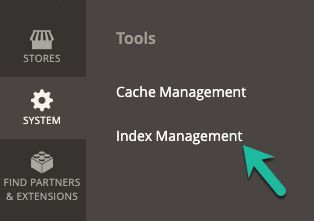


$ bin/magento indexer:reindex catalogsearch_fulltextIf you would like to reindex all of the indexes, you can also run the following:
$ bin/magento indexer:reindexOnce the indexer completes, you’ve successfully reindexed.
Refreshing the Full Page Cache feature
To refresh the full page cache, in the left-hand menu, select Settings. Then under the Tools menu, select Cache Management: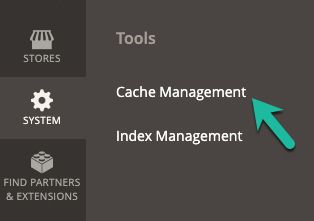
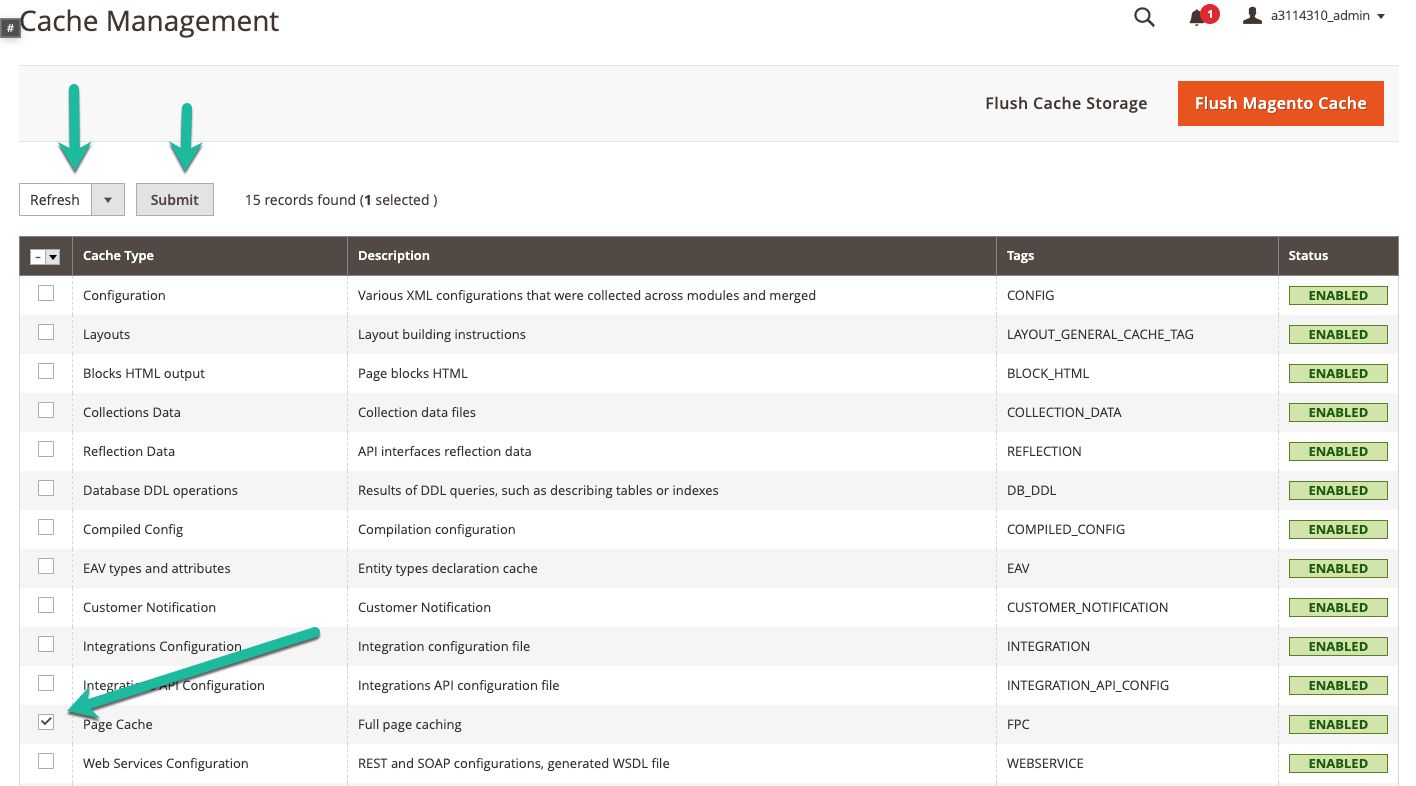
Only refreshing all the Magento caches
If you want only to refresh all the caches, select all the boxes, make sure Refresh is selected, then click on Submit.Refreshing and rebuilding all the Magento caches
If you have issues and want to go more “scorched earth” in terms of data resets, you can flush the entire Magento cache by clicking on the orange Flush Magento Cache button on the upper right side of the page. This action flushes all caches and rebuilds them, and it will slow down your site considerably while the cache is being rebuilt. Be sure that it’s a low traffic time for your site when employing this option.Cleaning the Magento Cache
If you would like to clean the cache (not flush) in the command line, you can log in and run the below command from the Magento root:$ bin/magento cache:cleanAfter the clean process has finished, you have completed all the steps necessary. Elasticsearch works out of the box, but it’s always a good idea to tweak it to ensure your search and site are as performant as possible for your customers. If you have any further questions, our support team is always ready to help you.
Explore the all the options with Nexcess Managed Hosting
At Nexcess, we pride ourselves on continuous Internet uptime and a high-quality infrastructure — from data centers to application management. Nexcess Managed Hosting offers three proven platforms to choose from: WordPress, WooCommerce, and Magento.Magento hosting, without the hassle
Powerful Magento hosting that accelerates your store’s potential, without the ongoing maintenance.
Recent articles
- How to restrict Magento Admin Panel access in Cloudflare
- Magento Content Delivery Network (CDN) setup using Cloudflare
- Magento security patch: installing Magento 2.4.5-p1
Related articles
- Elasticsearch containers: Nexcess Cloud & the API
- How to enable Elasticsearch for your Nexcess Cloud account
- How to configure Magento 2 to use Elasticsearch
Additional resources
What is managed WordPress hosting? →
Get details and decide if managed WordPress hosting is right for you.
Must-have web development plugins to create WordPress websites at scale →
Explore the best web development plugins to enhance functionality, improve performance, and streamline your WordPress site.
A complete guide to WordPress shortcodes →
Shortcodes make life easier. Learn how to get started!
