How to disable caching in Magento

How to disable caching in Magento 1 for development purposes. Since Magento is a robust CMS, it caches many parts of your website. This is helpful at times, but can be a nuisance during development.
Get fast, reliable hosting for WordPress
Power your site with the industry’s fastest, most optimized WordPress hosting
Steps to disable caching
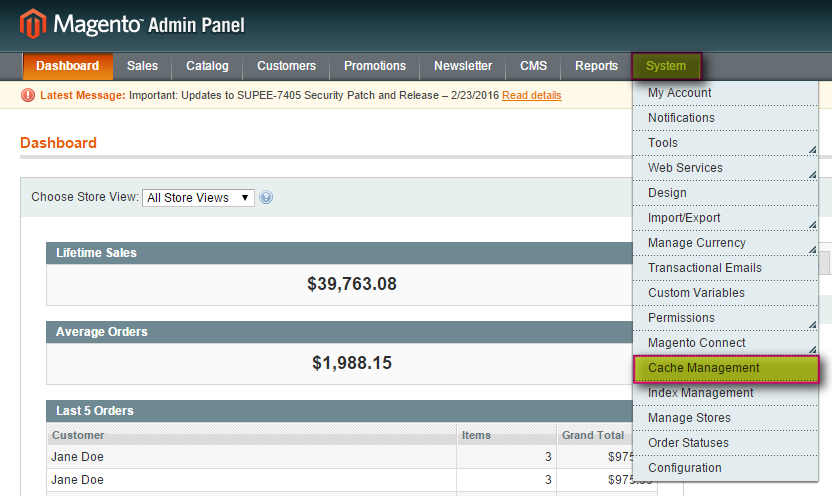
- Log in to your Magento Admin Panel.
- From the Admin Panel, select System > Cache Management.

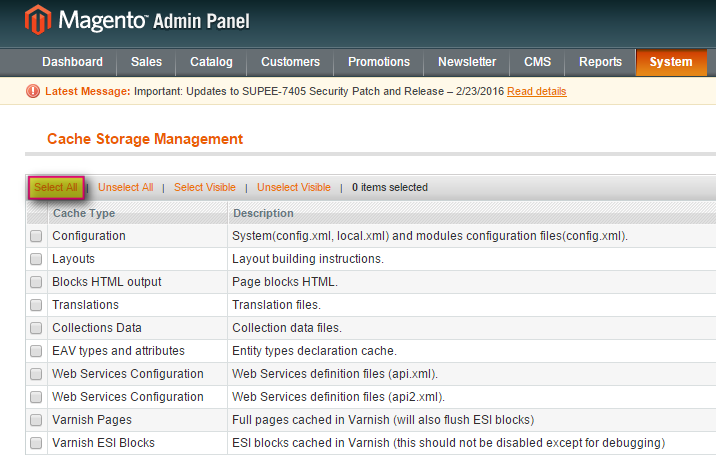
- This will generate the Cache Storage Management panel. Click Select All.

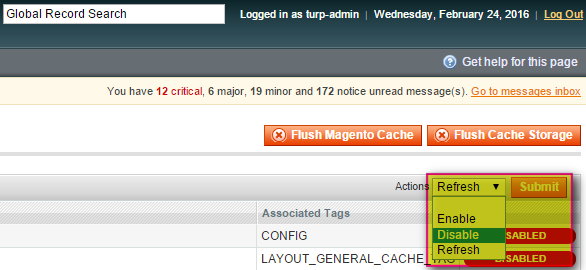
- From the Actions drop-down list select Disable > Submit.

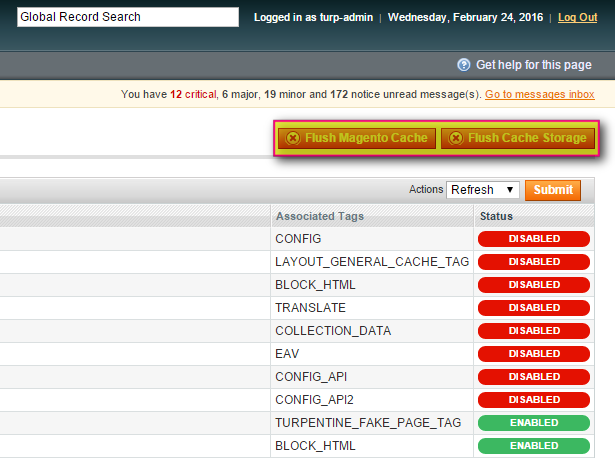
- Click Flush Magento Cache and Flush Cache Storage to completely clear the cache.

For 24-hour assistance any day of the year, contact our support team by email or through your Client Portal.
Additional resources
8 strategies to optimize Magento 2 speeds →
Improve speed with these proven performance optimization tips.
Guide to the best Magento payment gateways →
Select a payment gateway that supports smooth, secure checkout.
The benefits of Magento search options →
Enhance product discovery with search tools and options.
