Magento SMTP Settings: Outgoing SMTP Email for Magento

This article covers how to set up outgoing SMTP email for Magento. Configure your Magento SMTP email settings with our guidance.
Get fast, reliable hosting for WordPress
Power your site with the industry’s fastest, most optimized WordPress hosting
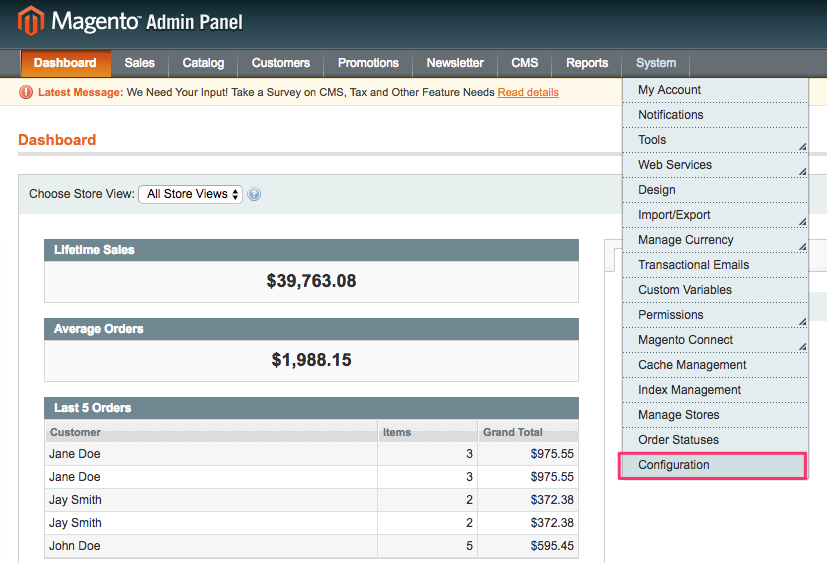
- From the Magento Admin Panel, click System > Configuration.

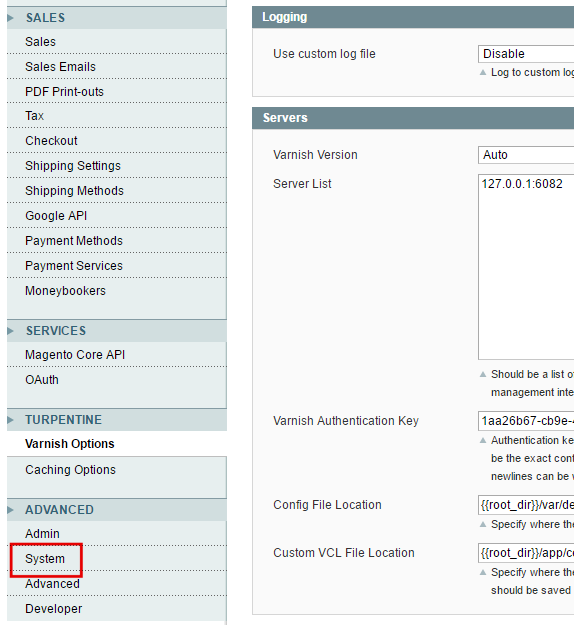
- Scroll down to the ADVANCED sub-menu, then click System.

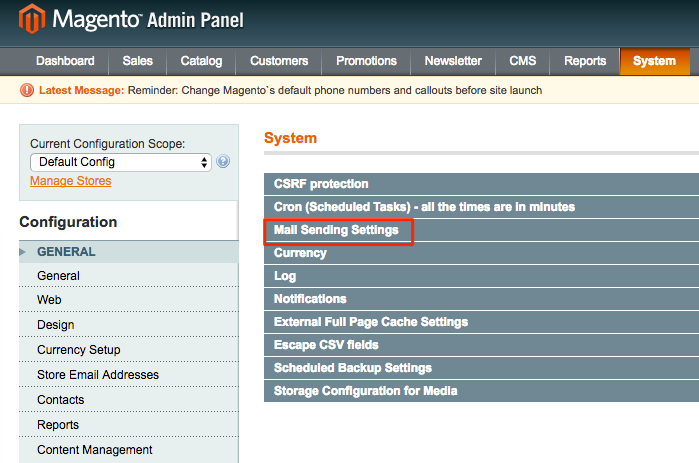
- From the System section, click Mail Sending Settings.

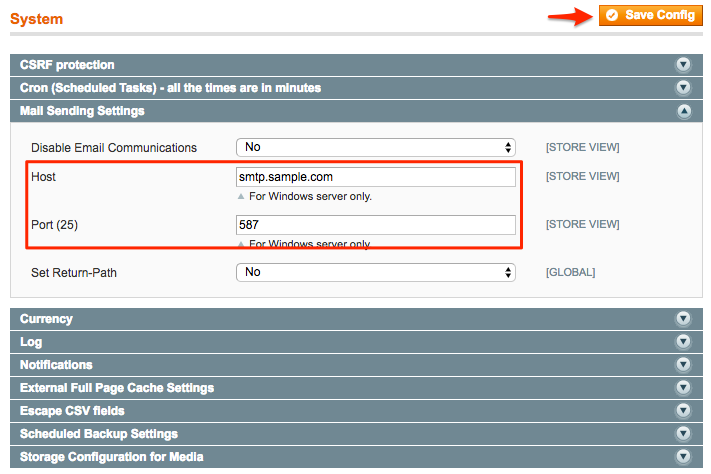
- Enter the correct information in the Host and Port(25) fields:
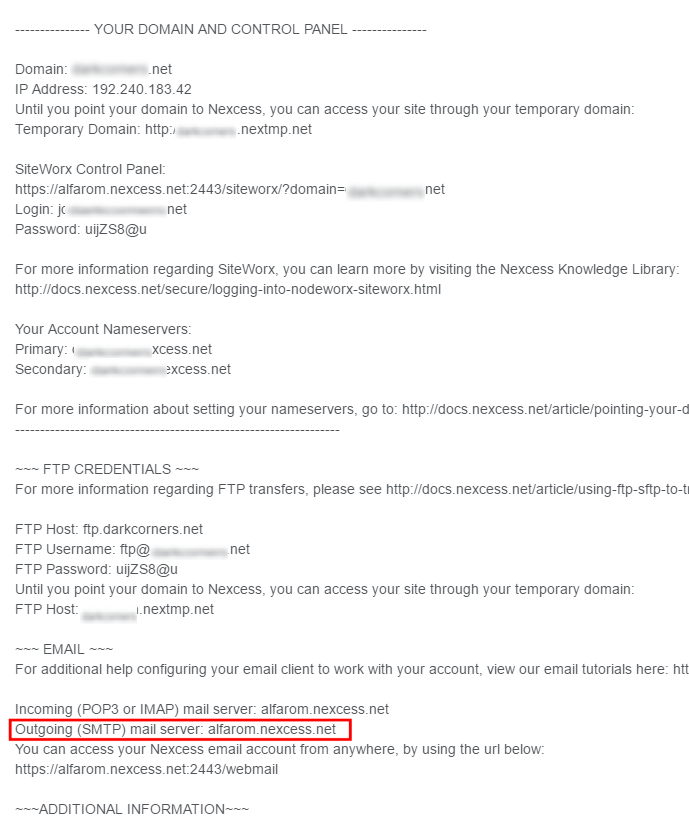
- In the Host field, enter your outgoing SMTP mail server hostname. If you do not know the hostname, either locate it in your Welcome Email or contact our Support Team.

In the Port (25) field, enter 587, then click Save Config.

- In the Host field, enter your outgoing SMTP mail server hostname. If you do not know the hostname, either locate it in your Welcome Email or contact our Support Team.
Additional resources
What is managed WordPress hosting? →
Get details and decide if managed WordPress hosting is right for you.
Must-have web development plugins to create WordPress websites at scale →
Explore the best web development plugins to enhance functionality, improve performance, and streamline your WordPress site.
A complete guide to WordPress shortcodes →
Shortcodes make life easier. Learn how to get started!
