How to set the return path email in Magento 1.x

How to set the return-path within your Magento 1 installation to correct issues with sending emails to specific providers, such as when they inaccurately flag them as spam.
Get fast, reliable hosting for WordPress
Power your site with the industry’s fastest, most optimized WordPress hosting
Purpose
Setting the return-path email designates an email address for all failed emails. By default, most mail servers use the server’s email address for failed deliveries, preventing you from seeing those failed emails. It also resolves issues with customers not receiving system emails relating to registration, password recovery, and order notification.
 Read 6 Email Personalization Techniques for Your Ecommerce Business.
Method
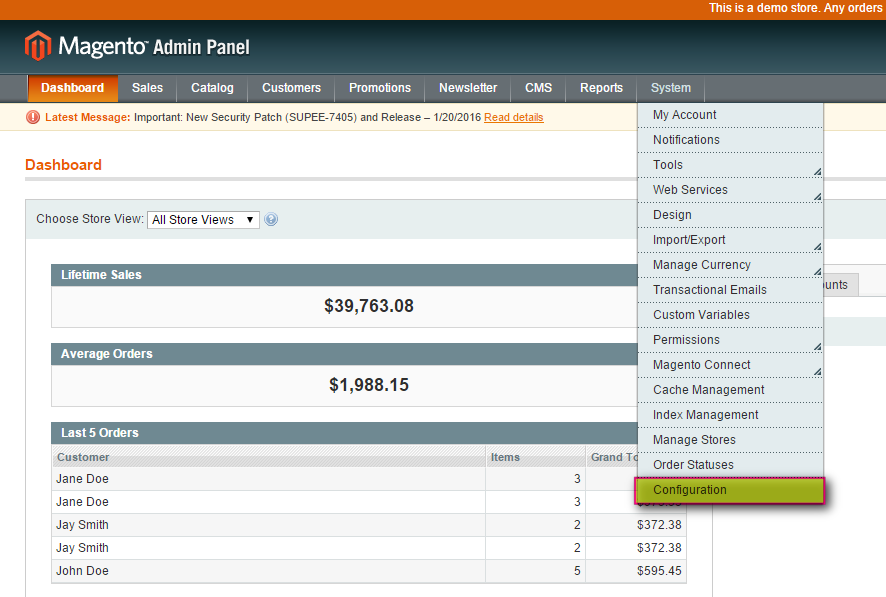
- Log in to your Magento Admin Panel.
- Select System > Configuration.

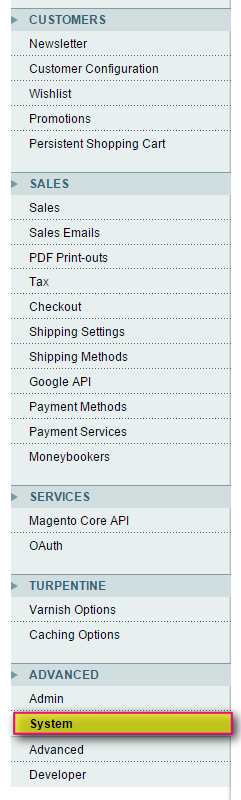
- In the Configuration menu, scroll down until you see the Advanced sub-menu, then click System.

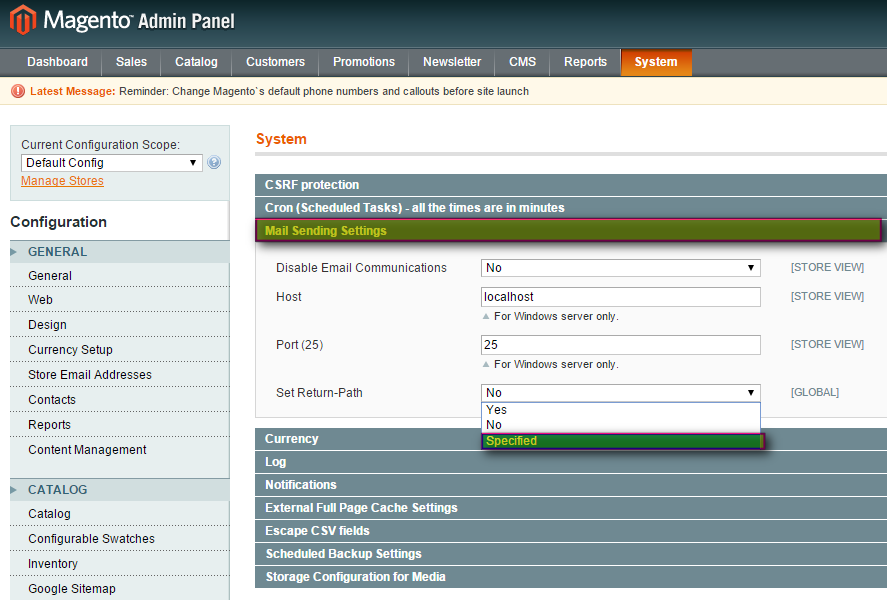
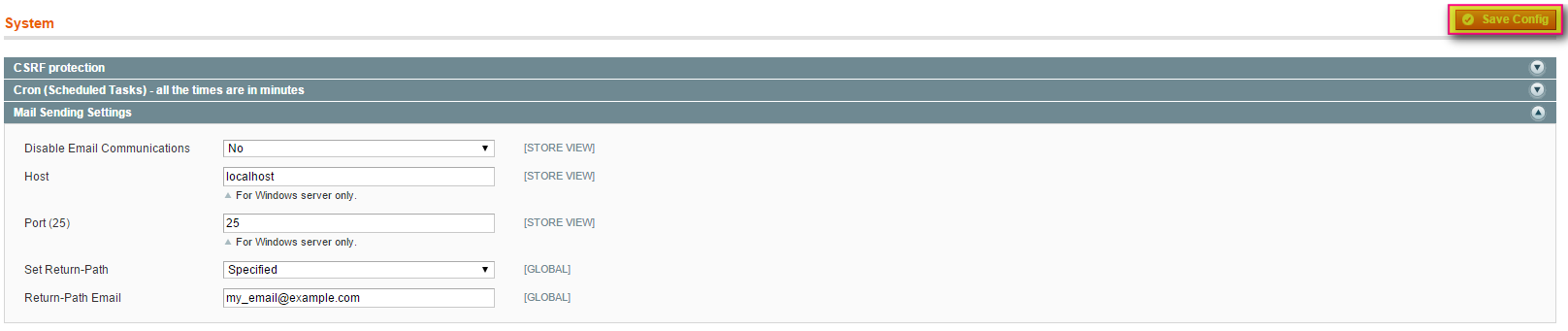
- In the System menu, click Mail Sending Settings, and from the Set Return-Path drop-down list, select Specified.

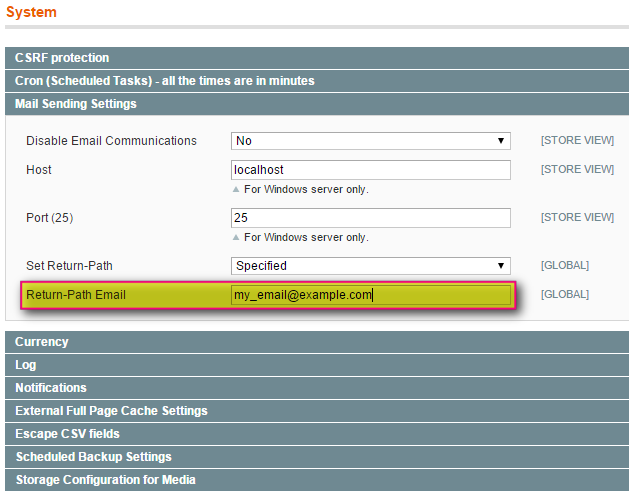
- In the Return-Path Email field, provide your desired email address.

- Click Save Config.

For 24-hour assistance any day of the year, contact our support team by email or through your Client Portal.
Additional resources
Magento admin training: top 5 resources →
Master admin basics with these training resources for store owners and teams.
How to reindex in Magento 2 →
Learn to manage Magento reindexing from admin to keep store data current.
How to log into the Magento admin panel →
Discover how to access the admin panel and manage your store with confidence.
