How to change your Magento 1.x admin password – Nexcess

How you can reset or change your admin password for Magento 1.x and where to find additional critical security measures.
Get fast, reliable hosting for WordPress
Power your site with the industry’s fastest, most optimized WordPress hosting
How you can reset or change your admin password for Magento 1.x and where to find additional critical security measures.
Preferred method
The simplest method for resetting your password is to click the Forgot your password? link on the login page. However, you must have access to the email address assigned to this Magento user for this method to work.
 Read How to Improve the Security of Your Magento Store.
Alternate method
If you know the current username and password, but do not have access to the email account, you may use this method to change your password from within the Magneto Admin Panel.
- Log in to your Magento Admin Panel.
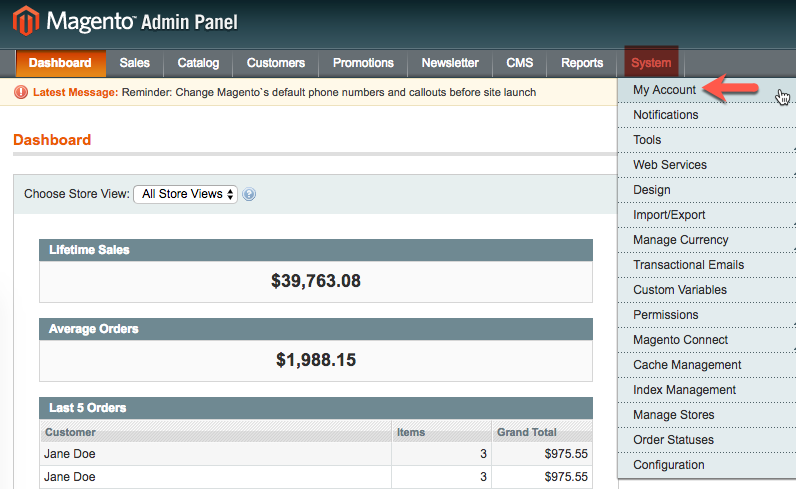
- Select System > My Account.

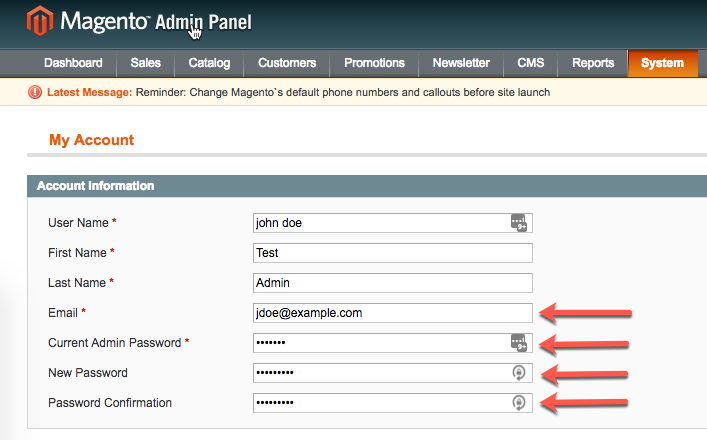
- In the Account Information section, if the email address is no longer valid or accessible, then you may update it in the Email field. Next, fill the Current Admin Password, New Password, and Password Confirmation fields. For tips regarding strong passwords, see How to create a secure password.

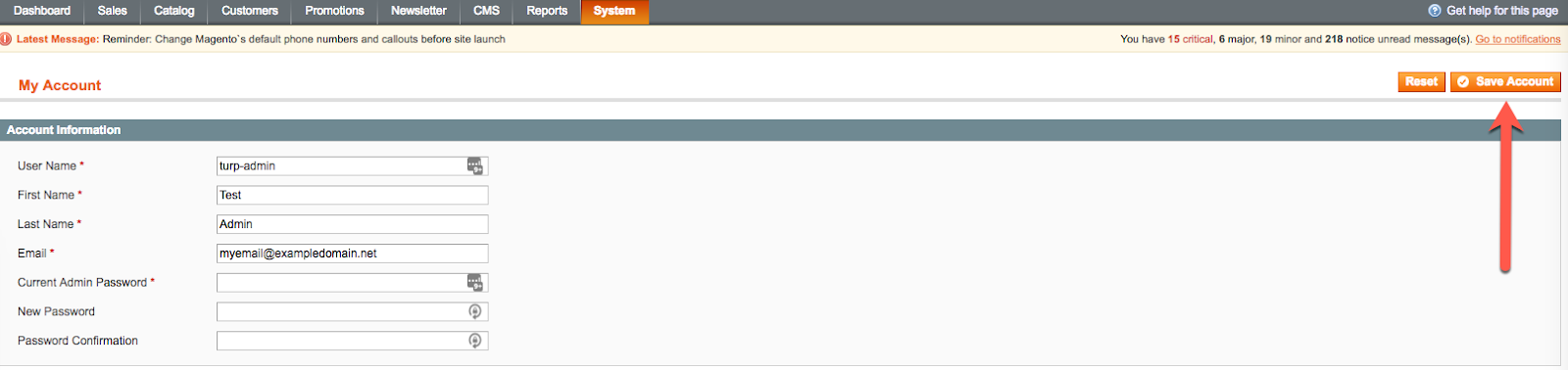
- Click Save Account.

For more security
A strong password is only the beginning of store security. We strongly recommend that all merchants observe the best practices outlined in How to improve the security of your Magento store. Though all of the mentioned practices are important, the most critical is https://www.nexcess.net/help/how-to-patch-your-magento-1-store/.
For 24-hour assistance any day of the year, contact our support team by email or through your Client Portal.
Additional resources
What is managed WordPress hosting? →
Get details and decide if managed WordPress hosting is right for you.
Must-have web development plugins to create WordPress websites at scale →
Explore the best web development plugins to enhance functionality, improve performance, and streamline your WordPress site.
A complete guide to WordPress shortcodes →
Shortcodes make life easier. Learn how to get started!
