

Powerful Custom Fields
There are many reasons to accept donations and some donations forms require additional fields to fulfill a certain requirement. Considering this, Form Field Manager (FFM) provides you with a powerful set of custom fields to choose from:
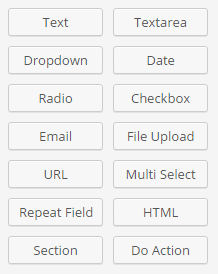
- Text
- Textarea
- Dropdown
- Date
- Radio
- Checkbox
- File Upload
- Phone Number
- URL
- Multi Select
- Repeat Field
- HTML
- Section
- Do Action
Easily Add Custom Fields to Your Donation Forms
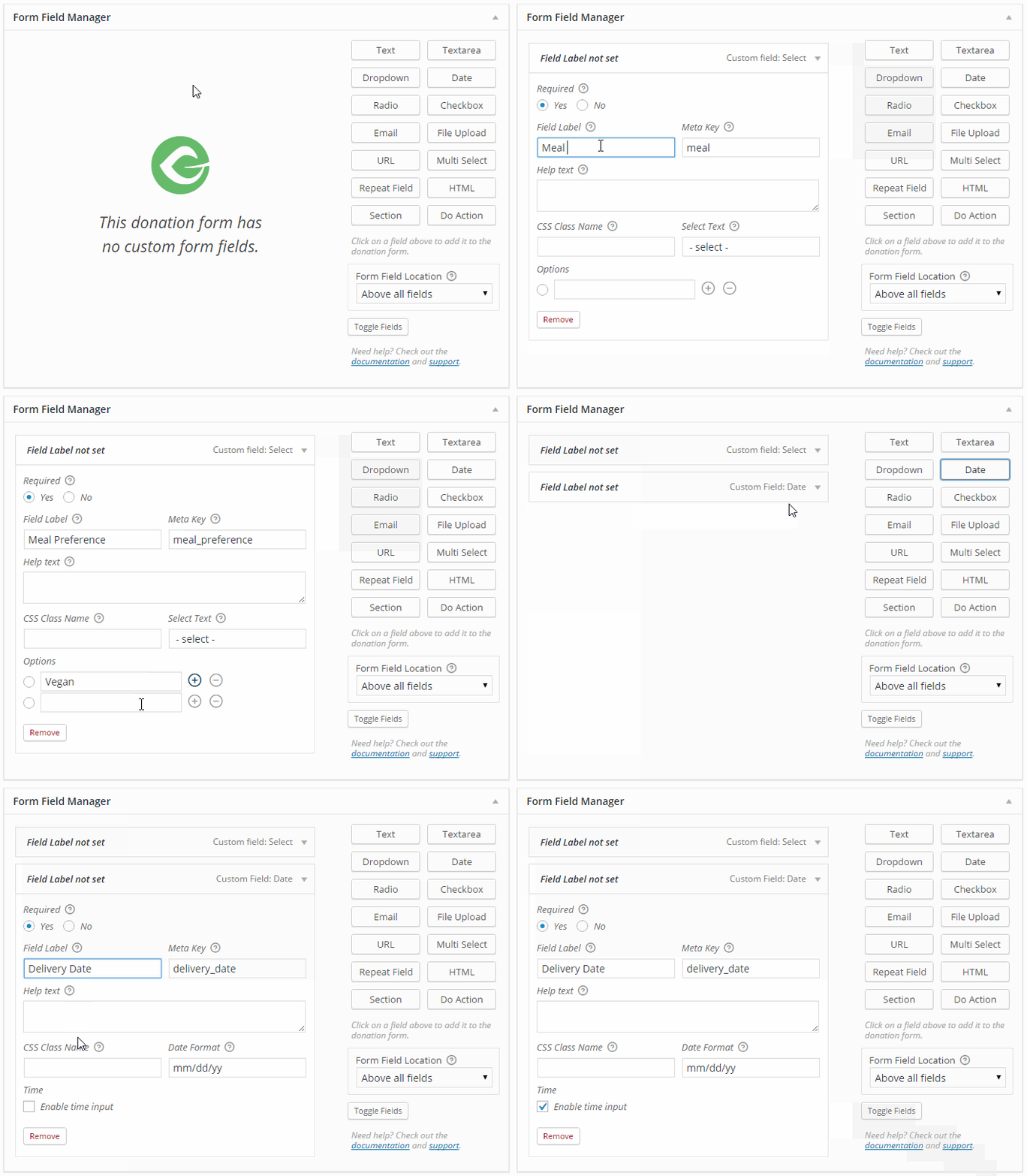
Before Form Field Manager the only way to add custom fields to your WordPress forms was using code. This was hardly ideal for many GiveWP users. Now the process is much easier and more powerful than ever before!
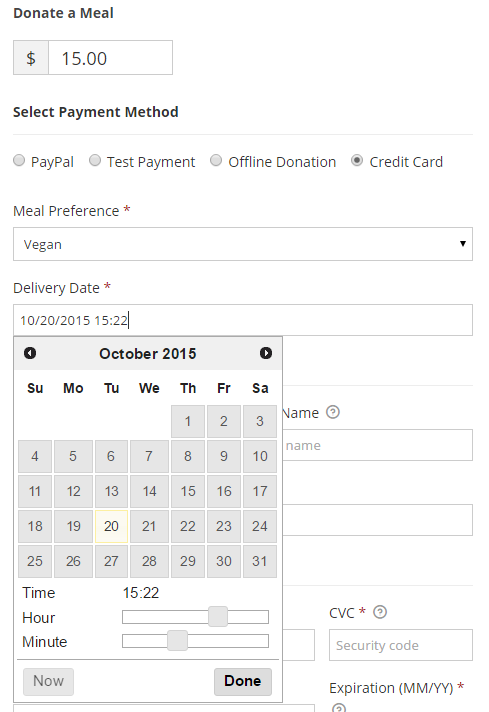
With only a few clicks you can create your perfect donation form:
Use Conditional Fields for More Creative Fundraising
GiveWP Form Field Manger also includes options for conditional fields. So, you can show your donors additional options based on donation amounts and more.

Reviewing Field Data is a Breeze
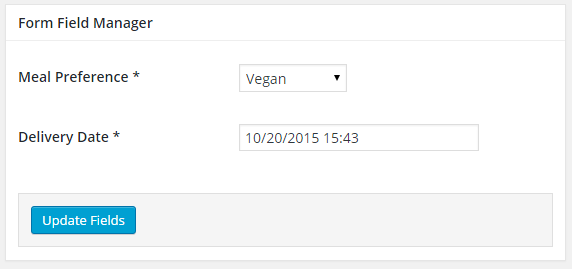
Once donors have given you their information, you have access to review the fields they completed as well as edit them if needed. The data is available on the individual donation transaction screen within GiveWP. Here’s a preview of what the fields look like once completed:
Everything you Need to Add a Custom Form Field
We developed FFM to be both powerful and easy to use. The documentation for this Add-on is being continually improved and iterated to make it as clear and easy as possible to get started and learn how to use the Add-on. Priority support is provided for active license holders via our support forum where we provide prompt and thorough responses.