◦ Comprehensive security
◦ 24/7 support
HIPAA → Benefits
Why health care businesses require HIPAA compliant databases: 4 key benefits
Health care data is sensitive. People trust their doctor’s office, insurance providers, and other health service professionals to keep their data safe and private.
A violation of this data not only means monetary loss but also loss of business credibility and customers’ trust. That’s why every health care business needs to be mindful of where it stores its data and use only HIPAA compliant databases.
But what is HIPAA compliance and how do you find a reliable database provider? Let’s go into detail.
Get HIPAA-compliant hosting
Standalone servers in private data centers with industry-leading security
What is a HIPAA-compliant database?
A HIPAA-compliant database is a database designed and configured to meet the requirements of the Health Insurance Portability and Accountability Act (HIPAA). These requirements include strict safeguards for protecting electronic protected health information (ePHI) such as medical records, billing data, or test results.
Unlike a standard database, a HIPAA-compliant one doesn’t just store information—it enforces administrative, physical, and technical safeguards to ensure confidentiality, integrity, and availability of sensitive healthcare data. This includes:
- Encryption
- Access controls
- Audit logging
- Secure hosting
For healthcare providers, insurers, and their partners, using a compliant database is essential for avoiding fines, maintaining patient trust, and ensuring secure data exchange.
Why health businesses should opt for HIPAA-compliant databases
More than 5,130,000 health care records were breached in February 2024 alone. While any data breach can affect business organizations, a breach of health care information can impact people on a personal level.
Sensitive health data, such as medical test results, can create embarrassing or stigmatizing situations. It can also be used for fraudulent activities. However, HIPAA-compliant databases protect this information through various physical and technical security measures.
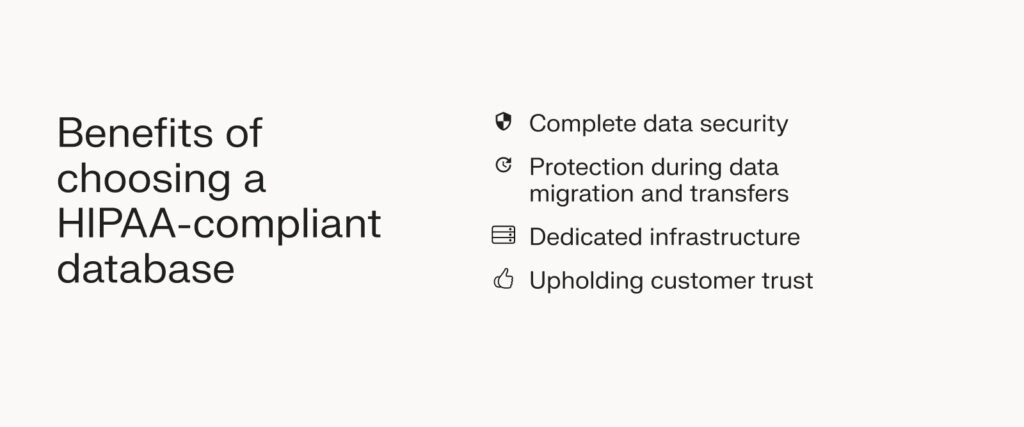
Here are some of the many reasons why businesses in the health care industry should only rely on HIPAA-compliant databases.
Key elements of a HIPAA-compliant database
To be considered HIPAA-compliant, a database needs to have several critical features in place:
- Encryption in transit and at rest: All ePHI must be encrypted when stored and when transferred across networks.
- Access controls: Only authorized personnel should be able to access the database, typically through unique user IDs and role-based permissions.
- Audit logs: Every access attempt and modification should be logged for monitoring and auditing purposes.
- Automatic backups and disaster recovery: Regular, secure backups ensure that data can be restored in the event of system failures or breaches.
- Physical security: The servers hosting the database must be housed in secure facilities with restricted access.
- Secure infrastructure: Firewalls, intrusion detection systems, and network segmentation should be in place to defend against cyberattacks and unauthorized access.
- Business Associate Agreements (BAAs): Any vendor hosting or handling ePHI must sign a BAA, ensuring they accept shared responsibility for HIPAA compliance.
- Regular security updates: Patching and updates must be performed consistently to protect against vulnerabilities.
Database management systems vs. self-hosting
Healthcare organizations can choose between running databases on established database management systems (like MySQL, PostgreSQL, or MongoDB) or self-hosting them on their own infrastructure. Both options can be made HIPAA-compliant, but each comes with different responsibilities.
Self-hosting a database on your own servers means you’re responsible for everything—from physical security to patching and access management. While this gives you maximum control, it also introduces higher costs and compliance risks.
Renting a dedicated, HIPAA-compliant server from a hosting provider offers a more practical solution. With this setup, your database is housed on an isolated physical machine that meets HIPAA requirements. This improves performance, simplifies compliance, and provides a clear line of responsibility between your IT team and the hosting vendor through a Business Associate Agreement (BAA).
Steps to making your database HIPAA compliant
To create a HIPAA-compliant database, you need to start with secure infrastructure that includes encryption, access controls, and reliable hosting. Data must be encrypted both at rest and in transit, and role-based permissions should ensure that only authorized users can access sensitive information.
Comprehensive audit logs are also essential for tracking activity, along with regular backups and disaster recovery planning to protect against data loss.
Compliance also requires implementing strong administrative and technical safeguards. This means conducting routine risk assessments, applying regular updates and patches, and training staff on HIPAA requirements.
Finally, a compliant setup should be supported by a signed Business Associate Agreement (BAA) with any vendor that hosts or processes protected health information, establishing shared responsibility for maintaining HIPAA standards.
For more details, see How to establish and maintain a HIPAA-compliant database →
Factors to consider when choosing a HIPAA-compliant database
All HIPAA-compliant databases are extra cautious about data security. But not all of them are built equal. When choosing a database provider for your business, consider these factors to make the right choice.
Data requirements
If you’re a new health care organization looking to host your data on a server, your requirements will differ from an established business that wants to switch databases. Before looking for a HIPAA-compliant storage solution, assess your data requirements to zero in on what you want to prioritize in the database.
- Does your database require robust migration support?
- Should it be easy to set up for your initial data hosting needs?
- Are there other agreements such as the HITECH Act that you need to comply with?
Assessing these factors will help you determine the features, functions, and support you require in a HIPAA-compliant database.
Type of solution
You also need to determine whether you need an on-premise or cloud-based solution.
On-premises solutions are hosted at your own business location. This means you’re responsible for implementing physical and technical safeguards.
While this appears safe, hosting an on-premise server is cost-intensive. You’ll need a dedicated team of HIPAA-trained staff who work on the servers round the clock. You’ll also require other experts to resolve issues in case of vulnerabilities and data breaches.
Moreover, scaling an on-premise solution is harder as you’ll need to add physical servers and also increase the number of staff members.
If you have growing or large data requirements, it’s better to consider cloud storage over an on-premise solution. HIPAA-compliant cloud services are hosted at third-party data centers with secure infrastructure.
Third-party service providers also have HIPAA-trained staff and other experts to secure electronic protected health information (ePHI). Opting for cloud-based databases is not only cost-effective but also easier for scaling.
Existing software systems
If you’re already using a health care tech stack, such as electronic health record (EHR) systems, make sure to choose a database that’s compatible with your existing technology.
Most HIPAA-compliant databases seamlessly integrate with major EHR and EMR software. For in-house or niche tech solutions, check with HIPAA-compliant database providers for third-party APIs to ensure hassle-free integrations.
Risk assessments
For established health care businesses that want to switch databases, it’s essential to check for historical data breach records. These records give you insights into any vulnerabilities that you need to address when migrating data.
If you’ve faced a data breach before, determine the cause and risk level in your present systems. Research any additional security features you might require to prevent those incidents when shifting to a new data system.
Data access controls
Manual access to HIPAA-compliant databases needs to be monitored and controlled to prevent any breaches. If you have a large number of people or multiple roles accessing the health care database, make sure it can provide controlled access.
Look for security features like multi-factor authentication (MFA) and role-based access that empower you to moderate access to sensitive medical records. Also, limit access to the database to trusted service providers that also protect data privacy.
Budget
Determine a rough budget before looking for a service provider. Your budget depends on the extent of your data hosting requirements, the type of storage solution, and the number of features you need.
For example, opting for a fully managed HIPAA-compliant database can be more expensive than choosing a self-managed option. Consider all these factors to create a budget and then zero in on a list of service providers in your budget range.
HIPAA compliant database FAQs
Getting started on HIPAA compliance
HIPAA compliance is crucial for all businesses dealing with PHI. If you’re a health care provider not using a HIPAA-compliant database, you can attract fines and also lose the trust of your customers.
Due to the highly sensitive nature of health care data, you need a trusted service provider like Liquid Web to handle your HIPAA compliance requirements safely.
Liquid Web’s high availability database hosting has security features such as Acronis backups to keep your data protected. You also get 24/7 expert support and failover services to ensure your server is always up and secure. A thorough review by third-party auditors confirms that Liquid Web solutions align with HIPAA security and privacy guidelines, allowing customers to more easily maintain compliance.
Click below to explore options or start a chat with one of our hosting experts now.
HIPAA compliant hosting solutions
Standalone servers
Private data centers
Uninterruptible power supplies
Additional resources
What is HIPAA-compliant hosting? →
A complete beginner’s guide
Scaling a compliant cloud →
How to scale up without compromising security
HIPAA guide for small business →
A complete resources for medical SMBs

Jake Wright has been immersed in computers for a majority of his career and is still fascinated by new technology. He’s provided support in many IT-related fields, including: end user support, networking, hardware, server and system administration, web hosting and training (just to name a few). He enjoys outdoor activities with family and friends when he is not at the keyboard.