

Using ALIAS DNS Records For Domains in Cloud Sites
Coordinated attacks by compromised computers have been and will continue to be a problem for web hosting companies or anyone with a mission critical web site. One of the most effective ways to side-step such an attack (called a DDOS) is to change the IP of the server or website that is getting attacked. Unfortunately, if your DNS records point your domain to an IP address, making that change could mean updating multiple DNS records, which can take time to go into effect, not to mention the hassle that can be involved.
Fortunately, we have created a solution for that problem! New websites created in our Cloud Sites platform will use a Domain Name ALIAS DNS record to identify the domain. That means that if our team detects excessive, malicious activity that is slowing access or hindering a server or website, we can change the IP address to mitigate the attack without requiring any changes to DNS records or settings for the customer.
NOTE: |
| If you are using a Dedicated SSL IP, you will not be able to use Domain Name Alias records. |
So, what do you need to do to take advantage of this great feature? There are three ways to update your Cloud Sites domain to use the new Domain Name Alias feature.
- Create a new site and check the button to create DNS.
- Create a new site, do not check the button to create DNS, then manually add the needed DNS records yourself (wherever your DNS is hosted). See Managing Your DNS with Cloud Sites.
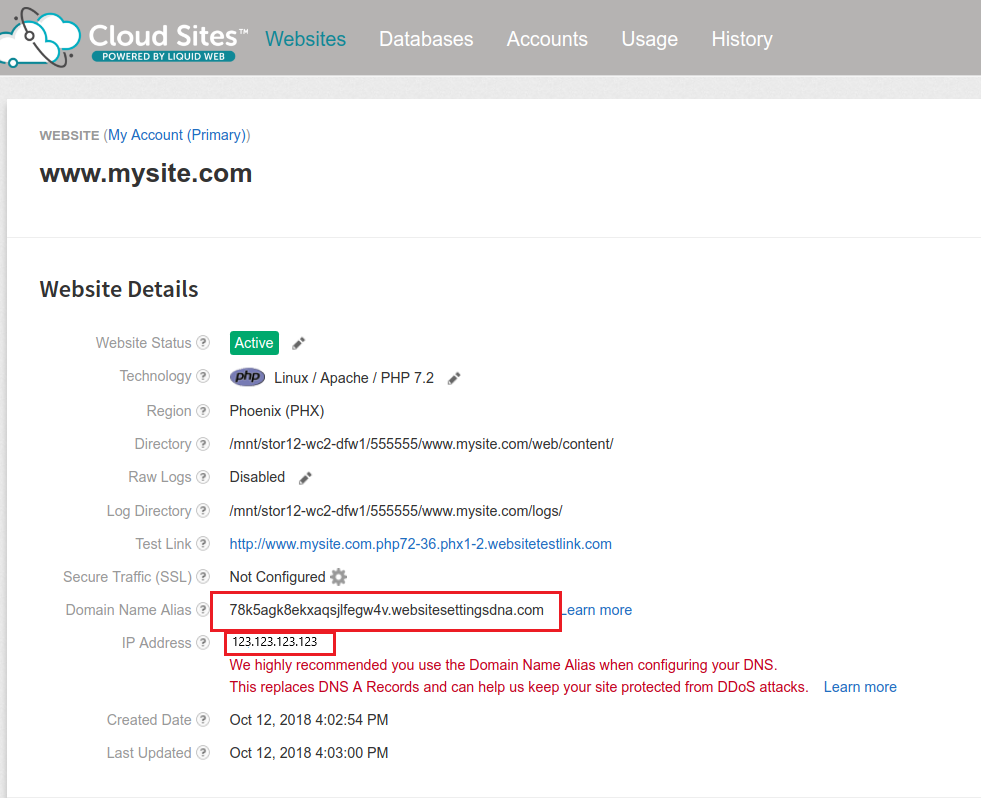
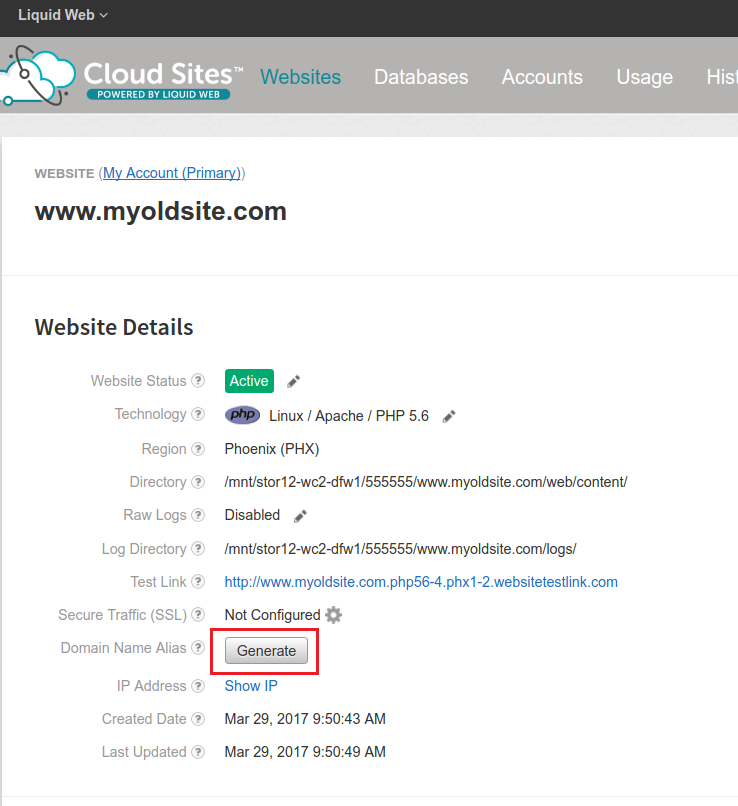
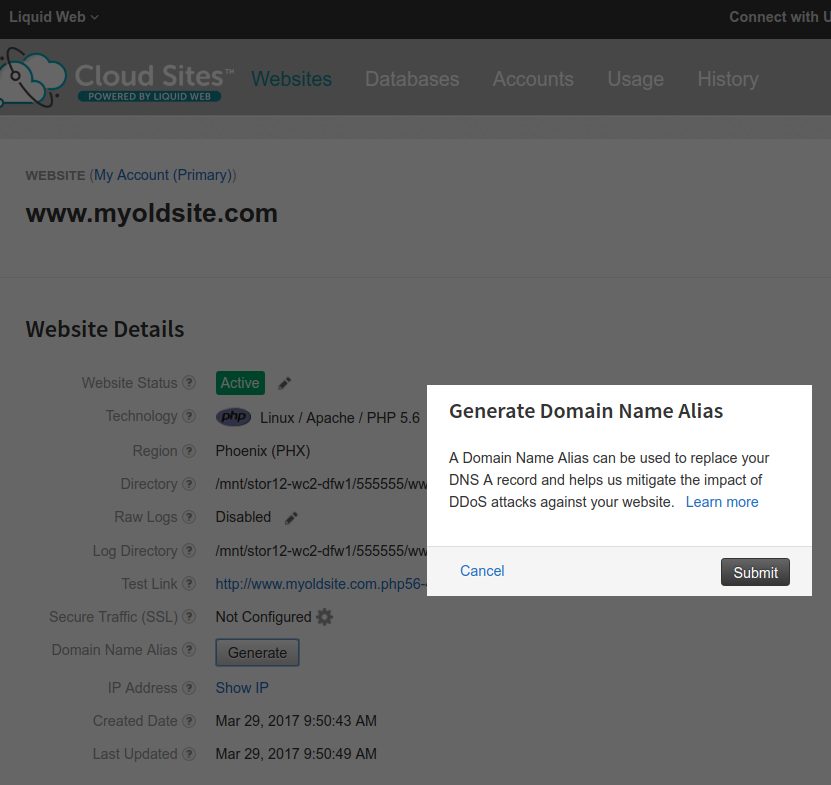
- Go to your existing site and click the button Generate Domain Name ALIAS. Then update your DNS records. See Managing Your DNS with Cloud Sites.
NOTE: |
| If your DNS is not managed through your Liquid Web Account, you will need to verify that your DNS host supports the ALIAS DNS Record Type. You can also use Liquid Web’s nameservers to host your DNS records, even if your domain is registered somewhere else. See Changing Your Website’s Nameservers. |