

Update Contact Information in Premium Business Email
Adding mailboxes to your Premium Business Email (PBE) might prompt you to update contact info. PBE control panel simplifies this process, especially for migrated domains.
Now that you have added mailboxes to your Premium Business Email (PBE), you may need to update contact information for some of your mailboxes (migrated domains will need to update the contact information for all the mailboxes). The PBE control panel makes updating contact information simple.
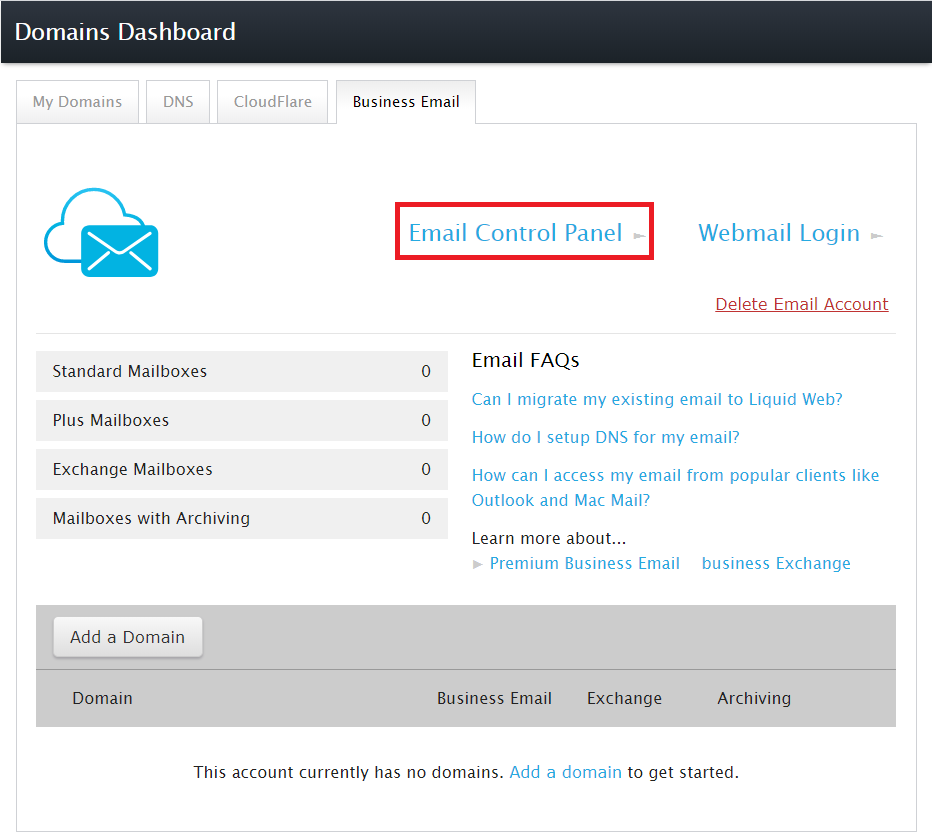
- Use the link to login to your Premium Business Email Control Panel or click on Email Control Panel in your Business Email Dashboard.
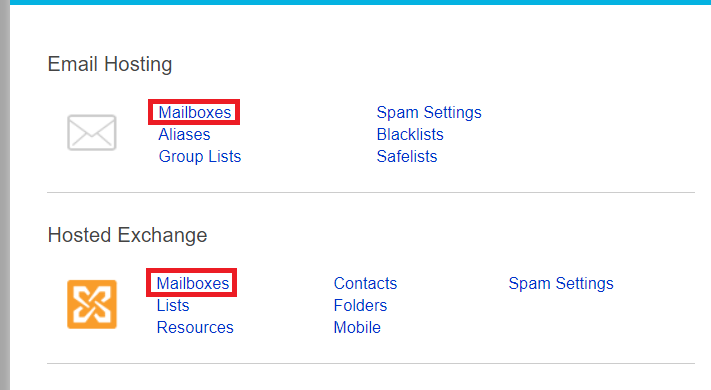
- From the Email Hosting Home page, click on the Mailboxes link for either PBE or Hosted Exchange.
- Click on the email address for which you want to update contact information.
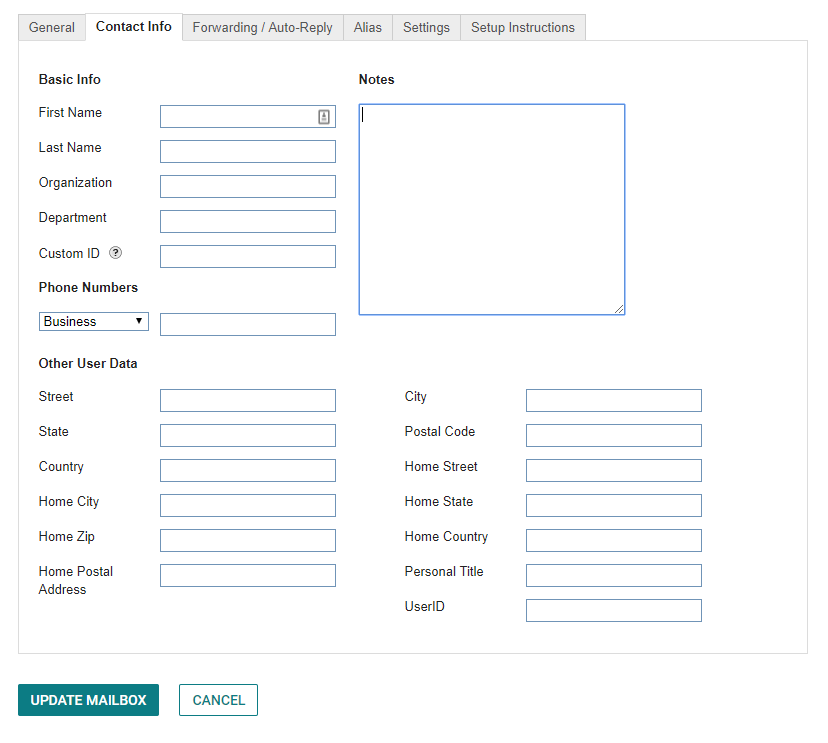
- The second tab is Contact Info, and just like it sounds, it houses all the information to contact the user. Enter their name, organization, department, mailing address and phone numbers.
Custom ID: |
One section to point out in this tab, is the Custom ID. This section allows you to choose and enter a custom name or number to tie the mailbox to external systems and allow for you to search for the user by their ID.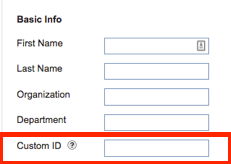 |