Troubleshooting: Recover a Deleted Premium Business Email Mailbox
Premium Business Email allows you to restore a deleted mailbox within 14 days of deletion. This will restore the mailbox and all its information, in the case of an accidental deletion.
Premium Business Email allows you to restore a deleted mailbox within 14 days of deletion. This will restore the mailbox and all its information, in the case of an accidental deletion.
- Log into your Premium Business Email control panel.
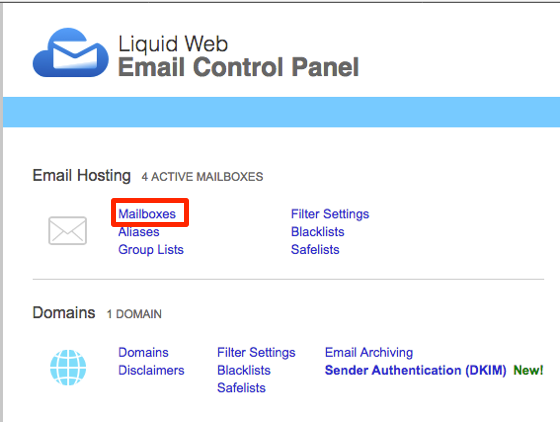
- Select Mailboxes from the menu under Email Hosting.

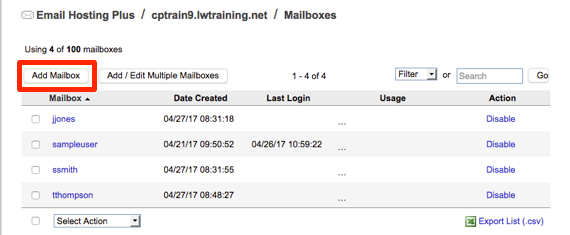
- Select Add Mailbox above the mailbox list.

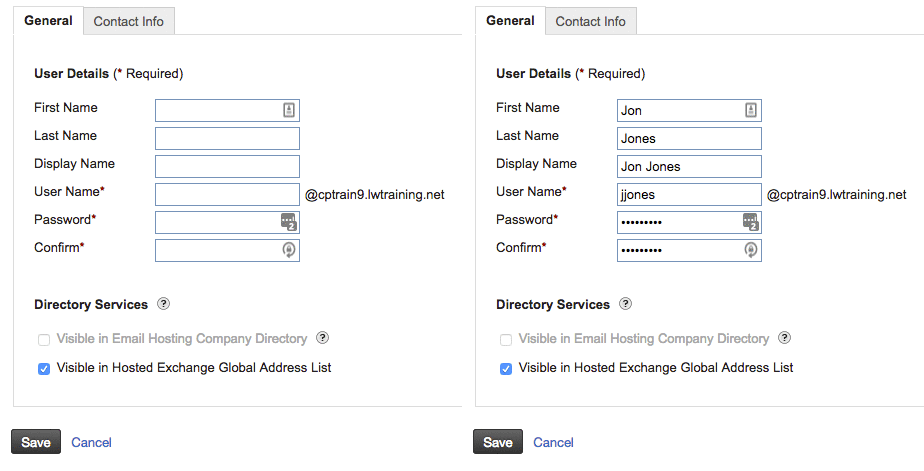
- Enter the same username as the deleted mailbox you want to restore.

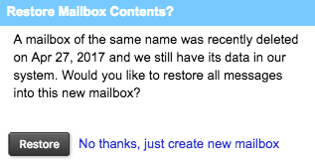
- Click Save and a pop-up will appear asking if you’d like to restore the mailbox, select Restore.
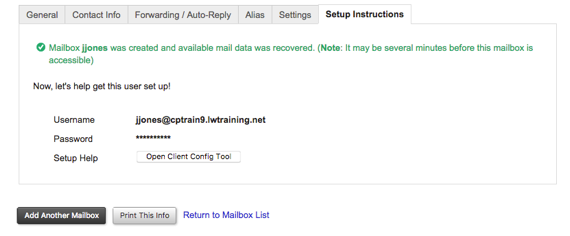
- The mailbox will restore and you will be directed to a page to configure the settings again.