

LearnDash Course Reviews
The LearnDash Course Reviews add-on allows students to rate and review courses they’re taking or have completed. This helps future students make informed decisions and gives teachers valuable feedback.
Important Benefits
- Helps new students choose courses based on peer feedback.
- Provides instructors honest feedback about their content.
- Builds a sense of community in your online school.
- Increases trust in courses through real student opinions.
NOTE: Starting with LearnDash version 4.25.1, the Course Reviews add-on is built into the core. After upgrading to the latest version, you can safely delete the old Course Reviews plugin from the Plugins page.

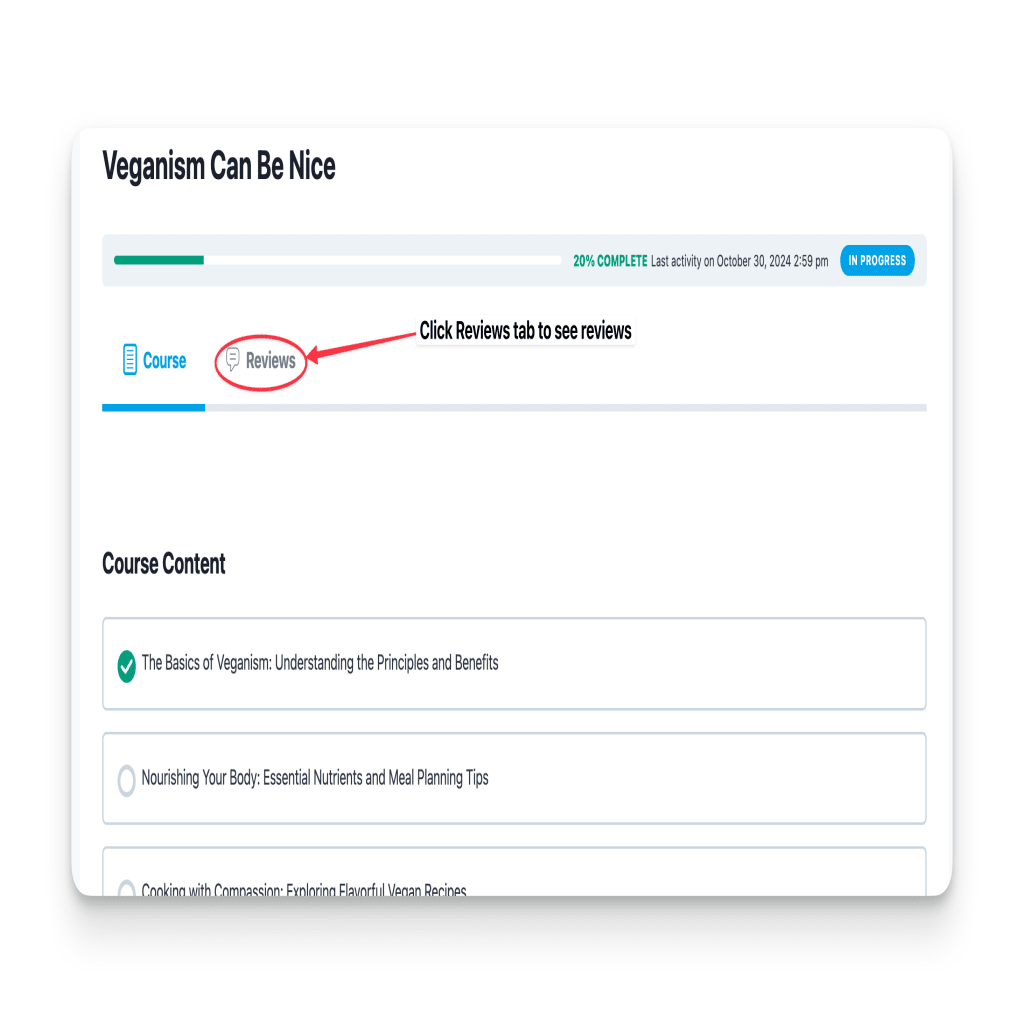
Managing Reviews
- The review system uses WordPress’ comment system
- You can disable reviews for individual courses if needed
- To disable reviews for a course
- Go to LearnDash LMS > Courses
- Edit the course
- Click on the Course tab icon at the top right corner of the page
- Under the Course Reviews section, toggle the option to disable

- Teachers can approve, edit, or delete reviews from the Comments section
- Students can leave reviews after:
- Completing a lesson
- Finishing the entire course
- You can change how reviews are ordered through WordPress Discussion Settings
Important Benefits
- Helps new students choose courses based on peer feedback
- Provides instructors honest feedback about their content
- Builds a sense of community in your online school
- Increases trust in courses through real student opinions
Moderation
Reviews are stored as comments. You can approve, edit, or delete a review by:
- Going to the Comments menu in your WordPress Admin Dashboard
- Search for the review in the list of comments