Author Link Settings
Where the Author Link Appears
The author link typically appears:
- On single post pages, near the post title or in the post meta section
- On archive pages, such as category or blog listings
Available Settings
The author link can be configured in two ways:
- Author Archive Page – Redirects to the default WordPress author archive, which lists all posts written by that author.
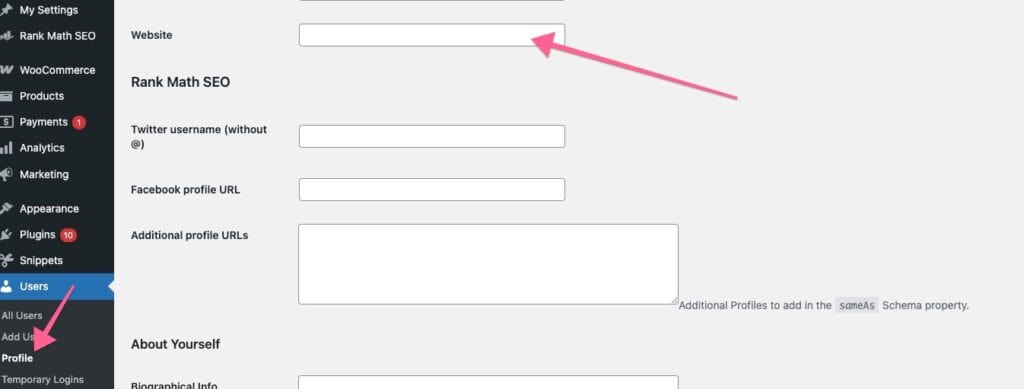
- User Website URL – Redirects to the Website field set in the user’s profile (
Users → Profile → Contact Info → Website).- If the Website field in the user’s profile is not set, the author link will automatically redirect to the author archive page by default.
If you notice that the author link redirects to the homepage instead of the expected author archive or website:
- Go to Users → All Users, then edit the affected user.
- Check the Website field under Contact Info.
- If you prefer the author link to go to the author archive page, leave this field empty.
- Save changes and test again.