

Remove title tags on Kadence SVG Icons
By default, Kadence SVG icons include a <title> tag inside the SVG markup. This is intentional and generally beneficial because the <title> element provides an accessible, descriptive label for the icon, improving usability for screen readers and enhancing accessibility compliance.
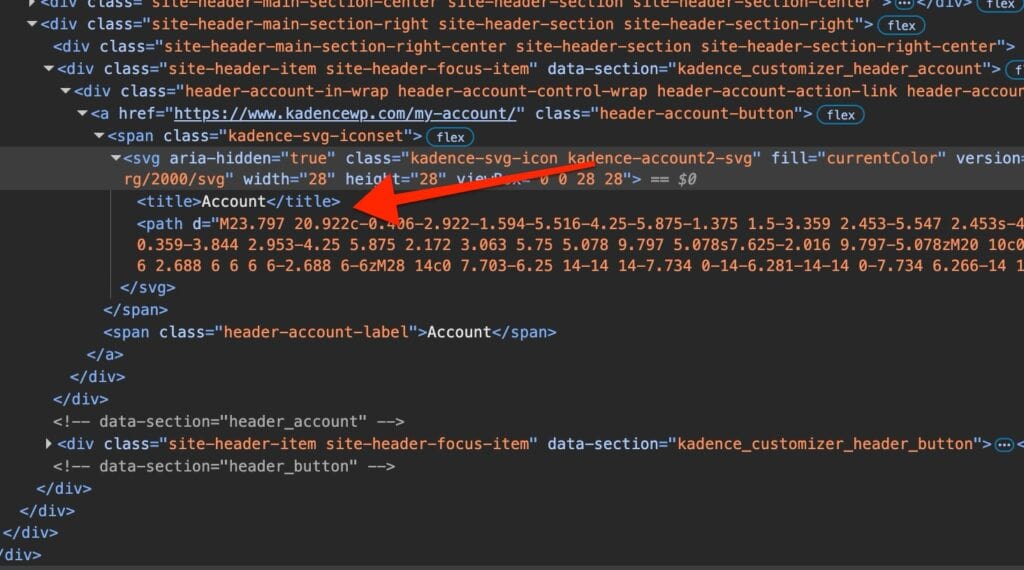
While this is perfectly fine from a web standards and accessibility standpoint, some SEO tools may incorrectly flag the <title> tag inside an SVG as an “error” or “warning.” In most cases, these flags can be safely ignored since they do not negatively impact SEO or site performance.
If you want to remove the <title> tag from Kadence SVG icons, for example to clear SEO tool reports, you can use the kadence_svg_icons_have_title filter.
Usage
Remove <title> tag in svg icons
add_filter( 'kadence_svg_icons_have_title', '__return_false' );Add the PHP code snippets using a plugin. Refer to our guide here: How to add a custom filter or function with Code Snippets