

How to Remove Access Keys
Within Pattern Hub, you can remove a specific Access Key by going to your Pattern Hub -> Settings > and then clicking Access Keys. Once here, you will see a red remove text on the right side of each Access Key. You can click on the red remove text to remove that Access Key.
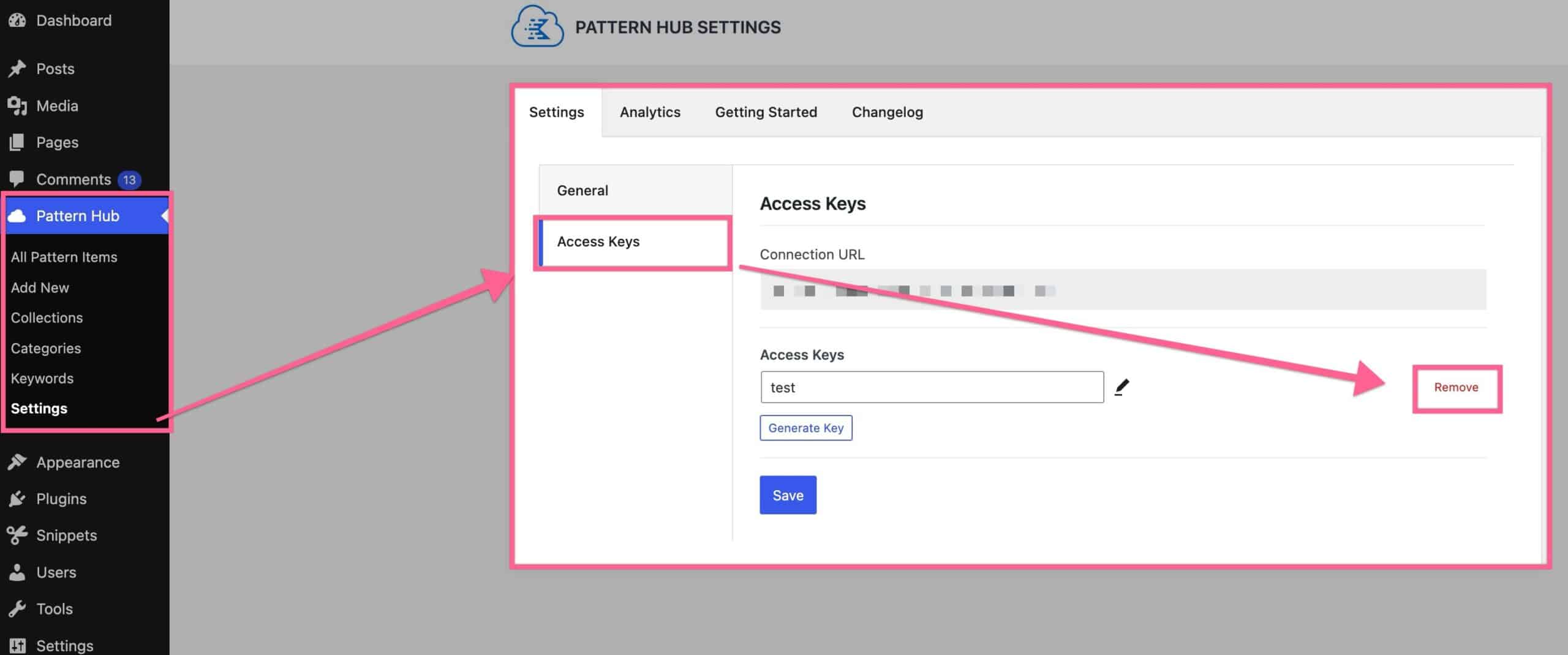
Please note removal is not immediate for someone using that key on a site; the library is cached locally and won’t be removed until it is either manually resynced or hits the time limit to be resynced automatically based on how you’ve set up your Pattern Hub Settings.