How to Download Previous Versions of the Kadence Theme and Plugins
If you need to test with an earlier version of the Kadence theme or plugins, or you are troubleshooting an issue and want to compare behavior across versions, you can follow the steps below to download previous releases.
Kadence Plugins from WordPress.org
You can download earlier versions of plugins such as Kadence Blocks using the WordPress.org plugin repository.
Steps:
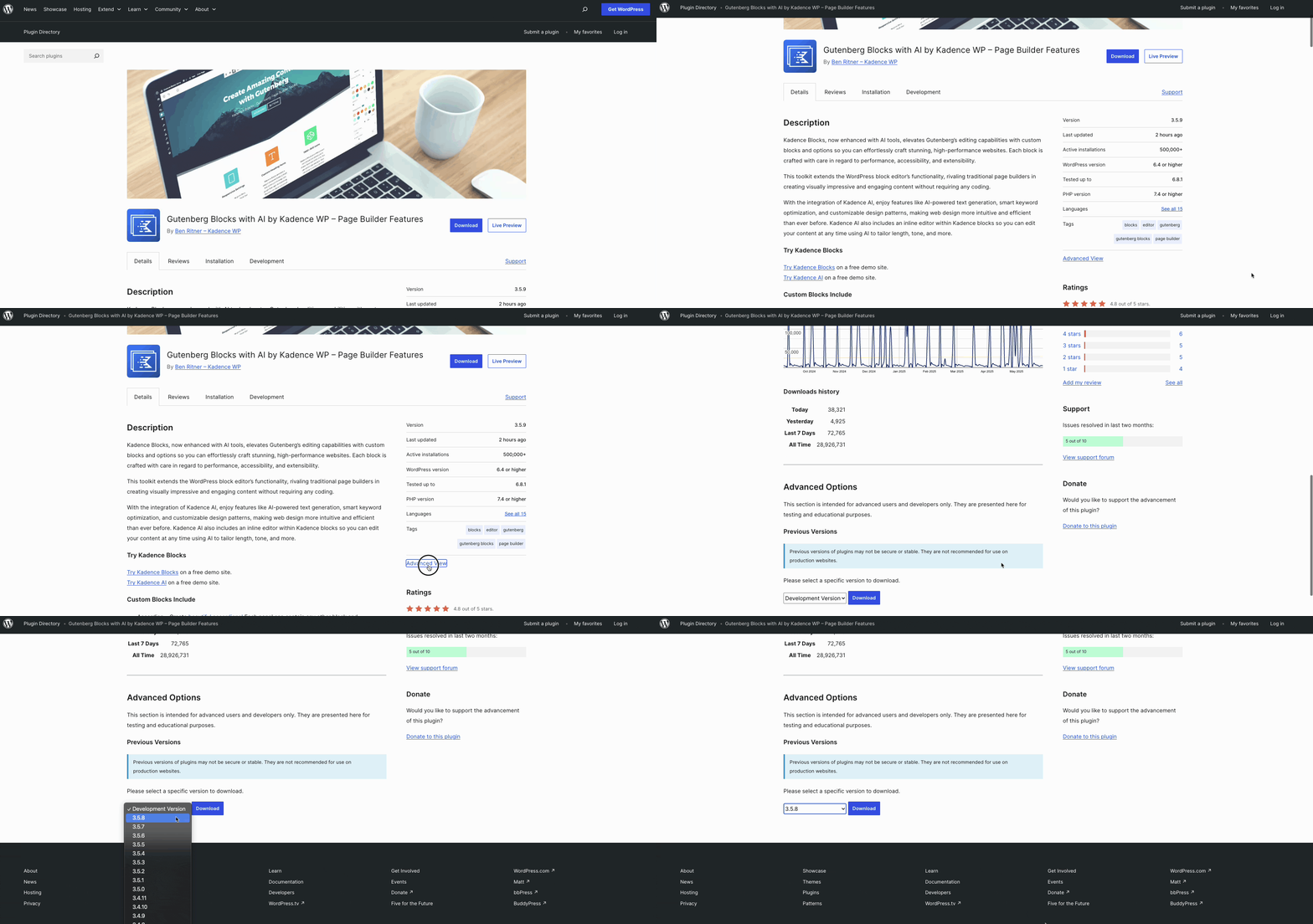
- Visit the plugin’s page on WordPress.org.
For example: https://wordpress.org/plugins/kadence-blocks - Click the “Advanced View” link in the right-hand sidebar. (or click here)
- Scroll down to the “Previous Versions” section.
- Select the version number you want, then click Download.
Kadence Theme (Free Version)
Older versions of the Kadence Theme are available through the WordPress Themes SVN repository.
Steps:
- Go to https://themes.svn.wordpress.org/kadence to view all available version numbers.
- Once you identify the version you want, use the following format to download it:
https://downloads.wordpress.org/theme/kadence.{version}.zip
Example:
https://downloads.wordpress.org/theme/kadence.1.1.35.zip
Kadence Pro Plugins
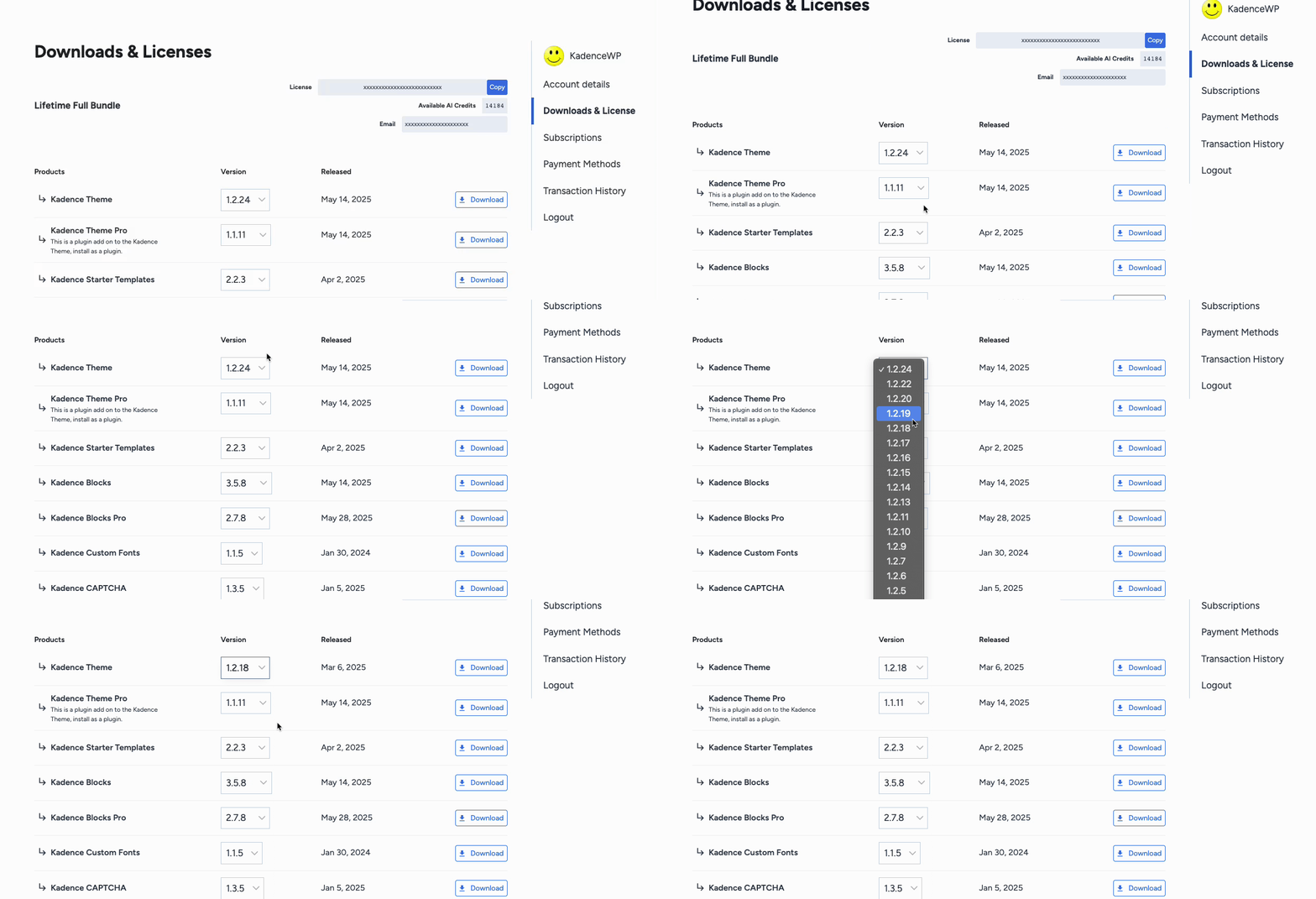
For premium products such as Kadence Blocks Pro and Kadence Theme Pro, previous versions are available in your Kadence account.
Steps:
- Log in to your Kadence account:
https://software.liquidweb.com/downloads - Scroll to the plugin you want to download.
- Use the dropdown menu to select an older version, then click Download.