Delivery Slots Showing Multiple Times on the Checkout Page
When a page builder is used to design the checkout page, the WooCommerce checkout page hooks may not be available in the correct places or may be present multiple times. Because of this the delivery slots fields may either not appear in the correct location or appear multiple times.
To resolve this issue:
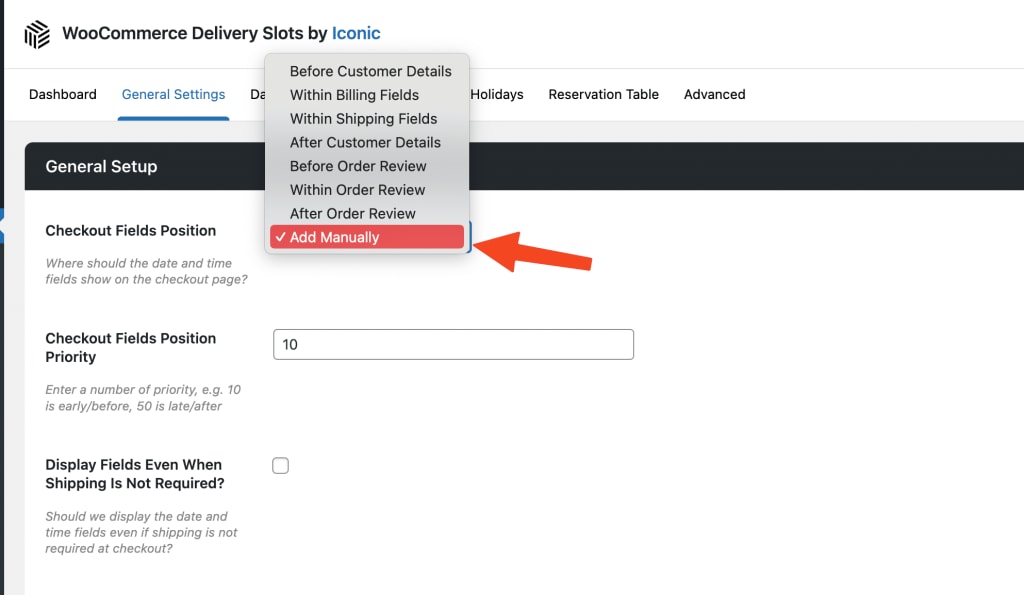
- From your WordPress dashboard, go to WooCommerce > Delivery Slots, then click the General Settings tab at the top of the page.
- Once done, set the Checkout Fields Position to Add Manually and save your changes.
- Next, use the shortcode [iconic-wds-fields] to place the checkout field anywhere on the checkout page manually.