

Setting PHP memory_limit with EasyApache 4
When setting the memory_limit in WHM, it will change only for the version of PHP installed. EasyApache 4 allows for multiple PHP versions to run at the same time on your server. If you want the memory_limit to be set across all versions, you will need to repeat this procedure for each version of PHP installed on your server. If you only need the memory_limit for a specific site or folder to be increased, please see PHP Memory_Limit.
- Log into WHM.
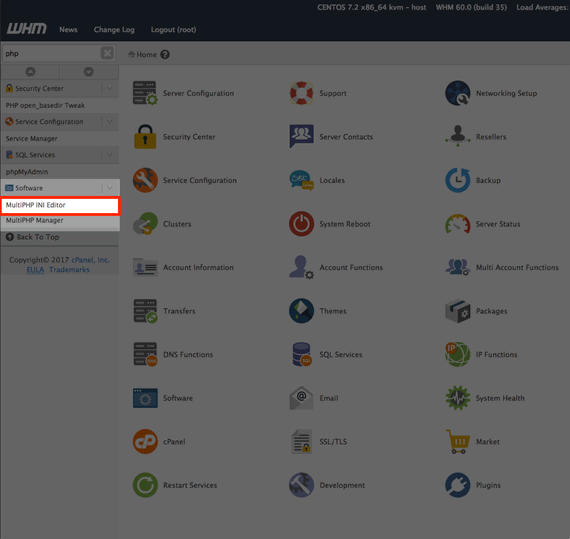
- Search for PHP in the search bar at the top of the menu on the left-hand side of the page.

- Select MultiPHP INI Editor from the menu on the left-hand side of the page.
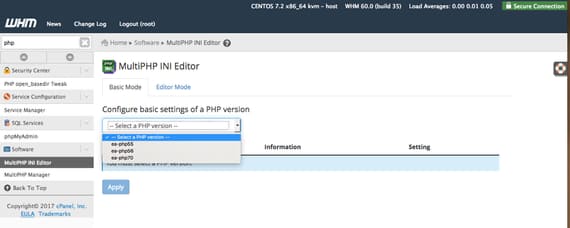
- Next, select the PHP version you have installed. To find your version, see our article Understanding Your PHP Version.
- Scroll down the page to the memory_limit section.
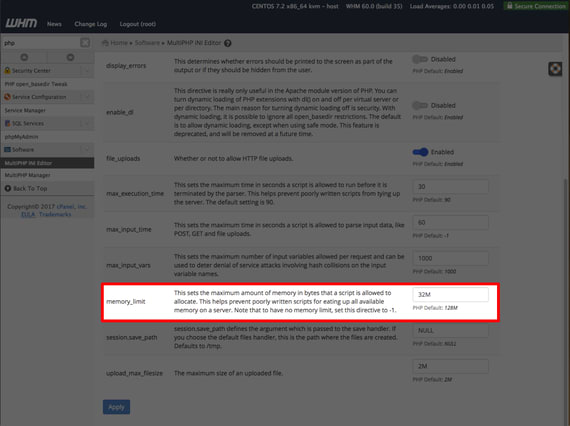
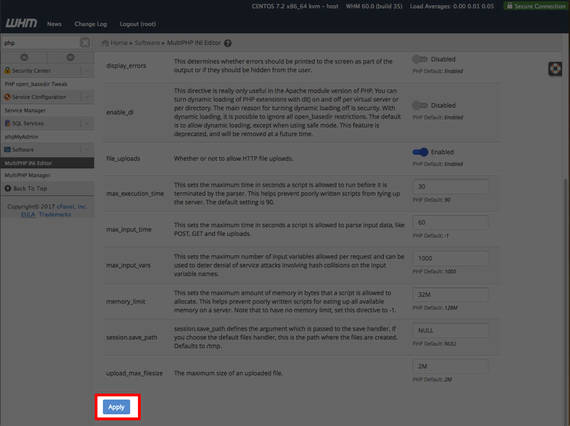
- Set the memory_limit to your desired maximum in bytes and click Apply to save the changes.
If you are still experiencing memory_limit errors after increasing your global memory_limit, please contact our Support team.