

Setting Featured Products in WooCommerce
Featuring products on your website is a great way to show your best selling or popular products from your store. And setting products as featured products is super simple. WooCommerce has some built in functionality to making this happen. Let’s take a look below.
How do I set certain products as featured products?
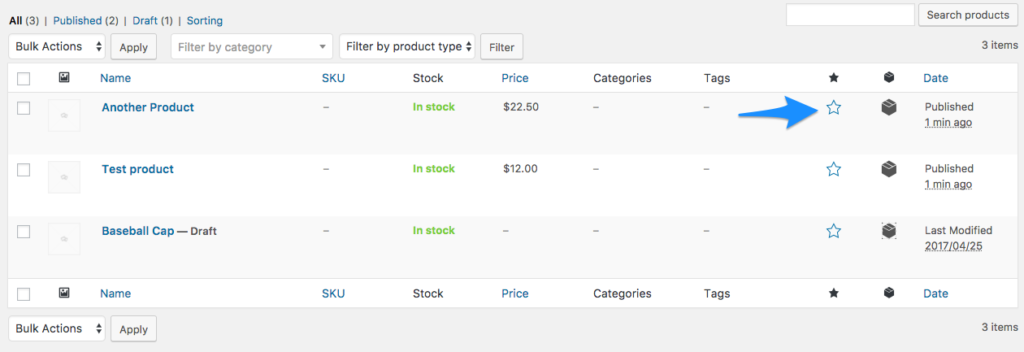
To begin open and log into your WooCommerce sites Admin area. Navigate to your products page and find the product you want to have be featured, click the star to make that product be a featured product. It’s really that simple.
Once you have featured products set up, WooCommerce will allow you to show all of your featured products by using a shortcode. An example is below. Note that you can change the per page and columns to fit your needs.
[featured_products per_page="10" columns="2"]
It’s that easy. With those two steps, you are now showing your featured products to your visitors.
Power-boost your performance today
Get started with Liquid Web’s managed WooCommerce hosting, WooCommerce VPS hosting, or browse our full selection of WordPress hosting solutions to take your website to the next level.