Using phpMyAdmin
Using phpMyAdmin
- Log in to sites-portal.liquidweb.com. Your Nexcess Cloud account superuser access and Client Portal login credentials are required in this process. If you cannot locate your credentials, click “Forgot Password?” on the login page.
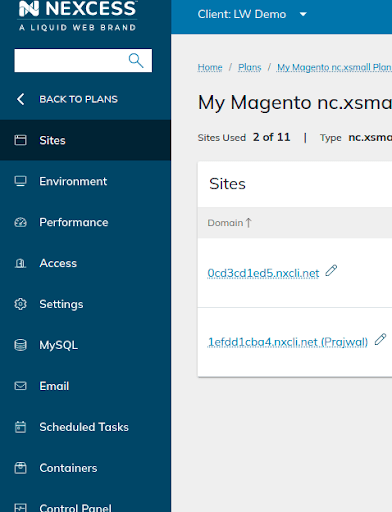
- Once you have successfully logged in, navigate to Plans and select the plan of your choice.

- Next, select the site for which you want to work with phpMyAdmin to management the database.
- Once you are in the Site Dashboard area, click on the Show More option.
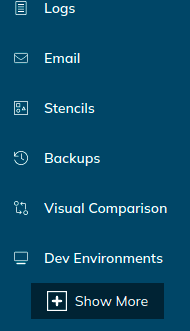
- When you click on Show More, it will expand the feature list, and a MySQL option will appear in the sidebar.

- Click on MySQL. When the screen with Launch phpMyAdmin button appears, click the button to go the phpMyAdmin Web Interface.

How Do You Launch phpMyAdmin with SiteWorx?
- Log in to your SiteWorx account. If you do not know your password, click Forgot Your Password on the login page.
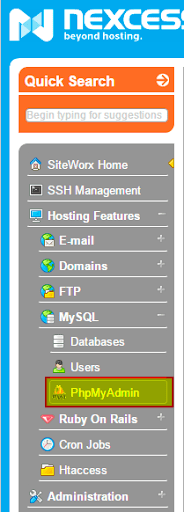
- In the SiteWorx main menu, select Hosting Features > MySQL > phpMyAdmin:
How Do you Access phpMyAdmin for a Magento Database?
The process for accessing phpMyAdmin for your Magento sites is basically the same. An important difference to make note of is that all the sites are integrated under a single Magento environment when you choose the Magento plan. Consequently, you will have a common MySQL option for all your Magento sites.