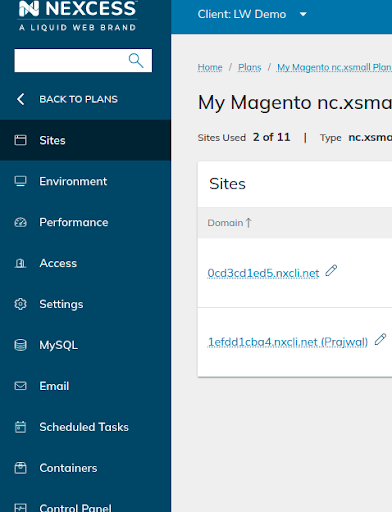
Using phpMyAdmin
Some website admins have trouble leveraging phpMyAdmin as a MySQL/MariaDB management tool, but Nexcess Hosting makes it easy to use from the Nexcess Client Portal.
Using phpMyAdmin
- Log in to my.nexcess.net. Your Nexcess Cloud account superuser access and Client Portal login credentials are required in this process. If you cannot locate your credentials, click “Forgot Password?” on the login page.
- Once you have successfully logged in, navigate to Plans and select the plan of your choice.
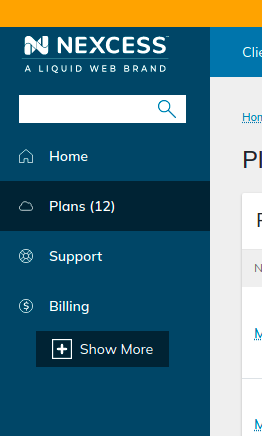
- Next, select the site for which you want to work with phpMyAdmin to management the database.
- Once you are in the Site Dashboard area, click on the Show More option.
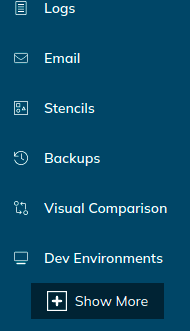
- When you click on Show More, it will expand the feature list, and a MySQL option will appear in the sidebar.
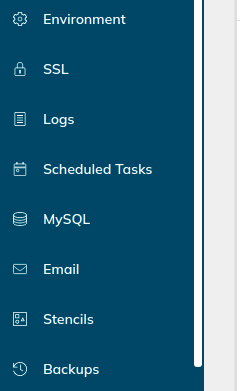
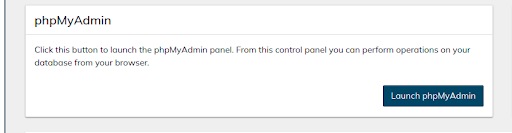
- Click on MySQL. When the screen with Launch phpMyAdmin button appears, click the button to go the phpMyAdmin Web Interface.
How Do You Launch phpMyAdmin with SiteWorx?
- Log in to your SiteWorx account. If you do not know your password, click Forgot Your Password on the login page.
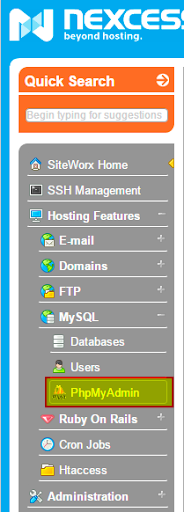
- In the SiteWorx main menu, select Hosting Features > MySQL > phpMyAdmin:
How Do you Access phpMyAdmin for a Magento Database?
The process for accessing phpMyAdmin for your Magento sites is basically the same. An important difference to make note of is that all the sites are integrated under a single Magento environment when you choose the Magento plan. Consequently, you will have a common MySQL option for all your Magento sites.