

What is Server Hardening?
Hardening your server is the process of increasing security on your server through a variety of means to result in a much more secure operating environment. Server hardening is one of the most important tasks to be handled on your servers. The default configuration of most operating systems is not designed with security as the primary focus. Default server setups focus more on usability, functionality and communication. Liquid Web offers a product which will harden your server for you called ServerSecurePlus, or you can harden your server using the steps below. Either way you choose, hardening your server will help keep your site working at optimal levels as well as protect any sensitive information passing across your server.
Security Best Practices
The Help Center has general articles for overall security, implementing these on your server as well as in other areas will help to begin the process of hardening your server.
- Setting a Required Password Strength
- Creating a Secure Password
- Changing Your SSH Port
- Using SSH Keys
- Use Alternate SSH Users
In addition to the general security measures above, there are more server specific actions you can take. Below is a security checklist that will provide you with some of the ways to help harden your server from malicious attack.
WHM Tweak Settings Checklist
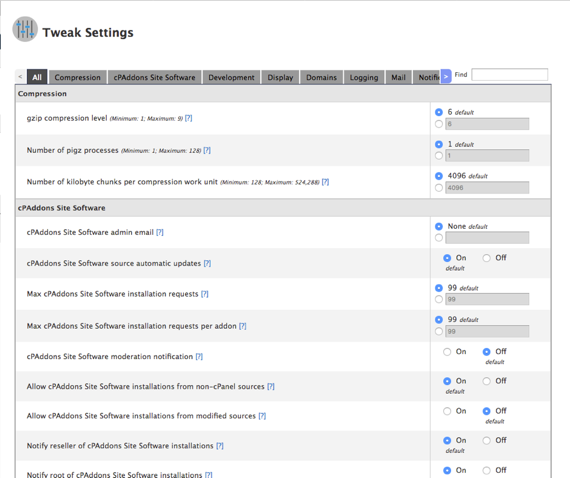
- Hide login password from cgi scripts.
This setting allows you to hide the REMOTE_PASSWORD variable from scripts that the cpsrvd daemon’s CGI handler executes.
- Referrer safety check.
Only permit cPanel, Webmail and WHM to execute functions when the browser-provided referrer (port and domain or IP address) exactly matches the destination URL. - Initial default/catch-all forwarder destination
Select Fail to automatically discard un-routable email that your servers new accounts receive. This will help protect your server from mail attacks.
- Verify signatures of third-party cPaddons.
Enable this option to verify GPG signatures of all third-party CPaddons.Signature Validation and Third-Party cPaddons
To use this setting, you must enable the Signature validation on assets downloaded from cPanel & WHM mirrors option 
- Prevent “nobody” from sending mail.
Enable to block email that the nobody user sent to the remote address. Nobody is the username for Apache.
- Enable SPF on domains for newly created accounts.
- Proxy subdomain override.
Disable this option to prevent automatically-generated proxy domains when a user creates a subdomain.
- Proxy subdomain creation.
Disable this option to prevent the addition of cPanel, Webmail, Web Disk and WHM proxy subdomain DNS entries to new accounts.
- Cookie IP validation.
Disable this option to allow logins regardless of the user’s IP address.Disable Cookie IP Validation
cPanel strongly recommends that you not rely on cookie-based IP validation. 









WHM Security Center Checklist
You can find the Security Center on the home page of WHM.
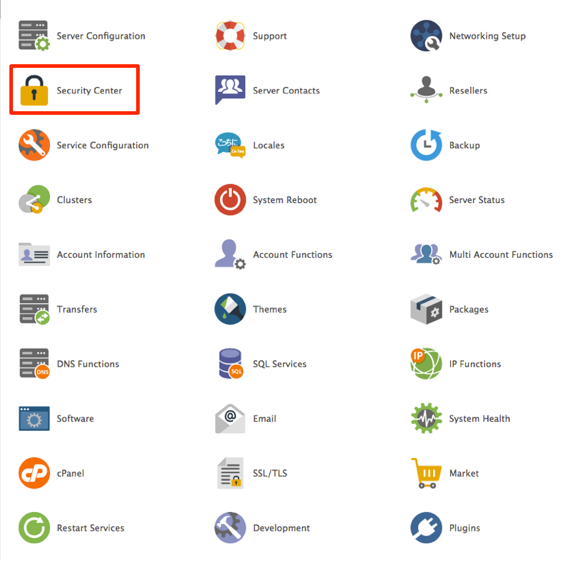
From here, you will see a collection of links to configure the security of your server.
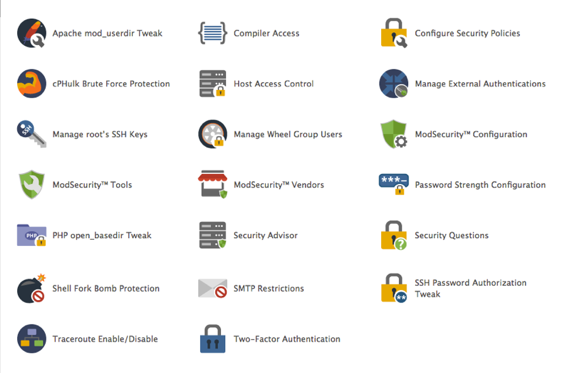
Below are the settings to change to harden your server:
- PHP open_basedir Tweak
This option requires users to manually specify the open_basdir setting in the relevant php.ini files if PHP is configured to run as a CGI, SuPHP or FastCGI process.
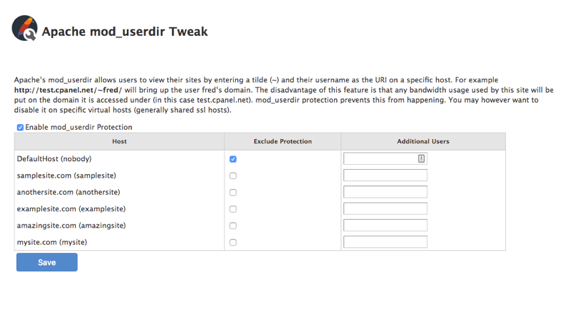
- Apache mod_userdir Tweak
When enabled, users can not bypass bandwidth limits when using Apache mod_userdir redirection to access their site. (For example: http://example.com/~username)Using Apache mod_userdir Redirection
It is recommended that you exclude the Default Virtual Host from mod_userdir protection. This allows all users to access their sites, but not affect other users’ bandwidth. 
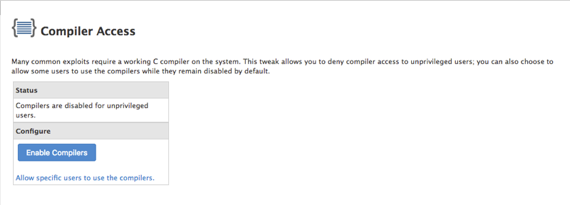
- Compiler Access
This option disables compiler access for unspecified users and help prevent attacks on your server.
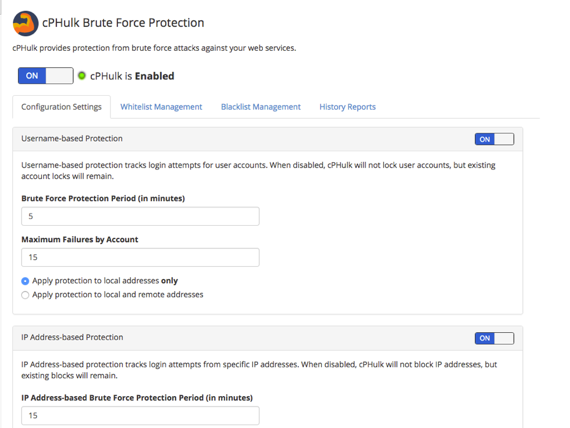
- cPHulk Brute Force Protection
Configure brute force protection on your server and enable. Find out more in our articles What Is a Brute-Force Attack? and Using cPHulk to Prevent Brute-Force AttacksAdding IP Addresses to Whitelist
It is strongly recommended that you add trusted IP addresses to the Whitelist Management tab so you don’t lock yourself out of your server. Find out how in our article Whitelisting IPs in WHM.
Additional Security Settings
There are additional security settings recommended by cPanel, you can see a comprehensive list in their Recommended Security Settings Checklist.
In addition to the checklists, you can read cPanel’s Tips to Make Your Server More Secure for more ways to harden your server.