

Disabling Anonymous FTP
What is Anonymous FTP?
Anonymous FTP is a method for downloading public files using FTP (File Transfer Protocol). It is anonymous because the user doesn’t have to identify themselves before accessing the files. In many cases, the user won’t be asked for their username and password when logging into an anonymous FTP site, or when logging into your server via FTP, the user will enter anonymous or ftp as the username and use their email address as the password. Once logged in, the user has read only access to the /home/username/public_ftp/ directory and write access (if enabled) to the /home/username/public_ftp/incoming/ directory.
Disable Anonymous FTP
By default, Liquid Web servers have Anonymous FTP disabled, but there may be a time that you enabled it and did not disable again after whatever you needed it for is complete. This tutorial will walk you through disabling the user from WHM and the FTP Configuration section.
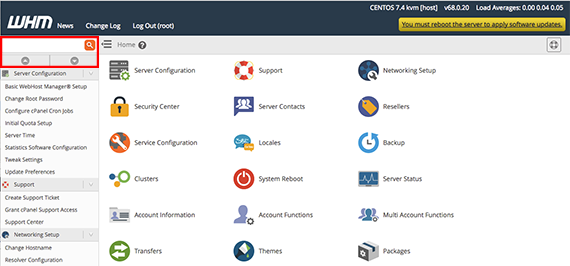
- Log into WHM.
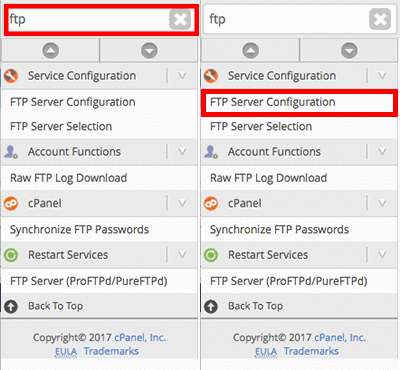
- From the home page of WHM, type the word FTP in the search bar at the top of the page.

- The predictive text will narrow down the menu results. Click on FTP Server Configuration.

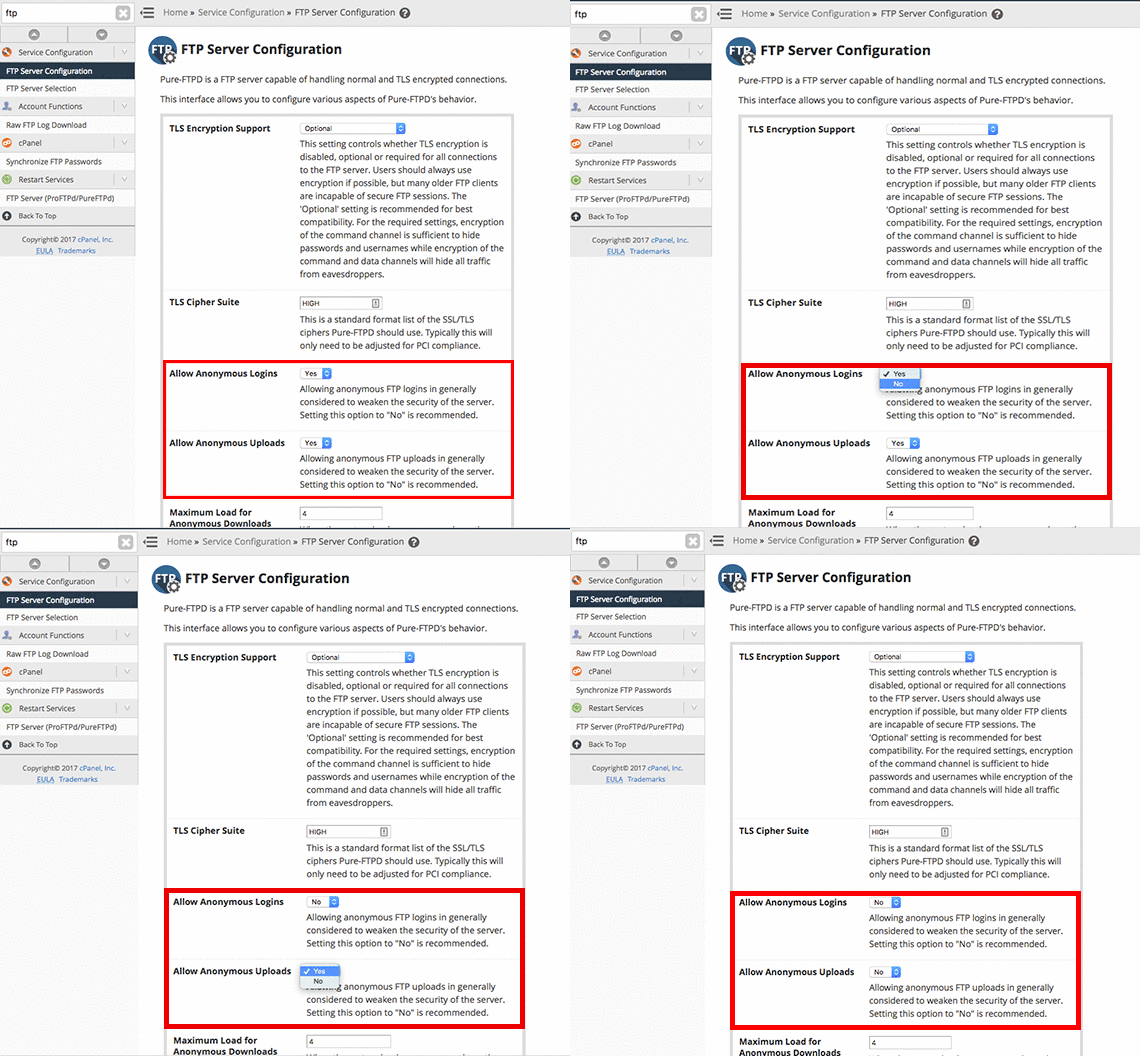
- Scroll down to the section Allow Anonymous Logins and Allow Anonymous Uploads, select No from the drop-down menu.

- Once you’ve changed these fields, click Save.

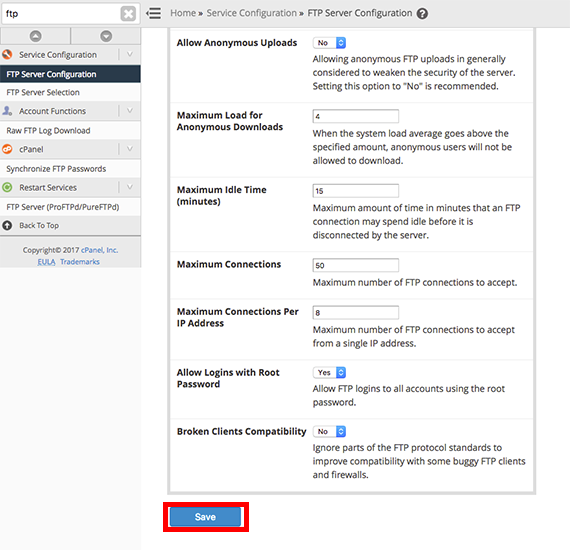
Once you hit the save button, your FTP configuration will restart, when complete, Anonymous FTP is disabled. Keeping Anonymous FTP disabled helps prevent against malicious attack to your server. For more tips on protecting yourself, see our article Best Practices: Protecting Your Website from Compromise.