Report Updated Server Passwords
Report any changes with your server's root password to avoid locking out our Support team from working on your server.
Without updated login credentials, our Support team may have difficulty accessing your server to begin working on your support case. By updating your Liquid Web account whenever you change your password, you improve our Support team’s effectiveness in assisting you.
Note
This process updates our records to allow access to your server in order to provide support, it does not change your server’s password.
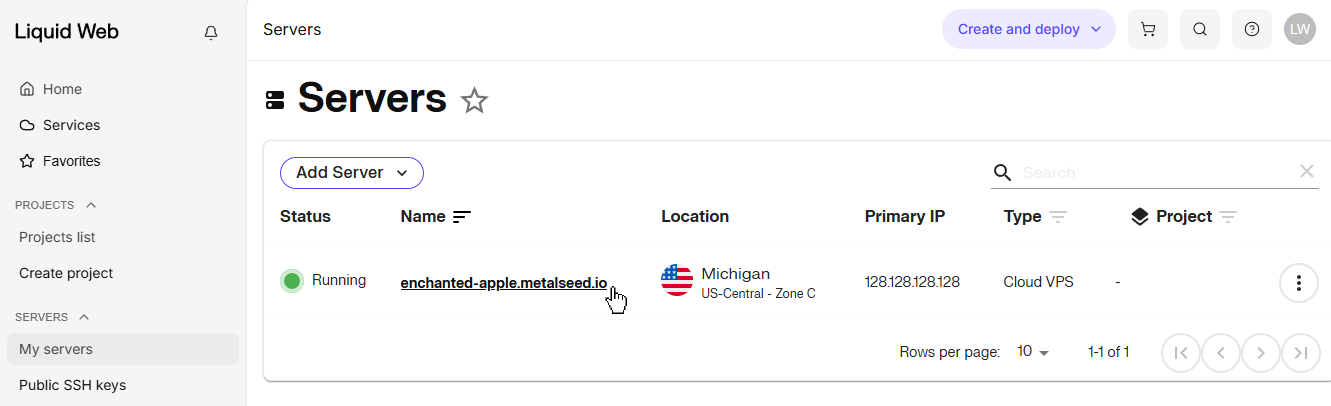
- Navigate to the My Servers page, then click the server’s name to access its dashboard.

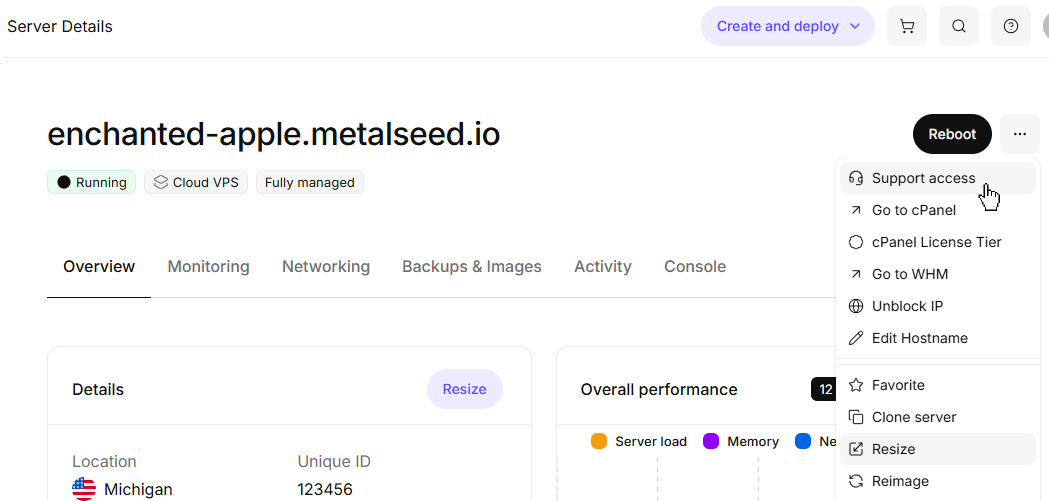
- Click on the three dot menu to the right of the server name and select Support Access in the drop down menu.

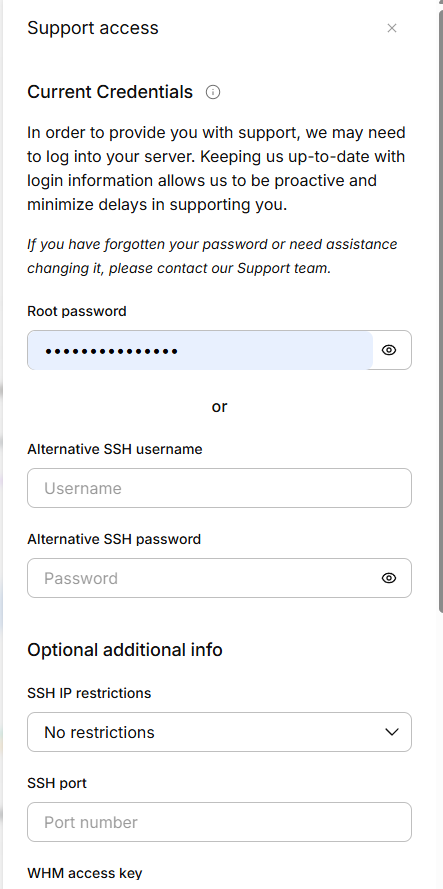
- Update the credentials our Support team can use to access your server, then click Submit to update our records.