Making Your ENOM/WHOIS Information Private
When you register a new domain, you are required by the registrar to provide detailed information about your business, including addresses, phone numbers, and email accounts. Unfortunately, publishing that information can dramatically increase the amount of unsolicited offers you receive from both legitimate and spam sources. Many registrars (including ENOM, the registrar used by Liquid Web, provide “public” redaction of Whois information by default. However, certain 3rd parties can still access that information. WHOIS protection replaces the contact information with placeholder information for these “gated” whois lookups. You can add WHOIS Protection from your Liquid Web Account.
Purchasing WHOIS Protection when you order a domain
- Login to your Liquid Web account. For more information on accessing your Liquid Web account, see Exploring Your My Liquid Web Account.
- Begin the process of registering a new domain. For help with registering a new domain, see Registering a Domain Name (Main URL).
- At checkout, you’ll see that both domain Auto Renew and WHOIS Privacy Protection are enabled by default. These options are enabled for your convenience. If you don’t want WHOIS Privacy Protection, use the toggle to deselect this option.
Purchasing WHOIS Protection for a Domain you already own
What if you discover after you register your domain that you want to protect your WHOIS information?
- Click on Domains list.
- Click the name of the domain for which you are purchasing WHOIS Protection.
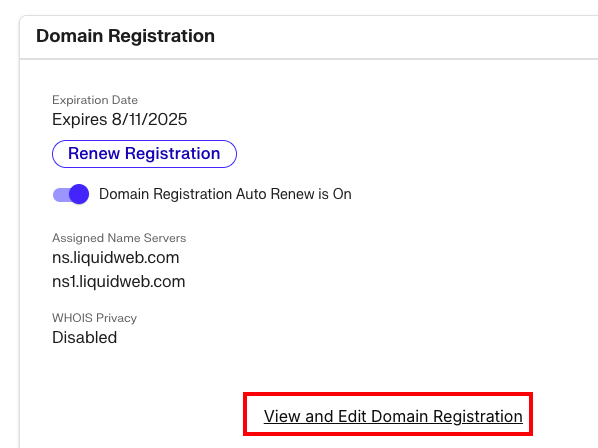
- This brings up the Domain Dashboard. Click View and Edit Domain Registration from the dashboard page.

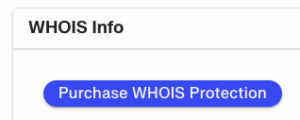
- Click the Purchase WHOIS Protection button to proceed.

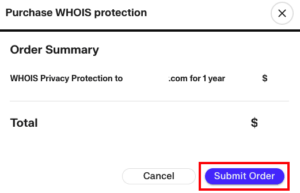
- Click Submit Order to purchase WHOIS Protection.

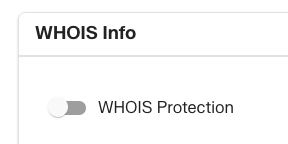
- NOTE: WHOIS Protection cannot be cancelled once purchased. However, if you need to expose your WHOIS information for some reason, you can toggle it off and on in the Domain Registration page.