

Enable CDN: Nexcess CDN access in the Nexcess Client Portal
A Content Delivery Network (CDN) is a network of servers that are situated in numerous locations around the globe. By replicating the content on various edge servers that offer content to users based on their location, a CDN reduces the time it takes for devices to load a website and delivers content to many users more quickly. The end-user receives content instantaneously due to a content delivery network.
If the server is pinging for each request, the webpage will take a while to load, especially if the server is far from the user. This slow response is also referred to as latency, and a CDN was designed to get around it. Every time a request is made, CDN saves a copy of the webpage and sends it to the end-user from the closest server instead of pinging a web server for every request.
Nexcess CDN access and your website’s CDN configuration
Nexcess plans make CDN access straightforward. To expedite content delivery to users, the Nexcess Edge CDN accesses, gathers, and serves images and other materials from a collection of servers dispersed across regions. To conserve bandwidth and reduce latency, it employs nodes and “edge locations” to determine the fastest route to the user.
The server on which a website’s assets are kept is known as an origin server. Assets must be retrieved from their origin server before they become accessible from the CDN. Origin servers come in two flavors:
- CDN origin servers
- Customer origin servers
To meet your CDN data delivery demands, you can use various origin servers.
The CDN setup will vary depending on the Content Management System (CMS) that your website may be using. Every Nexcess Cloud, Managed WordPress, and Managed WooCommerce plan comes with a free CDN addon. While Managed WordPress and WooCommerce plans provide CDN for every website inside the plan, Nexcess Cloud plans will only support CDN for the primary website on the plan.
Nexcess CDN access and setup step-by-step procedures
Unlike other hosting plans out there, Nexcess plans include the CDN. So for that particular reason, additional signing up or setup is not required.
To activate the CDN on your website, you’ll first need to log into my.nexcess.net.
CDN access and setup for Magento 2 sites
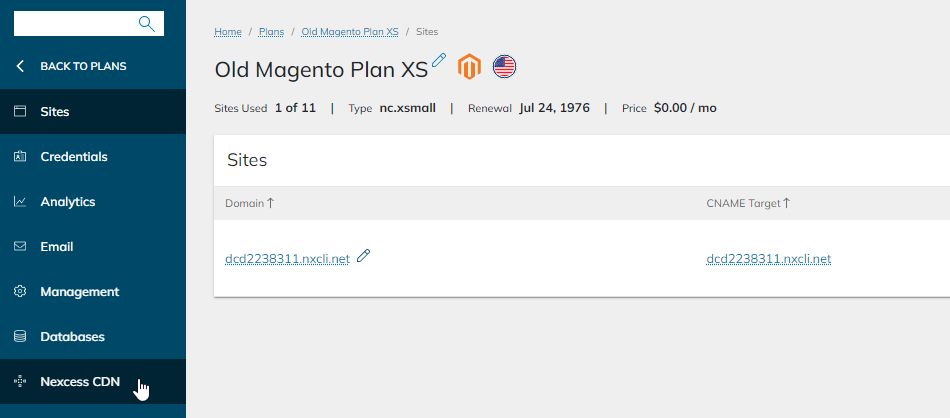
If your website is hosted within a Magento Cloud plan, you’ll need to go to Plans > Nexcess CDN:
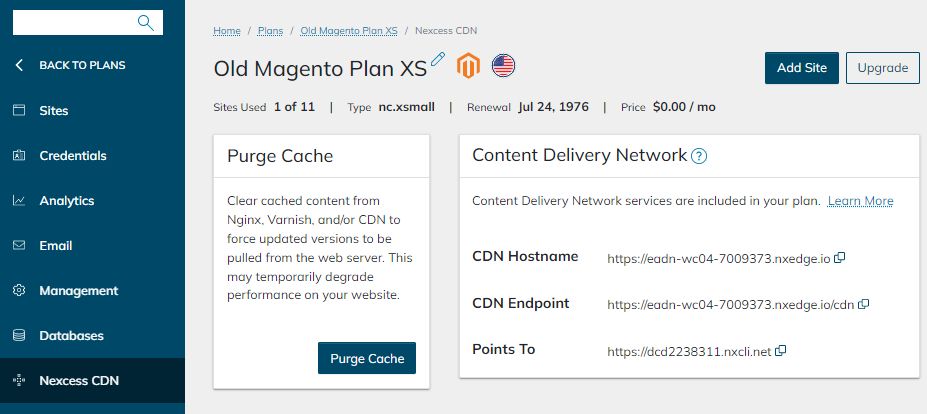
The Nexcess CDN section is where you can find the CDN Endpoint and which domain it’s pointed to. Also, you’ll be able to purge the cache here:
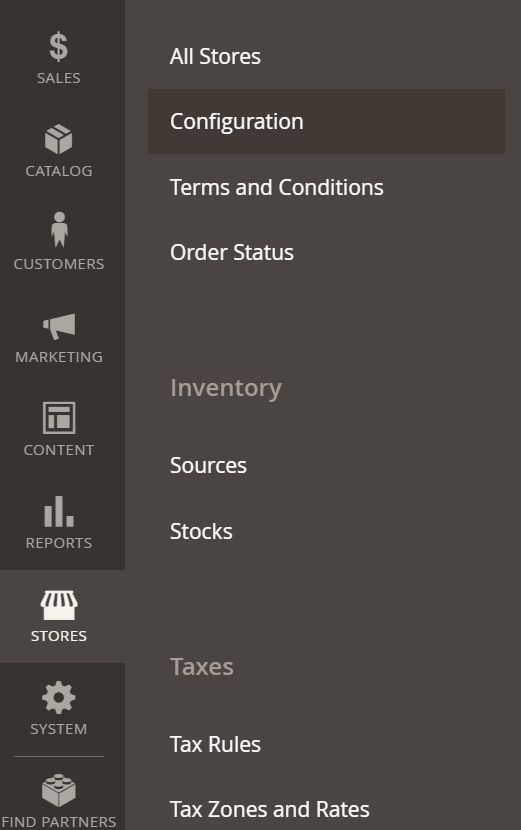
You’ll also need to log into the Magento 2 Dashboard. Once logged in, you’ll be able to update the Magento installation to use the CDN Endpoint URL by selecting Stores > Configuration > Web:
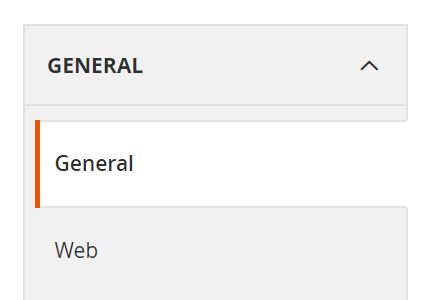
Within the General tab, you’ll need to select Web:
In the Base URL (Secure) section, you’ll enter the CDN Origin URLs for the following fields:
- Base URL for Static View Files
- Base URL for User Media Files
The static view and user media files will depend on how your Magento 2 store is installed with or without pub in the path. If the Magento store is installed within pub, then use the following:
https://eadn-wc04-7009373.nxedge.io/cdn/pub/media
https://eadn-wc04-7009373.nxedge.io/cdn/pub/static
If the Magento store is not installed with the pub directory, you can just exclude it from base URLs:
https://eadn-wc04-7009373.nxedge.io/cdn/media
https://eadn-wc04-7009373.nxedge.io/cdn/static
Flush the Magento 2 cache, and you should be all set.
CDN access and configuration for WordPress sites
If your website is within a Managed WordPress or Managed WooCommerce plan, you’ll need to go to Plans > Site dashboard> Nexcess CDN:
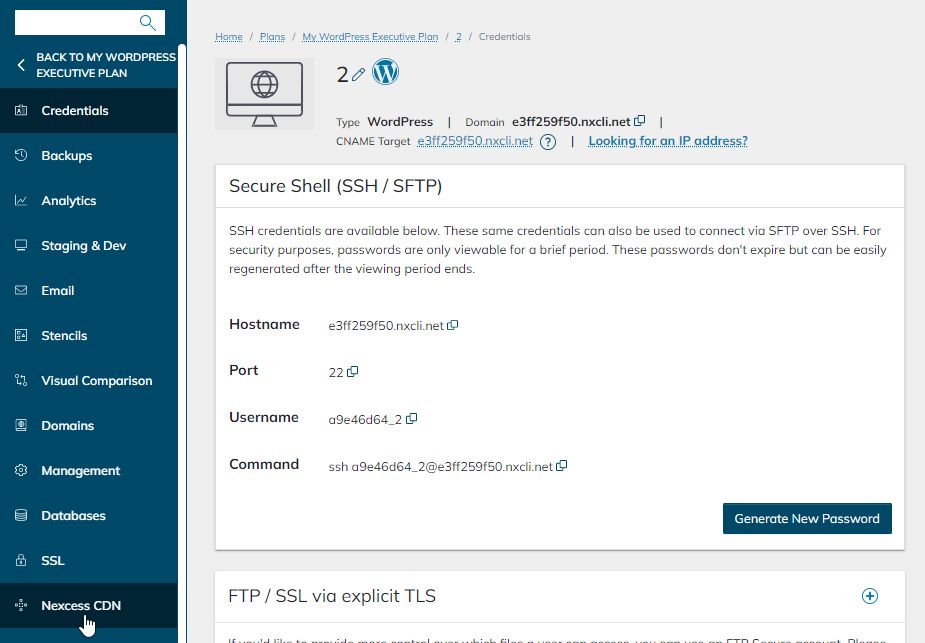
The Nexcess CDN section lists the CDN Endpoint and the domain to which it is pointed. You will also be able to clear the cache from this page:
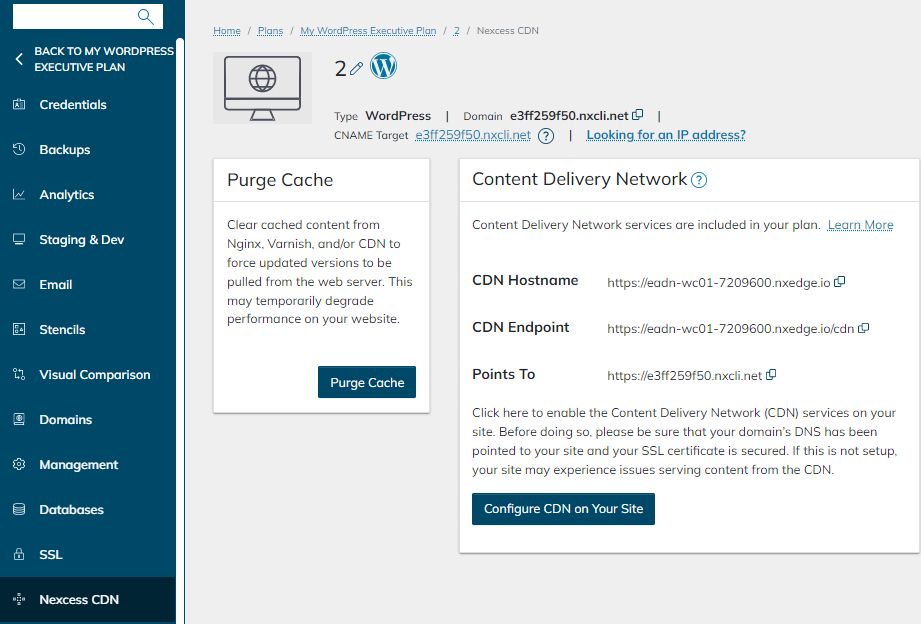
CDN configuration for WordPress-based sites is more complicated than the setup for Magento 2 websites. WordPress installations require a plugin that enables you to use the CDN. Managed WordPress and WooCommerce sites come with the CDN Enabler plugin preinstalled on them.
Since there are multiple plugins available that are compatible with the Nexcess CDN, we have detailed instructions on how to use them:
- How to configure the Nexcess CDN with WordPress and CDN Enabler
- How to configure the Nexcess CDN with WordPress and WP Rocket
- How to configure the Nexcess CDN with WordPress and W3 Total
- How to configure the Nexcess CDN with WordPress and Swift Performance
Related articles
- Nexcess Edge CDN — Content Delivery Network
- How to configure the Nexcess CDN with WordPress and CDN Enabler | Nexcess
- What does purge the CDN mean? Purging the Nexcess CDN