Manage File Permissions in cPanel
File permissions define access to files and folders on a server or website. WHM provides permissions functionality within the cPanel File Manager, allowing you to adjust permissions without using the command line.
File Permissions determines the type of action that can be taken on a file or folder within a server or website. cPanel has file permissions functionality within the File Manager, making it so you don’t have to use the command line.
Tip
Learn more about the different permissions that can be granted in our article: File Permissions.
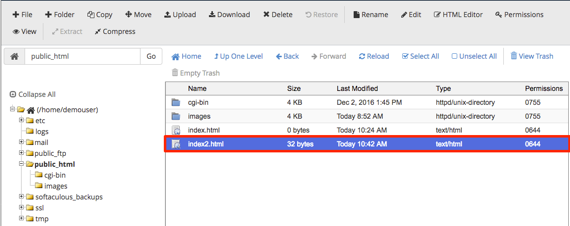
- To edit File Permissions, navigate to the File Manager in cPanel.
- Highlight the file or folder in the public_html list with your cursor.

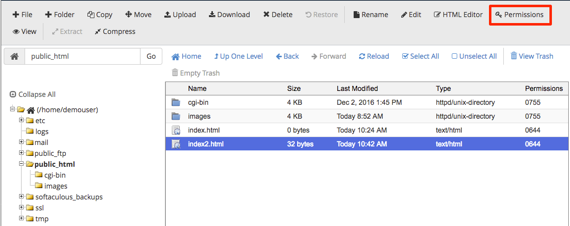
- Click the Permissions link in the upper right hand corner of the page.
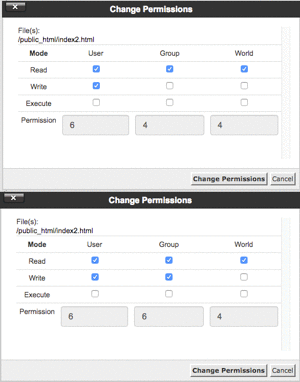
- A dialogue box will open showing the permissions you can apply to the file or folder.

- Once you complete the changes, click Change Permissions to save the changes.