Troubleshoot Unresponsive OpenStack Cluster WebNodes
The process of troubleshooting unresponsive WebNodes on your Cloud Server environment is pretty simple.
The process of troubleshooting unresponsive WebNodes on your OpenStack Clustered environment is pretty simple.
Reboot a Web Node
Initiate a restart of the Web Node if a Web Node is unresponsive.
- Login to your Liquid Web Account.
- Click on Projects > Projects List.
- Select the project you are troubleshooting.
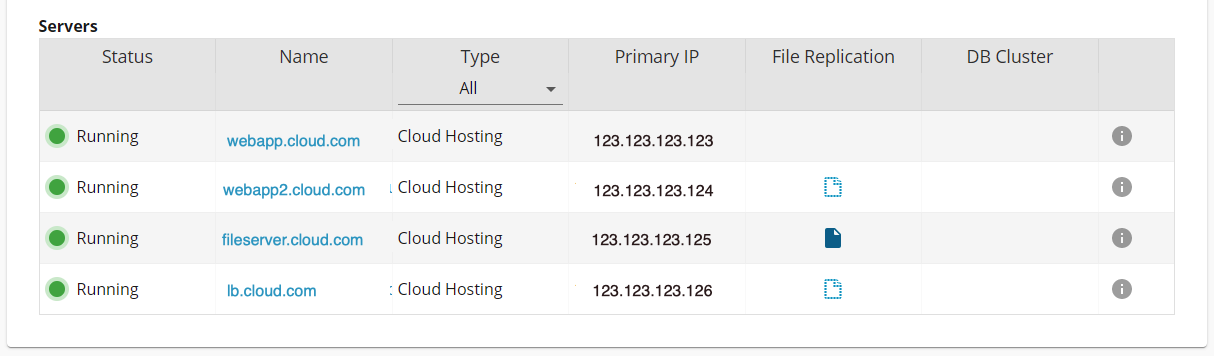
- Click on the Web App (Node) that is not responding and you’ll be able to initiate a reboot request from this interface.
- If the Web App Server responds properly again then you can stop here. If not, continue by removing the WebNode completely.
Rebuild a Web Node
- In the same area you clicked on to reboot the server, click on the three vertical dots button which allows you to Destroy the Web Node.
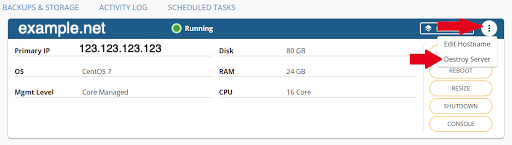
- Confirm that you want to remove the Web Node to finish the process. Once that is completed you’ll want to purchase the Web Node again. To do this go back to the project overview page again.
- Click to purchase Web Nodes.
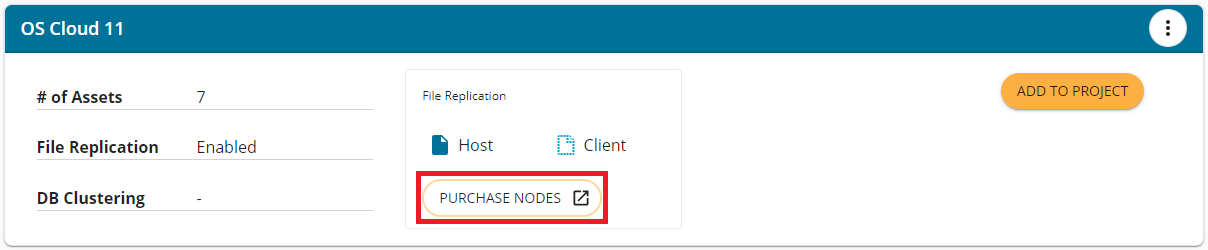
- Add the Web Node hardware you want and Add this to the cart. Once checked out the system will provision you another Web Node which is automatically configured for the project. (If the new web node is not automatically added to the project, please contact our Support team for additional assistance).