

Generate an SSL Certificate Signing Request (CSR) in Cloud Sites
Secure your website easily. Learn how to generate a Certificate Signing Request (CSR) directly from your Cloud Sites control panel to order an SSL.
A certificate signing request (CSR) is information generated by your server that is necessary to apply for a SSL certificate. It contains information about your website, but it’s encoded. Instead of trying to learn the notation and encode a CSR yourself, the Cloud Sites control panel can do all that for you. All you have to do is enter your information.
- Log into your Cloud Sites Control Panel.
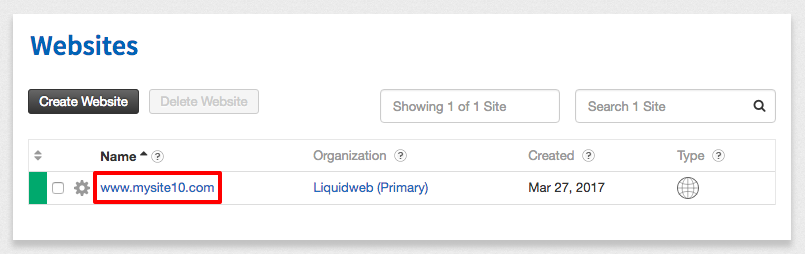
- Click on the website where you want to generate your CSR.

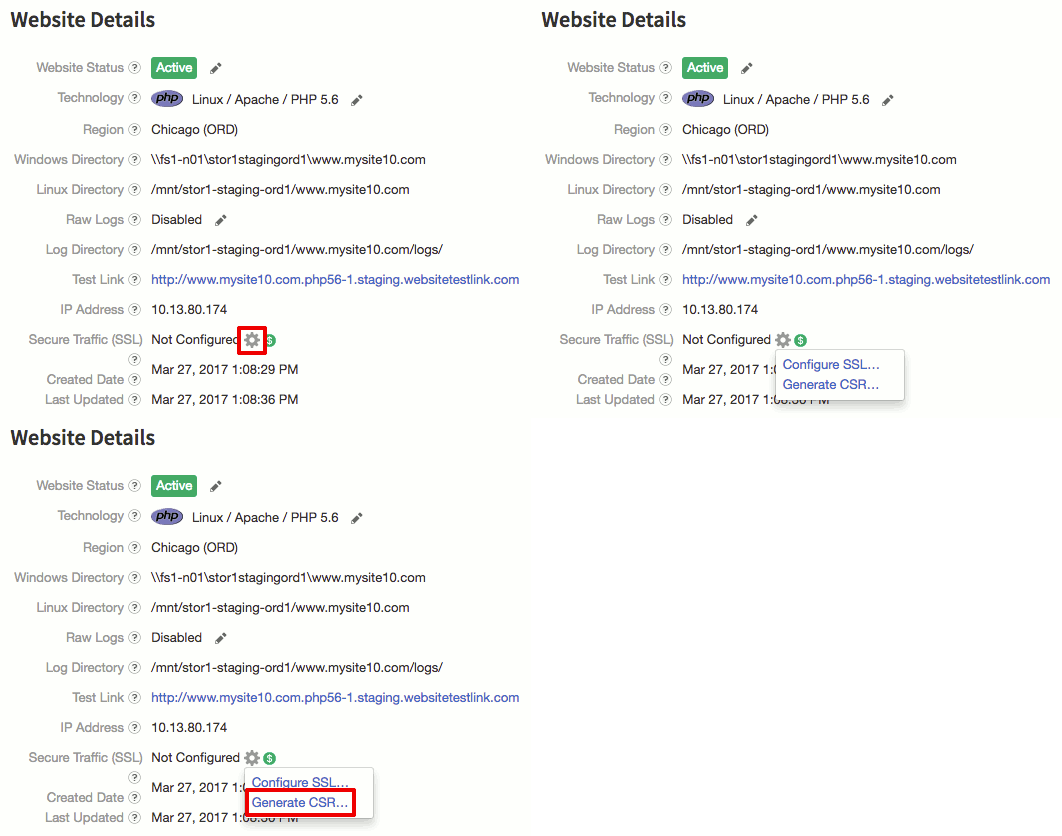
- In the Website Details section, find Secure Traffic (SSL) and click on the gear icon. Then click Generate CSR.


- Enter your Organization, Organization Unit, City, Country (and State if necessary) and click Generate CSR.

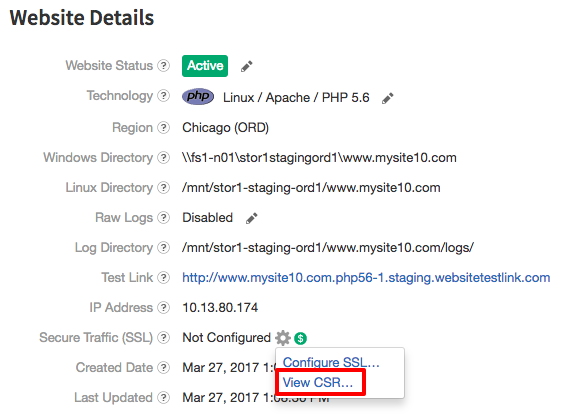
- Now you can click on the gear icon again and then click on View CSR. This is all the information you need to order your certificate!

Now that you have your CSR, you can move on to the next step: Ordering an SSL Certificate. We make ordering a certificate easy, but you can also provide your own certificate. Cloud Sites supports every certificate approved by Mozilla’s CA Certificate Program including Let’s Encrypt (auto-renewal for Let’s Encrypt is not supported at this time).