

Generating an API Token in InterWorx
API Tokens enhance server connections' simplicity and security compared to usernames/passwords. Creating one in InterWorx involves just a few steps for added convenience.
While usernames and passwords are often used to manage connections between servers, creating an API Token (or Key) can make the process of connecting servers simpler and more secure. API Keys are great for automating connections between servers without having to provide full SSH access to the server. Creating an API Token in InterWorx requires only a few steps.
- Login to InterWorx (Nodeworx) as the Administrator. For more information, see Logging into Interworx Web Panel.
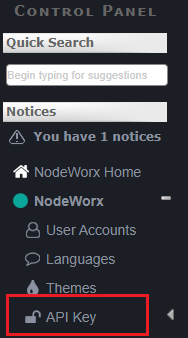
- Click on the API Key link in the NodeWorx menu.
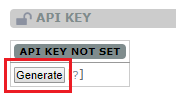
- If an API Key has been created, you will see it on the API Key screen. If it has not yet been created, click the Generate button to create a unique API Key for the server.
- You can now copy/paste the key from your InterWorx panel into others servers/services to allow secure connections to your InterWorx server.
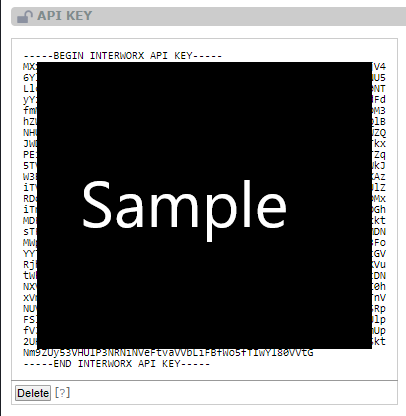
If you need to update or change your API Key, just click the Delete button, then generate a new one (NOTE: Any services using the old API Key will need to be updated to use the newly generated key).