

Filtering Spam Using RBLs
In addition to using a spam filtering program like SpamAssassin, you can use remote block lists (RBLs, also called DNSBLs) to look for spam in your incoming email. RBLs are lists of IP addresses that are associated with spam email. Your server asks an RBL if the email sender IP is on its list of spam addresses. If it is, your server’s settings can reject the message and send it back with an error, accept the message and tag it for further spam filtering, or accept the message and deliver it to your inbox.
You can enable this filtering in:
Enabling RBL Spam Filtering in WHM
When you enable RBL filtering in WHM, any messages that don’t pass the RBLs tests will be rejected.
- Log into WHM.
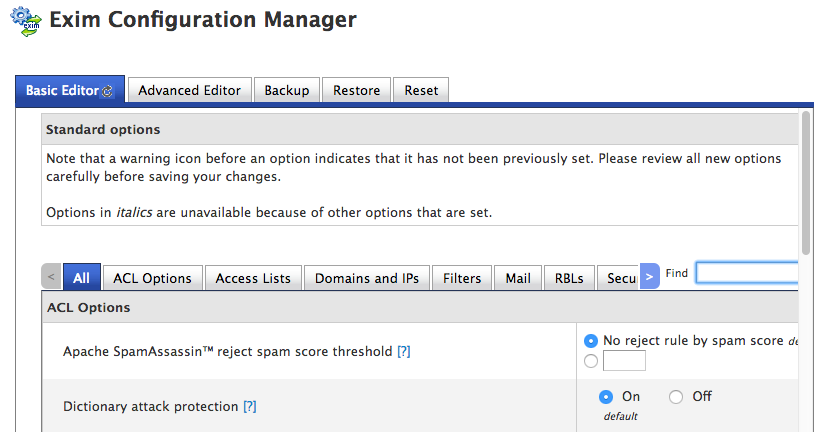
- In the left hand search bar, search for “Exim.” Then, click on Exim Configuration Manager in the Service Configuration section of the left navigation menu.

- You’ll see many different email configuration settings. Scroll down until you see the RBLs section.
- WHM automatically supports two RBLs: SpamCop and Spamhaus. Both are established RBLs with wide usage. Click the radio button next to the RBL(s) you’d like to use to filter mail.

- If you want, you can exempt mail from certain servers from being checked against RBLs. By default, WHM exempts servers in the same netblock and greylisted servers. You can also whitelist specific IP addresses.
- Once you’re done choosing your settings, make sure to scroll all the way to the end of the configuration page and click Save.
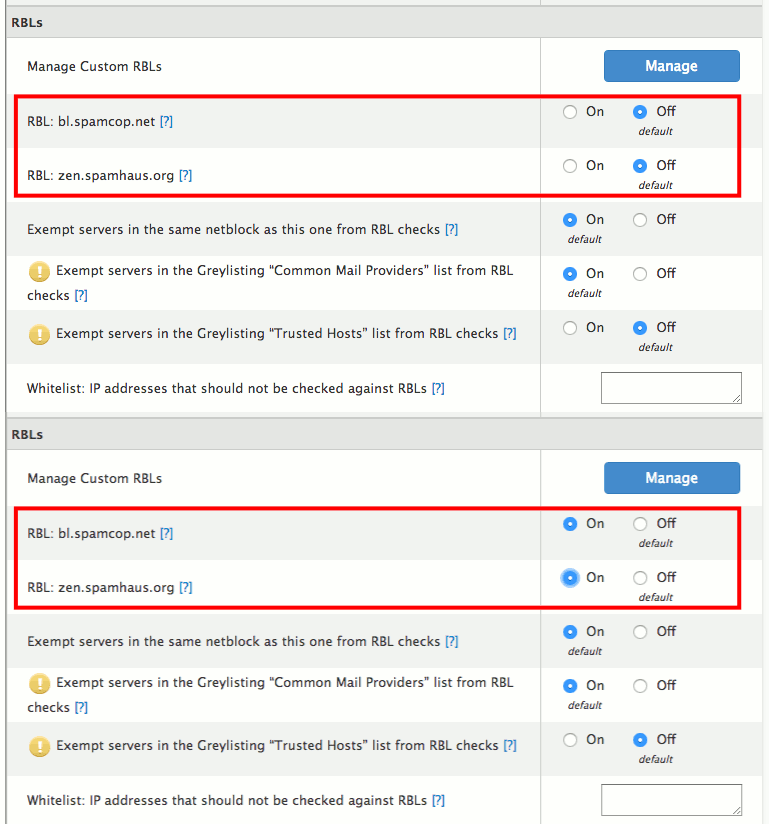
If you want to use an additional RBL to filter your email, you can add a custom RBL.
RBL filtering is a good open source spam solution. Unfortunately, it isn’t perfect and can miss some spam. We recommend also enabling SpamAssassin filtering and Clam AV on your server.
Enabling RBL Spam Filtering in Plesk
- Log into your Plesk control panel.
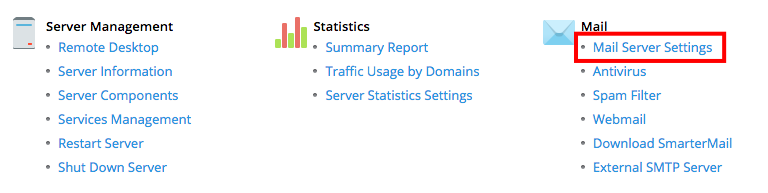
- In the left navigation menu, click on Tools & Settings.
- In the Mail section, click on Mail Server Settings.

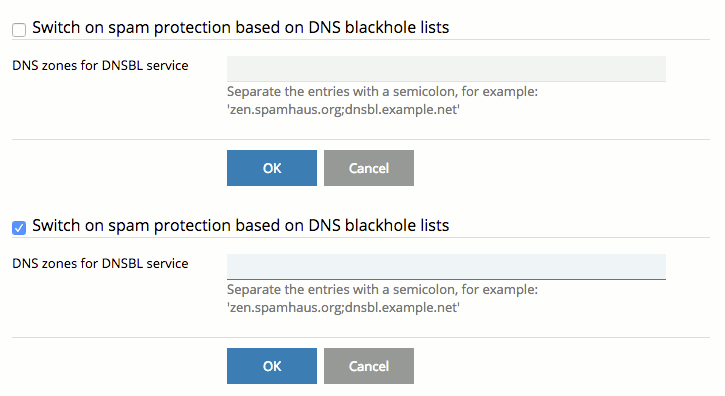
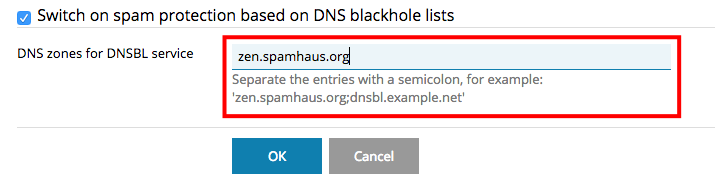
- You’ll see all your server-wide mail settings. Scroll down to Switch on spam protection based on DNS blackhole lists. Check the box to enable this protection.

- Now enter the RBL zones you want your mail server to check before delivering mail. Each RBL publishes a list of these DNS zones on their websites. For example, the most popular Spamhaus RBL is “zen.spamhaus.org.”

- Once your settings include the RBLs you’d like, click OK.
RBL filtering is a good open source spam solution. Unfortunately, it isn’t perfect and can miss some spam. We recommend also enabling SpamAssassin filtering and Clam AV on your server.