

Reset a User Password as an Administrator in Premium Business Email
Resetting a user's email password from the Email control panel is necessary if forgotten or misplaced. However, prioritize security when resetting and notifying users of the new password, ensuring sensitive information remains protected throughout the process.
If a user forgets or misplaces their email password, an administrator will need to reset the password for them from the Email control panel. When resetting and notifying the user of the new password, please be mindful of security. See our article Best Practice: Creating a Secure Password and Best Practices: Protecting Your Email Accounts from Compromise.To reset the email password for a user in Premium Business Email, log into your Email control panel.
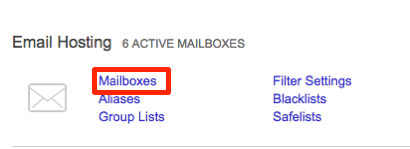
- From the home page, click on Mailboxes to open the user list.
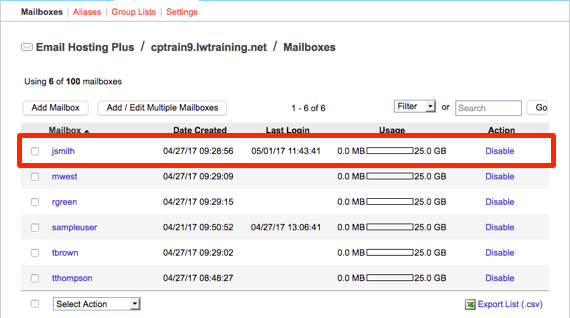
- Select the user who needs their password reset by clicking on the username.
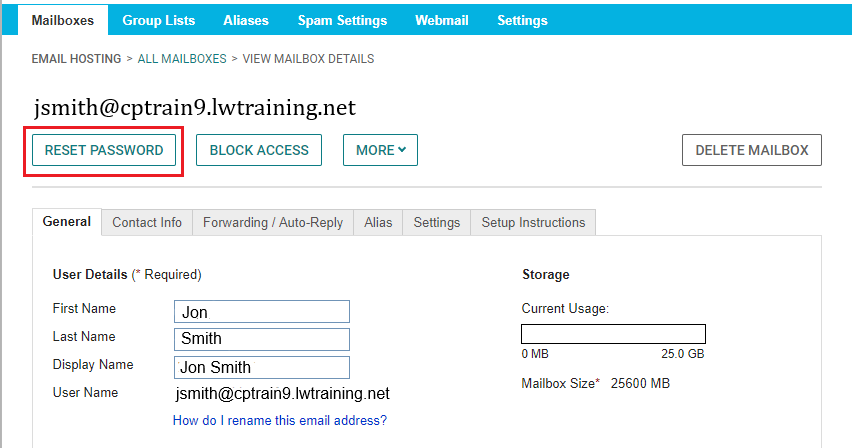
- Click on Reset Password. Enter the new password and enter again to confirm.
- Notify the user of the changed email password.
- Once the user has logged back into their email, have them reset the password for themselves again to ensure security and avoid sharing passwords.