

Manage Premium Business Email Mailboxes
Adjusting the number of mailboxes or adding archiving to your Premium Business Email is hassle-free. Easily increase, decrease, or select add-ons through your Liquid Web account after purchase, giving you full control.
Need to increase or decrease the number of mailboxes in your Premium Business Email? We’ve made it an easy process, giving you control to increase or decrease and select add-ons after purchase through your Liquid Web account. If you need help finding your Premium Business Email portal, see our article Accessing Your Premium Business Email.
Note: |
| Even if you set your mailbox number to zero, and delete all email boxes, you will be charged for Premium Business Email services. If you are looking to cancel, please see our article Cancelling Services and Servers and follow the steps to cancel. |
- Open the domain you want to change from the list at the bottom of the page by clicking on the domain name.
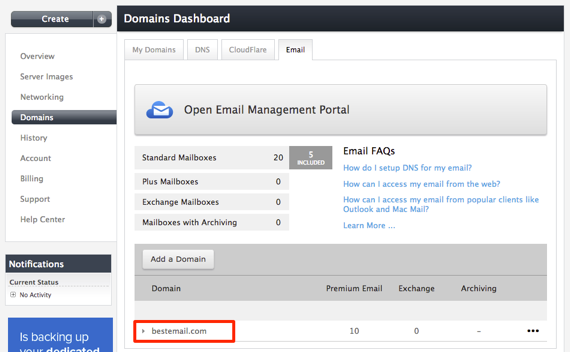
- The section will open and you can increase, decrease or choose your add-on for that domain.
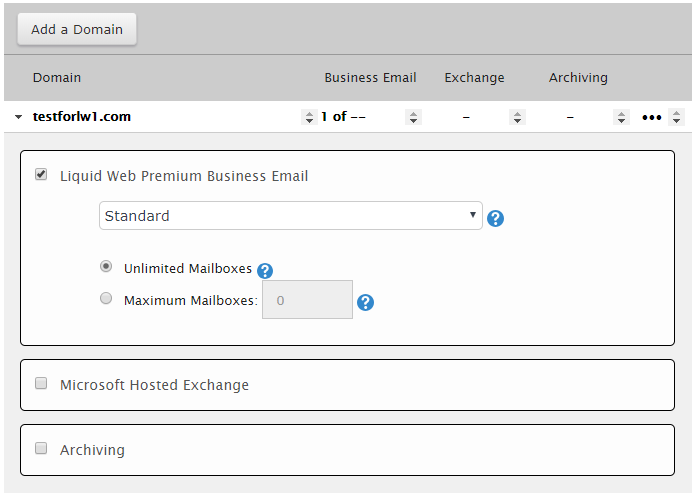
- Click Save to save your changes and update the product settings.
Note: |
Some customers may see a different screen when updating domains (see example below). The screen will still include the same options, but may appear slightly different from that pictured above.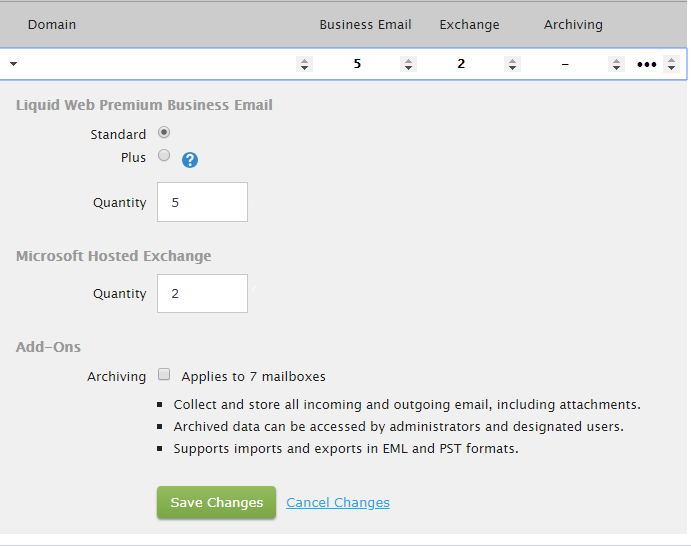 |