

Enabling Full Mailbox Notifications in Premium Business Email
Some users keep every single email they ever receive. Eventually, this fills up their storage space and causes their email to stop working. Wouldn’t it be great if you could be notified before the situation becomes a problem, rather than dealing with a frustrated user who has stopped receiving email? Well, you can! With Premium Business Email, it’s easy to turn on storage notifications so that both you and the user are notified when they are getting close to their storage limit.
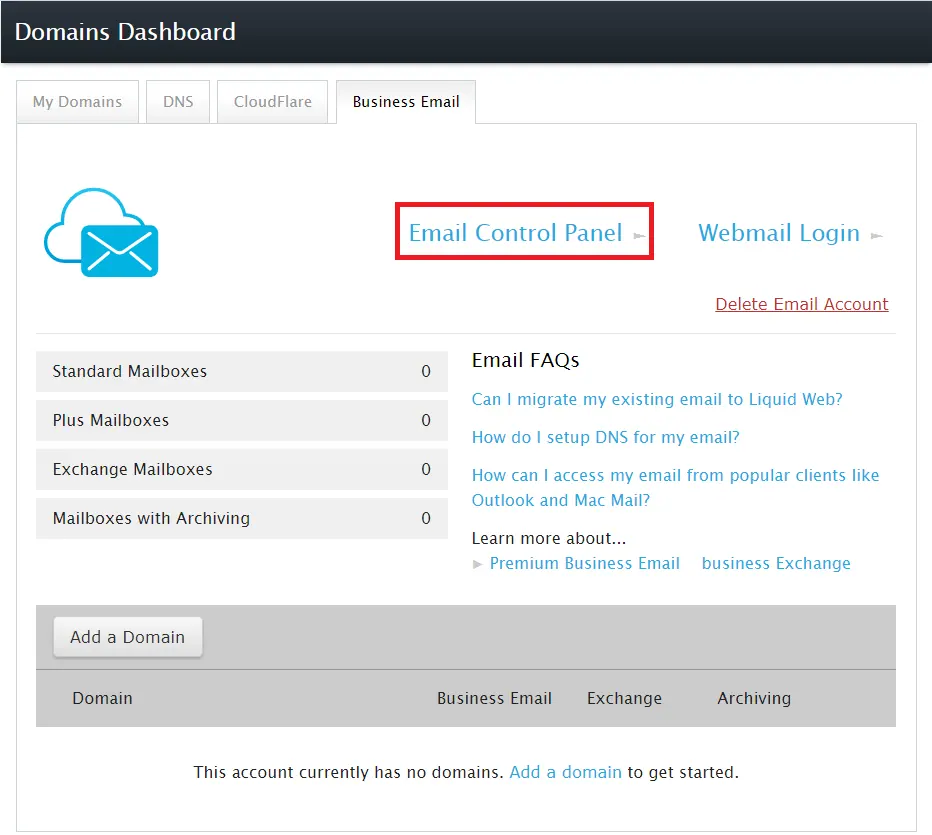
- Use the link to login to your Premium Business Email Control Panel or click on Email Control Panel in your Business Email Dashboard.
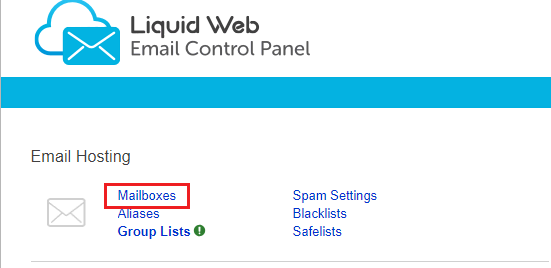
- In the Email Hosting section, click Mailboxes.
- If you have multiple domains, select the domain for which you want to enable storage notifications.
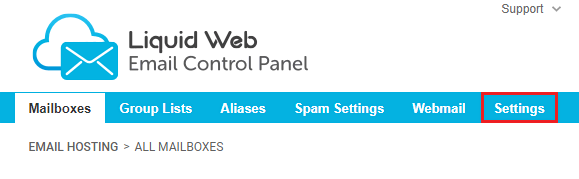
- Click Settings from the sub-ribbon under Email Accounts.
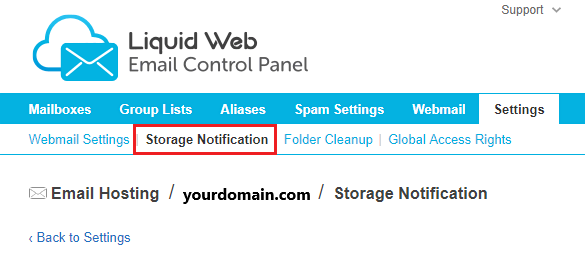
- Select Storage Notifications from the options.
- Check the box next to Activate full mailbox notification and adjust settings as desired.
- Send a notification to the user when the mailbox reaches a certain percentage of capacity.
- Send CC to an email address of your choosing so that you easily know when users are about to exceed capacity.
- Customize the notification message to give your user instructions.
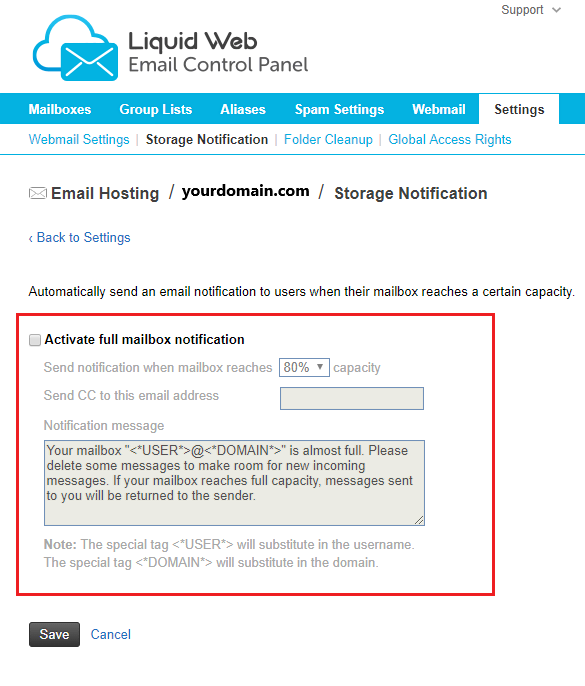
- Click Save.
Now your users will be notified when they are running out of room to store their messages. They can then manage their stored messages and make more room before there is a problem. If keeping large amounts of email is a business requirement, you may also want to consider adding Email Archiving to your domain. Archiving allows you to keep all of the messages, both incoming and outgoing, for the entire domain. For more information on Email Archiving, see Archiving Email in Premium Business Email.