How to create and manage MIME types
How Nexcess clients on SiteWorx can customize MIME types and associated extensions.
Follow the steps below to add your own custom MIME types and associated extensions.
Log in to your SiteWorx account.
- If you do not know your password, click Forgot your password on the login page.
On the main menu, click Hosting Features > Htaccess.
In either Global Directory Options or Per Directory Options, select Edit.
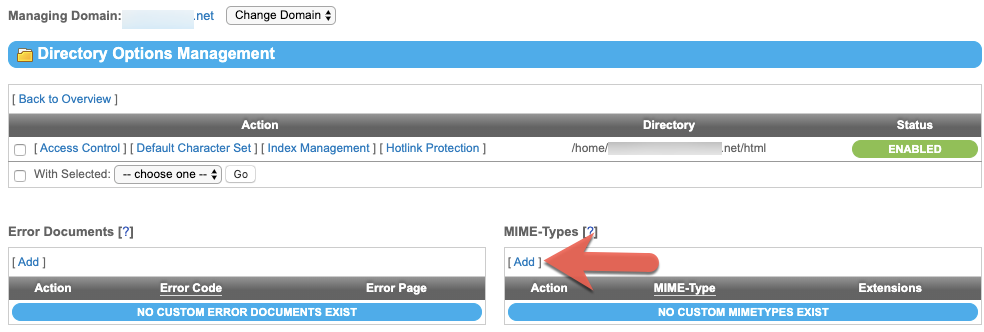
In the MIME -Type section, click Add.

in the MIME-Type field, enter the MIME type you want to use for the given extensions. You can type more than one extension in the Extensions field, separated by either spaces or commas.
Click Save.