How to enable and disable .htaccess files with SiteWorx
Step by step instructions
Log in to your SiteWorx account.
- If you do not know your password, click Forgot your password on the login page.
On the main menu, click Hosting Features > Htaccess.
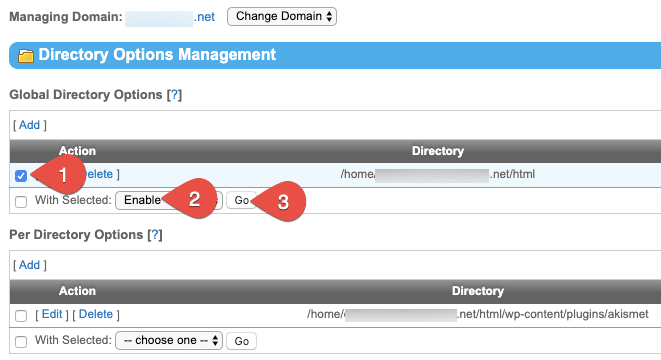
Select the check box corresponding to the file (1). From the With Selected drop-down list, select either Enable or Disable (2). Click Go when ready.